Atari ST - Double Click Software - 1991
Data Diet
- Genre
- Archiving
- Year
- 1991
- Language
- [unknown]
- Publisher
- Double Click Software
- Controls
- Mouse
- Distributor
- —
- Resolution
- Medium / High / VGA
- Developer
- [n/a]
- ST Type
- ST, STe, TT, Falcon030 / 0.5MB
- Licensed from
- —
- Programmer(s)
- Gerdes, Keith
- Country

- MIDI
- —
- Software
- English
- Version
- 1.0a
- Box/Instructions
- English
- Number of Disks
- 1 / Double Sided / HD Installable
- License
- Commercial
- Dump
- Download
- Serial
- —
- Dump format
- MSA
- Protection
- —
OTHER VERSIONS WITH THE SAME TITLE (3)
1 / 5
INSTRUCTIONS
Updated version 10-20-91

Remember, this is copyrighted COMMERCIAL software.  We are well-known
for our prolific freeware/shareware offerings but alas this was just
too big a project for such a market.

DO NOT GIVE THIS SOFTWARE TO ANYONE.  DOING SO IS A FELONY.

**********************

The Data Diet manual is printed on 100% Recycled Paper.  Help protect
planet Earth.

*** IMPORTANT NOTE ***

You must run the DD_REG.PRG program and fill in your name, address and
other information to enable DATA DIET, BEFORE copying any files to your
work disk.  Failing to do so will leave DATA DIET non-working.

If you purchase Data Diet directly from us, you are pre-registered and
will not have a DD_REG.PRG file on your disk.

**********************

The current version of the Data Diet package is indicated by a zero byte
file on the master disk.  Such file would have a name like: DATADIET.10A,
indicating Data Diet version 1.0a.  One or more files may be updated as
the result of a version number change.

v1.0a
-----
DD_TOOLS 1.0a: an UPDATE operation during a DIETIZE (indicated by a UPD) would
turn the handler OFF.  This has been corrected.

DCOFFSET.DOC: this file has been added to the disk to show how to write
information back to a SQUISHed program, without corrupting the program.

DCFREE: this folder contains one or more of our freeware programs.  See the
docs inside the folder for more info about the programs.

**********************

On bootup Data Diet indicates the supported TOS country version(s).

TOS country versions:

USA - United States of America
FRG - Federal Republic of Germany
FRA - France
UK  - United Kingdom
SPA - Spain
ITA - Italy
SWE - Sweden
SWF - Switzerland (French)
SWG - Switzerland (German)
TUR - Turkey
FIN - Finland
NOR - Norway
DEN - Denmark
SAU - Saudi Arabia
HOL - Holland

Note that the country version USA covers "most" english versions of
TOS distributed.

****
DO
+ Use FOLDRxxx.PRG.  On _ANY_ version of TOS.
   - Especially when you do batch dietizing with DD_TOOLS.
+ Use a cache program.
+ Periodically defragment your drives.
   - Performance can only be helped by this maintenance chore.
+ Try to use REALTIME mode when using a RAMdisk for the WORK directory.
+ Quit a program if you are using a RAMdisk for the WORK directory
  in TERMINATE mode.

DON'T
+ Be afraid.
+ Turn off the power while in a program if you are using a RAMdisk
  for the WORK directory in TERMINATE mode.

****

Corrections and additions to the manual:

PAGE i:
=======
DD_CNTL.PRG should actually be called DD_CNTL.TTP.
The program and documentation for the program are in the DD_CNTL folder.

PAGE 31:
========
The dialog displayed is not the FILE INFO dialog box.  The instructions for
getting FILE INFO and the actual text in the display are correct.

You can also click on the file name in the FILE INFO dialog to repeat
getting file information.

PAGE 33:
========
The manual states the buttons to take path calories is PATH, but
should be PATH CALORIES, and the button to take drive calories should be
DRIVE(S) CALORIES, not calories.

ADDENDUM:
=========
The key toggles for the DATA DIET functions (to turn DD on and off, and to
toggle the FIND NEXT FILE size) will not toggle the button displays in the
Data Diet accessory while you are in the accessory.  Leave the desk accessory
and enter it to have the button reflect the current status.

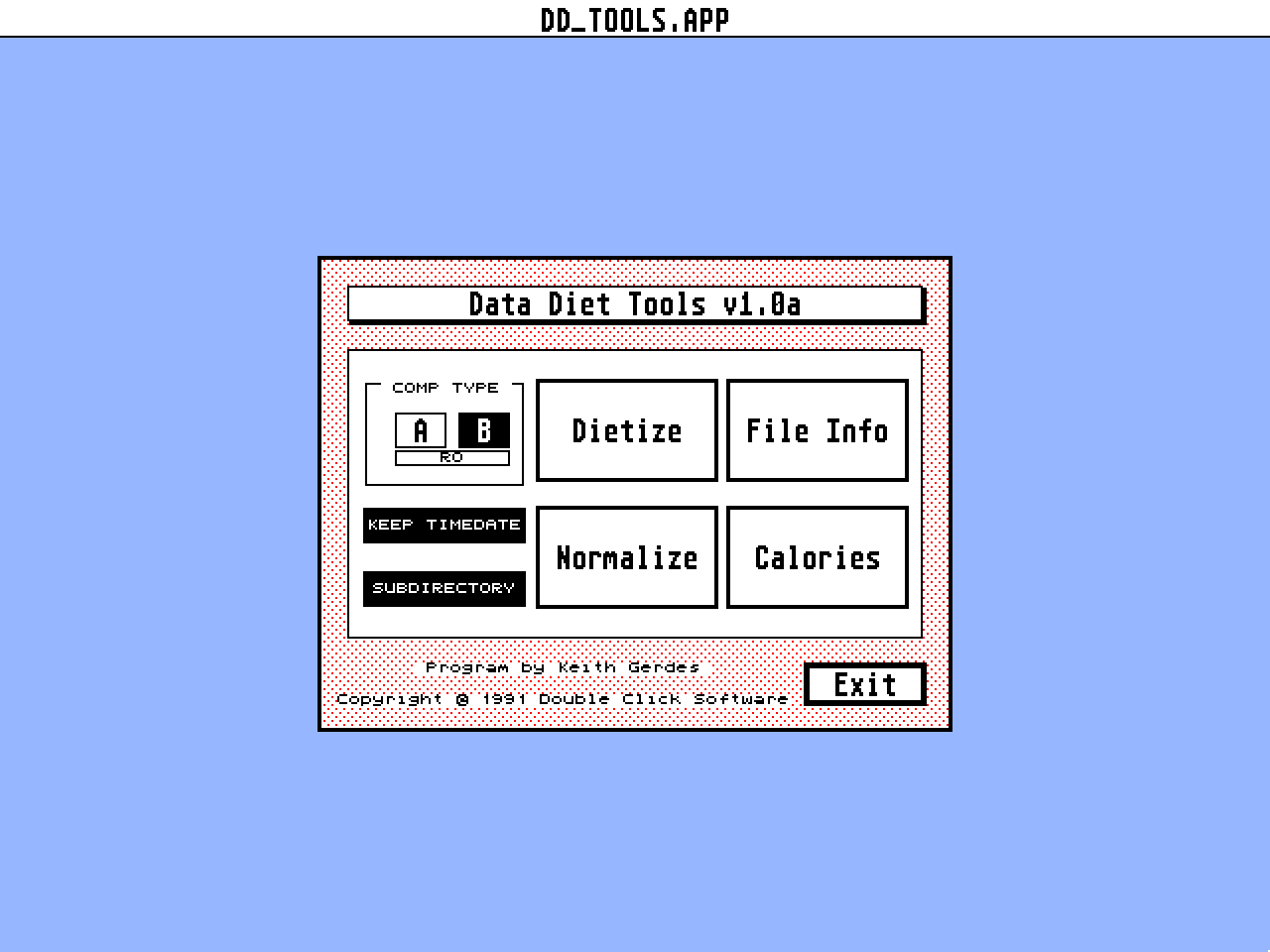
EXEC DD_TOOLS button will be disabled if you do not have enough memory inside
the current application to run DD_TOOLS from disk.

You can save the Data Diet Tools configuration by clicking on the name of
Data Diet Tools v1.0 from the DD Tools main menu.  An alert box will appear
and you can click on YES to save the current settings.

When saving configuration information from the Data Diet front end accessory/
program, it will attemp to locate DATADIET.PRG in the current working
directory (at the desktop, the currently topped window).  If it is unable to
find DATADIET.PRG, it will attempt to locate it in the boot disk AUTO folder.

When saving configuration information from DD Tools, DD Tools will attempt to
locate itself in the current working directory (at the desktop, the currently
topped window).  If it is unable to find itself, it will look to the directory
it was booted up from.

The actual default name for the Data Diet work directory is C:\DATADIET.WRK

STEFIX.PRG must run after Data Diet in the AUTO folder.  This program is only
for early production STEs.

There is a known conflict between Data Diet and MultiGem.  We are working
on a solution.

_DO NOT_ Squish these files:
1) .SYS files, since most are not "executed"
   (usually drivers: ie Hard disk and printer)
2) NEODESK.EXE
3) Timeworks DTP .OVLs


*********  Things to note, which are not bugs! *********

The very first file (or if a directory contains only one dietized file) in any
directory listing will always be displayed with the original file size, even
if the file is dietized.  The reason for this is explained on page 26 in the
underlined paragraph.  Data Diet will always return the original file size for
the FIND FIRST FILE, which can be the first file displayed in a directory.

Data Diet will create a zero byte length file in the original file directory
for any file newly created.  The file is full-sized in the work directory.
This is done so you can locate the file from the original directory.  Once
dietization is performed, the file will have a length in the original directory.