

Atari ST - Trace Technology - 1993
Data Diet
- Genre
- Archiving
- Year
- 1993
- Language
- [unknown]
- Publisher
- Trace Technology
- Controls
- Mouse
- Distributor
- —
- Resolution
- Medium / High / VGA
- Developer
- [n/a]
- ST Type
- ST, STe, TT, Falcon030 / 0.5MB
- Licensed from
- —
- Programmer(s)
- Gerdes, Keith
- Country

- MIDI
- —
- Software
- English
- Version
- 2.0a [update]
- Box/Instructions
- English
- Number of Disks
- 1 / Double Sided
- License
- Commercial
- Dump
- Download
- Serial
- —
- Dump format
- MSA
- Protection
- —
OTHER VERSIONS WITH THE SAME TITLE (3)
INSTRUCTIONS
PLEASE READ THIS CAREFULLY.

This is a patch kit for Data Diet v2.
[Package version 2.0 (DATADIET.200, 0 byte file on MASTER) will be updated
to 2.0a.]

Follow the directions listed below.  Failure to do so may result in your
frustration.

This patch kit is designed to patch the following program(s):

DATADIET.PRG v2.0   ->  DATADIET.PRG v2.0a

======
PART A
======

NOTE: You may want to temporarily add DIF as an excluded extender.

1) UnLZH the file DD2UPD0A.LZH to a PATCH directory to get the following
    files:

    Filename            Size
    --------            ----
    DATADIET.DIF        13084

    DD2UPD0A.PRG        2317

    DATADIET.20A - 0 byte version file
    DD2UPD0A.TXT - update info
    READ_ME.NOW  - this file

2) Copy the following "in-use" file(s) to the PATCH directory:

    DATADIET.PRG        13380

3) The contents of the PATCH directory should now be:

    DATADIET.DIF

    DATADIET.PRG

    DD2UPD0A.PRG

    READ_ME.NOW
    DD2UPD0A.TXT

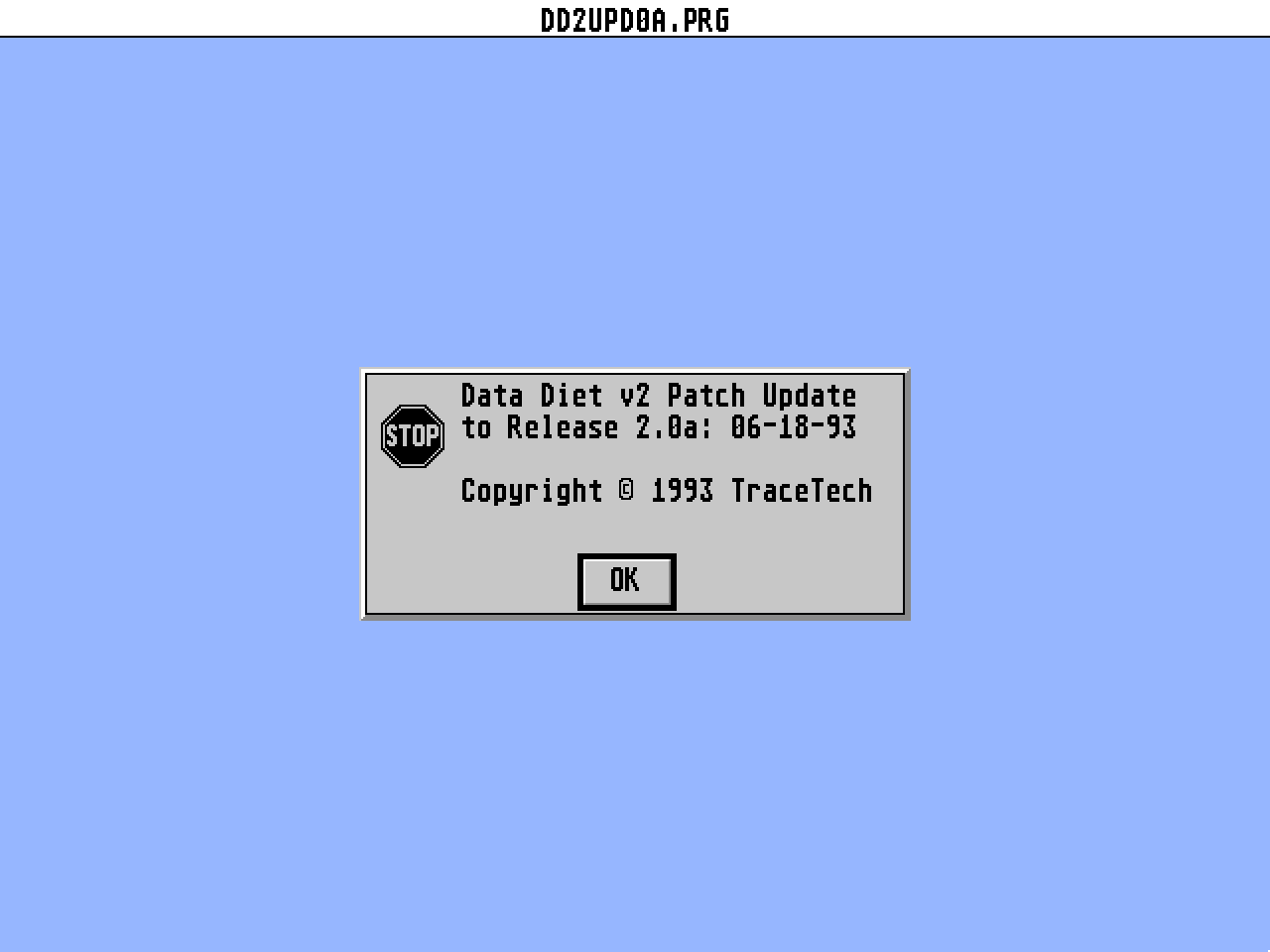
4) Execute the DD2UPD0A.PRG program in the PATCH folder.  You will be
    presented with an alert box stating:

    Data Diet v2 Patch Update....

   Press the  key.

5) Next you will see another alert box:

    Insert your MASTER Data Diet v2 disk....

   Press

   Insert your MASTER Data Diet v2 disk into drive A: and press
   NOTE: This disk must be _REGISTERED_!

6) After the MASTER Data Diet v2 disk is verified, you will be presented
    with another alert box stating:

    Ready to PATCH files!

   Press

7) The next alert box will remind you of the brief procedure needed to
    patch your program(s).

8) Using the file selector, locate and select the following program(s)
    in your PATCH directory to patch and create the NEW program version(s):

    Filename                Final Size
    --------                ----------
    DATADIET.PRG     ->     13076

NOTEs: All configuration information is kept intact for each updated file.
       The next section covers this step in further detail.

======
PART B
======

To patch a program, perform the following steps:
------------------------------------------------

1) Use the file selector to locate the program to patch.  The program must
   be in your PATCH directory.

2) After you have selected the program to patch, the PATCH program will
   look for the file named filename.DIF in the same location as the
   selected program.

    where filename is the root filename of the selected program.

    EXAMPLE: If you choose DATADIET.PRG, the PATCH program will look for
        the file named DATADIET.DIF in the same place as DATADIET.PRG

3) The PATCH program will create the NEW program version, overwriting the
   selected old program.

4) If you have already patched the selected program, or the program you have
   selected is not the correct version, or is otherwise unpatchable, the
   PATCH program will present an alert box stating:

    Checksum error.

   Press return and select another program, or try again.  The PATCH program
   will protect you from altering the wrong program.

5) Repeat step 1 until you have selected all programs.

6) Click on the CANCEL button in the file selector to end the patch
   procedure.


======
PART C
======

Copy the patched program(s) to your work disk as described on pages 8-11
in your Data Diet manual.

We suggest that you either keep the PATCH archive or a new PATCH disk for
future reference.  Should more patches be needed, they will be based on
the latest version.

We suggest that you DO NOT copy the new program(s) to your MASTER disk
until you have verified operation.


======
PART D
======

Several other conditions may occur which will stop the PATCH process.  In
any of the fatal patch conditions, an alert box will be displayed.

Alert                           What to do
-----                           ----------

Load error                      Make sure the program selected is not damaged
                                Make sure the disk is not damaged
                                Make sure the correct disk is inserted
                                Copy the file(s) to the PATCH folder again,
                                as stated above in Part A, step 2

Malloc error                    Your system does not have enough memory to
                                perform the PATCH process.  Reboot with a bare
                                system, or remove some items which are taking
                                up memory.

Write error                     Make sure the disk is not write protected
                                Make sure the disk is not damaged
                                Make sure the disk has enough free space

Checksum error                  Make sure you have selected the original
                                program file.
                                Make sure you have copied the correct
                                program file.
                                Make sure you have selected the correct
                                program (retry).
                                Copy the file(s) to the PATCH folder again,
                                as stated above in Part A, step 2


======
PART E
======

What this fixes:
----------------
See DD2UPD0A.TXT


That's all folks.  We are interested in hearing from you.  Problems,
suggestions, anything that is on your mind.


For further information, or to ask us a question, contact us by phone at:
(713)771-8332  [1PM-5PM M-F Central Time]

On GEnie:
K.GERDES
 [Data Diet message area, CAT 2 TOPic 12]


Thanks for your support.

- Keith


==============================================================================
Data Diet v2 by Keith Gerdes
Copyright c 1991-93 Trace Technologies
==============================================================================
This patch package is supplied in the belief that it operates as specified,
neither Trace Technologies (the company) nor the authors shall be liable in
any circumstance whatsoever for any direct or indirect loss or damage to
property incurred or suffered by the customer or any other person as a result
of any fault or defect in the goods or services supplied by the company
and in no circumstances shall the company be liable against consequential
damage or loss of profits (whether or not the possibility thereof was
separately advised to it or reasonably forseeable) arising from the use or
performance of such goods or services.
==============================================================================