

Atari ST - Rombo - 1990
Vidi ST
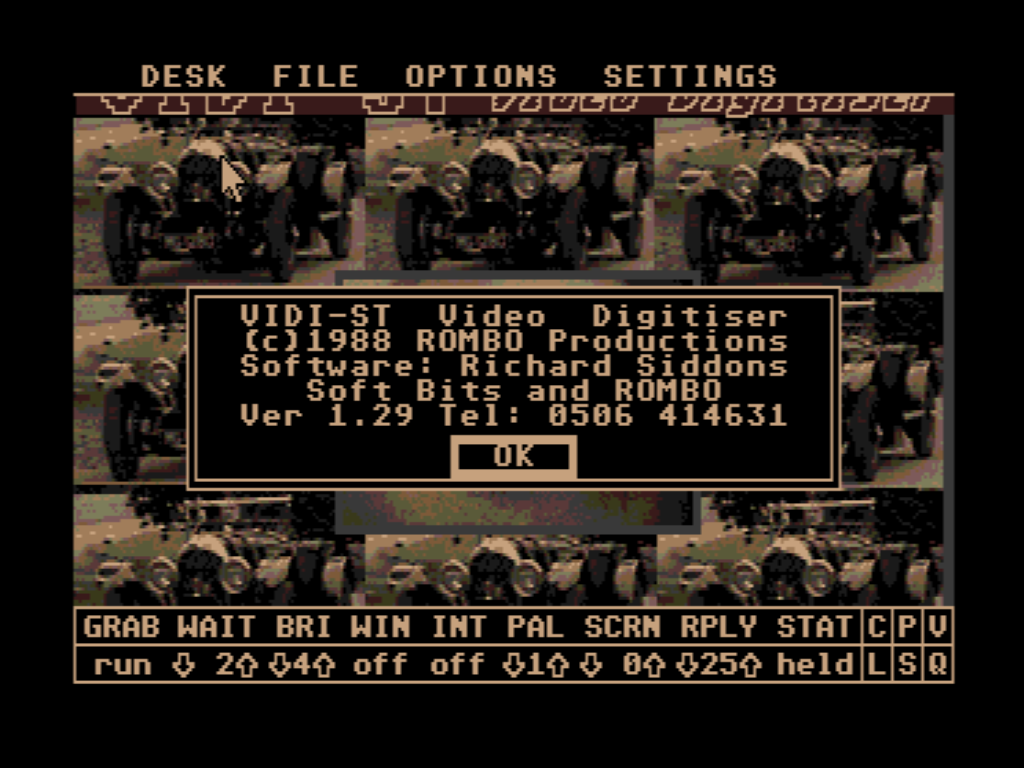
- Genre
- Graphics - Digitizing
- Year
- 1990
- Language
- [unknown]
- Publisher
- Rombo
- Controls
- Mouse
- Distributor
- —
- Resolution
- Low
- Developer
- Soft Bits
- ST Type
- ST, STe / 0.5MB
- Licensed from
- —
- Programmer(s)
- Siddons, Richard / Sharp, Marcus
- Country

- MIDI
- —
- Software
- English
- Version
- 1.29
- Box/Instructions
- English
- Number of Disks
- 2 / Double Sided
- License
- Commercial
- Dump
- Download
- Serial
- —
- Dump format
- ST
- Protection
- —
OTHER VERSIONS WITH THE SAME TITLE (3)
INSTRUCTIONS
 Vidi-ST v1.29, 29th May 1990
 ----------------------------

 (c) 1990 Rombo Productions
 --------------------------

This file is intended to supplement the
Vidi-ST manual, detailing the various
improvements made to the software since
the manual was produced.  The main
additions are:

    Save and load sequence
    Epson printer support
    STOS-Vidi extension commands

If you have just bought Vidi or
upgraded from an earlier version, make
sure you read all this stuff to get the
most from the package!


 General
 -------

When connecting Vidi-ST to your video
source please check that you're using
VIDEO OUT rather than the RF AERIAL OUT
which you would normally connect to a
TV set - the two signals are entirely
different.

You may find that your video has a BNC
type socket or Scart Euroconnector in
which case you will need a suitable
adaptor, Rombo is able to supply the
following adaptors:

    Phono-BNC adaptor         œ1.95
    Phono-Scart adaptor       œ2.50


 Monochrome support
 ------------------

Although we recommend using a standard
monitor or TV with Vidi-ST, there is a
VIDIMONO.PRG on the disk for hi-res
monitor users.  Please note that many
features implemented in the low-res
version of the software are not
available in hi-res.


 STE support
 -----------

Vidi-ST now supports the full STE
colour palette.  You may save pictures
with 16-level palettes from your art
package and load them into Vidi for use
when grabbing.


 FILE: Save Sequence
 -------------------

This allows you to save an animation of
all the FREE frames to disk.  Set SCRN
to the start of your sequence, select
Save Sequence and enter a filename
(only the first 5 characters are
significant  as the next 3 are used to
specify a file's position within the
sequence).

The sequence will then save to disk,
you will be prompted to change disk,
delete files or cancel if the disk
becomes full (each frame takes up about
32K of disk space).  BEWARE- any
existing file with an identical name to
a sequence file will be wiped from the
disk!


 FILE: Load Sequence
 -------------------

Loads a numbered sequence into FREE
frames.  You must specify the first
frame to load from the sequence, frames
will then be loaded up to the last FREE
frame or a gap in the sequence on disk.


 FILE: Delete
 ------------

Works as before except for files which
have a sequence filename (see Save
Sequence for details).  Requesting to
delete a sequence removes from the file
selected up to a gap in the sequence.


 OPTIONS: Print (D)
 ------------------

Upon selecting Print for the first
time, the files VPRINT.BIN and
VPRINT.RSC are loaded from the disk
which holds the Vidi program.  If there
insufficient memory available you will
be asked whether you wish to release a
frame.  If you choose not to, or the
two files cannot be found, you will be
unable to print.

The print image form is used to give
information about the window to be
printed and its appearance on the page.
The SCREEN POSITION and SIZE are in
pixels and you may select FULL SIZE or
define a window with the mouse using
RESIZE.

The dimensions of the maximum print
area should be set (LIMIT) and the
PRINT POSITION and SIZE on the page set
appropriately (page measurements may be
in INCHes or MMs).  You may wish to
select a FULL SIZE print and choose
between HORIZONTAL and VERTICAL
orientation.

The PRINTER button currently gives
selection of 9- or 24-pin Epson
compatibles.  Although there are three
DENSITY settings available, some may
not work too well on your printer - the
optimum is probably 2 x 2 or 2 x 3.
After all that, just click PRINT to
proceed!


 STOS extensions
 ---------------

Users of the STOS games programming
language can now access Vidi through a
powerful new set of commands.  The
extensions, some example programs and
full documentation can be found in the
STOSVIDI folder of this disk.


 Bugs...
 -------

We try our best to ensure Vidi-ST is
bug-free but if you discover any
strange inconsistancies, please report
them as soon as possible.


 Technical support
 -----------------

Technical support is, as always, FREE
from Rombo - contact us if you've any
problems, suggestions or special
requirements.  However, if you are
having problems with Vidi-ST, please
make sure that you have read the
relevant parts of the manual before
getting in touch!

Contact us by phone if possible from 9
- 5 on weekdays and it would be helpful
if you call whilst actually in front of
the machine with the appropriate
software loaded.  If you are writing,
clearly mark the envelope ST Technical
Support and try to send a printout or
disk file which illustrates the
problem.

Always quote the version number of your
Vidi-ST software and the computer
equipment being used in any
correspondance with Rombo.  Our
telephone number and address is given
on the front cover of the manual.


 Upgrades
 --------

The Vidi software is continually being
updated and upgrades become available
every so often.  Make sure you return
your registration card to receive
details of any new developments.


 Credits
 -------

Hardware designed by Colin Faulker
Software written by Richard Siddons,
    SoftBits and Keith Wilson

Produced by Rombo Productions, (c) 1990
ARTICLE (1)
News
TIPS (2)
TRIVIA (1)
Famous users
Steve Bak
BOOK / MAGAZINE REVIEWS (1)
ST / Amiga Format · November, 1988Rating: 4.5/5