

Atari ST - [unknown] - 1990
Cocktail Selector
- Genre
- Hobby - Food / Drinks
- Year
- 1990
- Language
- GFA BASIC
- Publisher
- [unknown]
- Controls
- Mouse
- Distributor
- —
- Resolution
- Low
- Developer
- [n/a]
- ST Type
- ST, STe, TT, Falcon030 / 0.5MB
- Licensed from
- —
- Programmer(s)
- Fooks, Michael G.
- Country

- MIDI
- —
- Software
- English
- Version
- 1.05
- Box/Instructions
- English
- Number of Disks
- 1 / Double Sided / HD Installable
- License
- Commercial
- Dump
- Download
- Serial
- —
- Dump format
- MSA
- Protection
- —
INSTRUCTIONS
                                     COCKTAIL SELECTOR

             Function
                          A specialised database, containing recipes for 600+
             cocktail drinks, with facilities to modify the data.

             Computer
                          All STs operating in low resolution.

             Design Specification
                          A database containing the instructions for making
             cocktails. The database must be able to handle 1000 cocktails
             and 200 different ingredients.

                          Two distinct modes of operation, party and host. Party
             mode is the normal use of the program, Host mode allows extensive
             alteration of the information contained in the disc data files.

             Files on the disc

             1) COCKTAIL.DOC      This info file
             2) COCKTAIL,PRG      The program
             3) NAMES.DAT         The cocktail names
             4) RECIPE.DAT        The cocktail recipes
             5) INGRED.DAT        A list of all possible ingredients
             6) INSTRUCT.DAT      A list of all possible mixing instructions
             7) QUANTITY.DAT      A list of all possible drink measures

             PARTY MODE

                          This is the main mode of the program which is
             designed to be operational during boisterous parties.
             Obviously this is not a good place to have a computer, one
             spilt drink could result in an ST dying from alcoholic
             poisoning and very expensive to resurrect.

                          To overcome this vulnerability of the ST, the party
             mode is entirely mouse driven. When the program is running,
             the ST is hidden away in a roomy drawer under the TV.

                          The mouse is carefully brought out onto the top
             next to the TV, so all the guests see is the drinks, the TV, the
             mouse and possibly the printer.

                          Should the mouse get dunked, it is a simple matter
             for a technically qualified person to literally rinse the mouse
             out with fresh water to make it run as new.

                          All data is loaded during the initial boot-up routine,
             this gives a longish loading cycle, but conversely searches
             carried out during normal use will be fast. It also allows the
             floppy disc to be removed from the drive as soon as the
             program is running, so the smart-alec that always wants to
             booby-trap your disc(s) with silly messages will be thwarted.

             OPERATION

                          Now on to operating the beast. After watching the
             rodent (a progress marker which crops up when-ever a
             lengthy task is underway), the four buttons of the main
             display appear.

             Top Left:   Alter availability

                          This allows you to add to the drinks as the guests
             bring the bottles (yes I still believe in fairies). Pointing with
             the mouse and clicking the left button toggles the ingredient's
             availability. The active part of the mouse is the top of the
             cocktail stick.

                          Click on MORE to scroll through the ingredients or
             MAIN MENU to exit back to the four buttons. A short sort
             routine follows as the cocktail availability status is updated,
             this is followed by a request to save to disc.

                          The procedure to initialise the drinks availability is
             a lengthy task, so a copy of the current availability may be
             save to disc ready for the time when the cocktail cabinet is
             next opened.

             Top Right: Select cocktail

                          Point, click and pour, what more can I say.... only
             cocktails for which the ingredients are currently available
             are displayed.

             Bottom Left: Select cocktail by ingredient

                          Scroll through the ingredients with the MORE
             button, click on an ingredient to display all the cocktails that
             use it. Click on the cocktail to get the recipe.

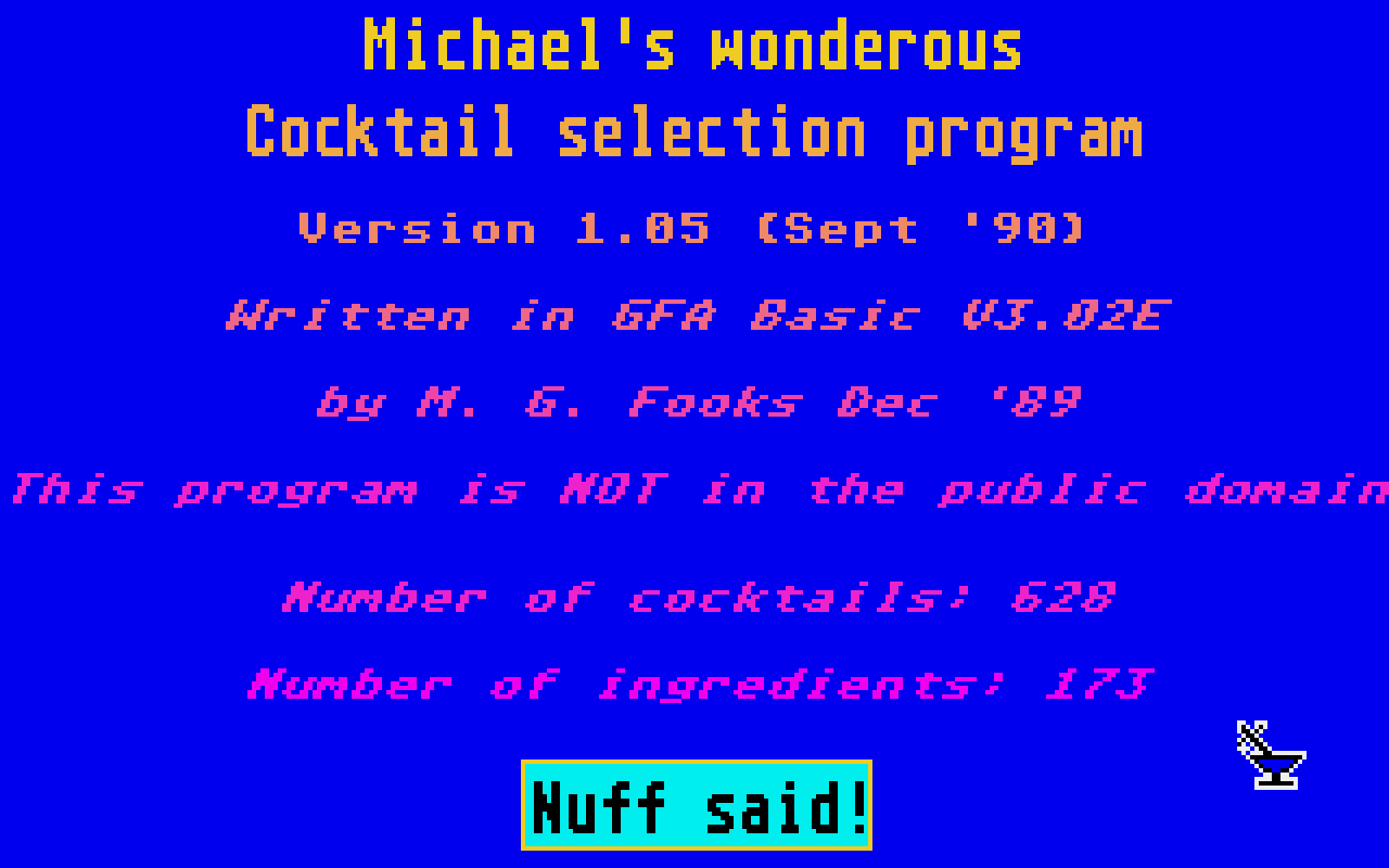
             Bottom Right: Boring credits

                          Nuff said!

             AUTO

                          If at any time the mouse is not clicked for about
             two minutes, the program goes into auto mode. During this
             time the cocktail recipes will be displayed in a randomly
             selected sequence. To exit this mode just give the mouse a
             flick.

             Host's Menu

                          This part of the program is not intended for use
             during the party, and so a degree of sobriety is required to
             access it.

                          Get the boring credits display up, and then click on
             the five occurences of the letter o in "Michael's wonderous
             cocktail selection program" in sequence.

                          If your fingers are steady enough, you will be
             rewarded with the green host menu. This allows extensive
             alteration of the database, such as adding/deleting cocktails.

                          All alterations are carried out on the internal RAM
             copy of the data and a disc save is not invoked until you
             return to the main menu, even then there is an option to
             bypass the disc save routine.

                          This program will load and run from any
             drive/partition, but the data files must be in a "COCKTAIL"
             folder which is in the same folder as COCKTAIL.PRG. If you
             modify the database and then want to save it to disc, a floppy
             disc must be in drive A, with the write protect tab off. This
             applies even if the program is run from drive B or hard disc,
             it is part of the programs protection against smart-alecs.

                          When a disc save routine is invoked, only the
             part(s) of the database that have been altered will be saved.
             eg If you only alter one of the mixing instructions then only
             the INSTRUCT.DAT file will be updated. Where an operation
             of the program alters more than one data file, then all
             relevant files will be updated.