

Atari ST - 1988
TxTool
- Genre
- Word Processing
- Year
- 1988
- Language
- Compiled C
- Publisher
- [no publisher]
- Controls
- Keyboard / Mouse
- Distributor
- —
- Resolution
- Medium / High / VGA
- Developer
- [n/a]
- ST Type
- ST, STe, TT, Falcon030 / 0.5MB
- Licensed from
- —
- Programmer(s)
- Farmer, Don E.
- Country

- MIDI
- —
- Software
- English
- Version
- —
- Box/Instructions
- English
- Number of Disks
- 1 / Double Sided
- License
- PD / Freeware / Shareware
- Dump
- Download
- Serial
- —
- Dump format
- MSA
- Protection
- —
INSTRUCTIONS
     *************************************************************

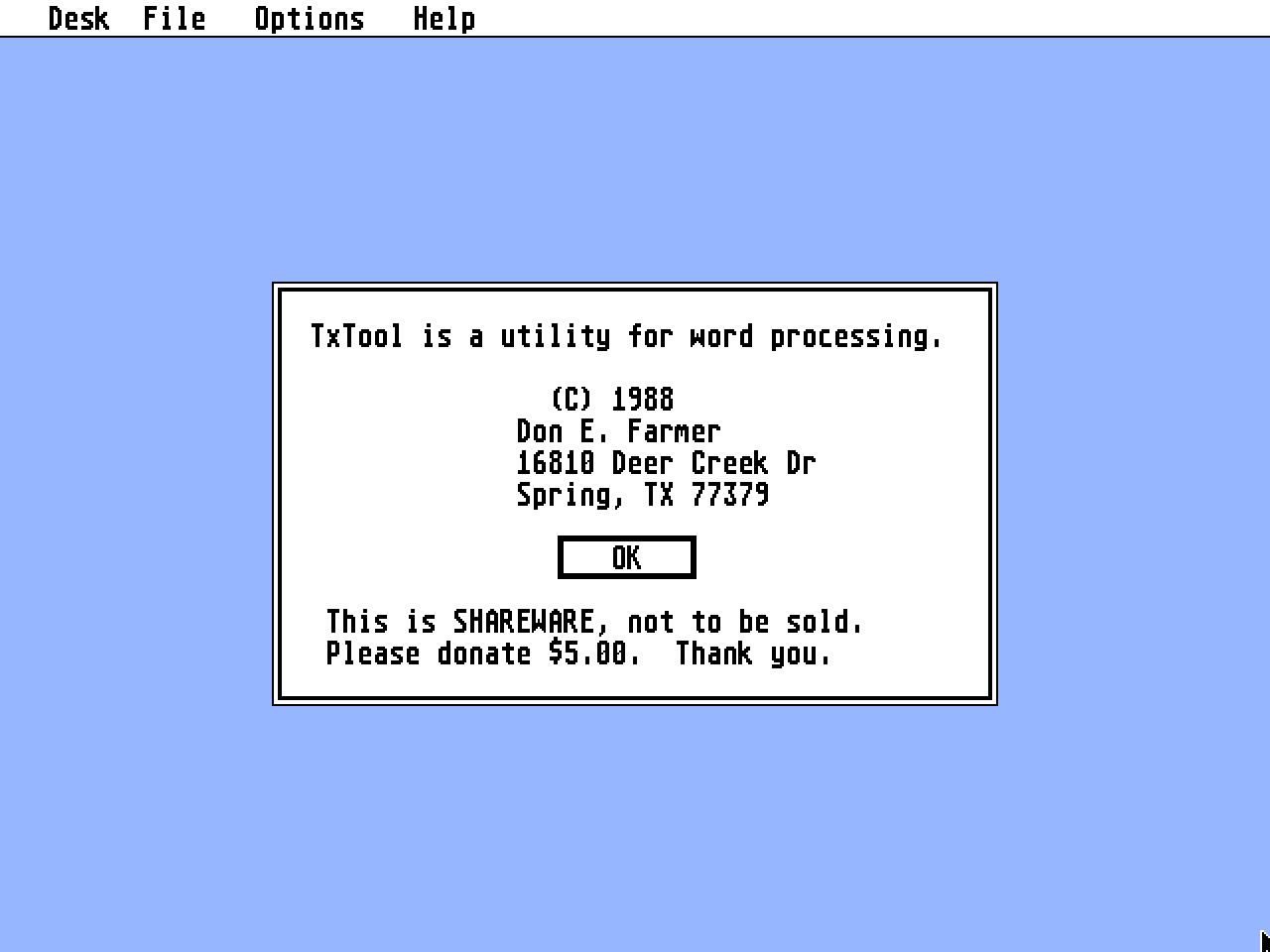
                 TxTool, a Utility for Word Processing
                     (c) 1988 by     Don E. Farmer
                         16810 Deer Creek Dr.
                           Spring, TX 77379

           This is SHAREWARE and may not be sold by anyone.

                 PLEASE DONATE $5.00 FOR THIS PROGRAM.

    **************************************************************

TxTool is a GEM application for the Atari ST.  It is a utility  program
that was designed to be used as an adjunct to a word  processor.  Using
it will increase your word processing power.

TxTool  computes word counts,  checks  spelling,  reports  questionable
usage of English,  and does search-and-replace's  that are specified by
a file.  Except for word counts,  TxTool  requires the use of auxiliary
files,  which  are termed  "dictionaries." These,  you build with  your
word processor.  How  powerful TxTool is for you depends largely on the
effort  you put  into tailoring these dictionaries to meet your  needs.
(I  have  included some of the dictionaries I use in this  arc.  Please
note  that  the spelling dictionary is only a start.  You may  wish  to
purchase one from Austin Code Works, rather than making your own.)

When  this  GEM application is opened,  the menu bar  displays  "Desk",
"File",   "Options",  and  "Help."  Under  "Help"  are  the  selections
"General",  "Counts",  "Spell", "Usage", and "StrSub."  Selecting these
leads  to dialog boxes that serve to remind you how to operate  TxTool.
They cannot take the place of the information provided here.

In its general operation, TxTool reads an input text file, which should
be ASCII for reliable results,  along with the  appropriate dictionary,
and then writes its results to an output  file.  The  option,  "Counts"
requires no dictionary.  In all cases the input text and the dictionary
are  not altered when TxTool is run.  An option to mouse usage is  also
provided for.  By typing  the key combination "Control I", for example,
the  File Selector is displayed for the path name of the input  stream.
The key  combinations are displayed along with what they select in  the
menu,  the character "^" designating "Control." Using the key   strokes
is faster but not easier than using the mouse.

The  counts  that  TxTool does  are  of  words,  sentences,  words  per
sentence,  and word frequency, this being an alphabetized list of every
word  used in the input text along with the number of its  occurrences.
The algorithm to do this comes from a slight modification of one  given
in  Kernighan  & Ritchie's,  The C Programming Language,  as  does  the
binary search function used in  the spelling checker.

A "word" is a string,  no longer than 32 characters,  of ASCII letters;
the  punctuation marks,  apostrophe and hyphen,  are also  included.  A
sentence  is  of  at  most 512 characters and  is  a  string  of  words
terminated  by  a period,  a question,  or an  exclamation  mark.  This
punctuation is necessary,  for TxTool processes sentences,  not  lines,
and  will  not work without it.  The number of words and  sentences  is
often useful.  The distribution of words per sentence can indicate  how
much variety in sentence length there is.  And, with the word frequency
list,  the overuse of a particular word is easily spotted.  Also,  this
list  can  be  loaded  into a word processor and edited  to  add  to  a
spelling dictionary.


The  spelling  dictionary  is  an  ASCII  file  containing  a  list  of
alphabetized words,  one word of at most 32 characters for each line in
the file. The words should have neither leading nor trailing spaces nor
anything  embedded  in it that is not a letter,  an  apostrophe,  or  a
hyphen.  This  dictionary is alphabetized in ASCII order.  If  you  are
building  a  "SPELL.DIC"  and  are  using  a  line  sort  that   allows
"dictionary order", do not use it! Use the standard ASCII sort instead.
The  spelling  checker is not sensitive to case,  and  apostrophes  are
significant,  being considered to be letter and a part of the word that
they  are in.  The checker does a binary search of the  dictionary  for
each word in the input text,  writing the words it does not find to the
output  file.  You do not have to listen to a chorus of dings nor  tire
your  trigger  finger  clicking repeatedly on "OK." You  can  load  the
results of the  spelling checker into your word processor, edit it, and
then let  "StrSub" make the corrections for you.  The checker's  search
is   efficient,  particularly  so since no data compaction  or  pointer
hashing is done. (Isn't cheap memory wonderful?)

To  determine  the  number of words the spelling  dictionary  can  hold
requires  you  to know how much free ram remains when the   program  is
executing.  One  fourth  of this ram is allotted to   pointers  to  the
entries while the other three fourth's hold the  actual text.  Suppose,
for  example,  it is known that 400K of ram  was free when  TxTool  was
resident  and had freed the heap,  that is,  the memory  available  for
dynamic allocation. Then 100K would be  taken up by pointers, and since
a  pointer  requires four bytes,   this would mean  that  the  spelling
dictionary  could hold at most  25K words.  (Although there  are  about
500K words in the English  language, it is said that the average person
uses  less than 10K.   I'm sure the owner of an ST uses more!) You  can
approximate  the  heap by summing the size of  TXTOOL.PRG,  TXTOOL.RSC,
32K (TxTool  takes this for its stack.), and your desk accessories, and
then   subtracting  this from your memory  size.  Doing  this,  I  must
emphasize,  is  only  an approximation,  for we are  dependent  on  the
gemdos allocator Malloc(), which has been know to have its quirks.

A  usage  dictionary will help you to avoid mistakes in idiom  such  as
using  "off of" for "off" and "over with" for "over." It will help  you
to  avoid trite and redundant expressions such as  "neither  rhyme  nor
reason"  and  "a smile on his face." (Where but  a face would  a  smile
be?) There can be 7000 lines in a usage  dictionary,  each entry taking
two lines, and no line being longer  than 64 characters. The first line
might be "a smile on his face"  and the second, the report "REDUNDANT."
For each sentence in the  input text,  TxTool searches the target lines
in the usage  dictionary for a match.  When a match is made,  the  line
following  the target is included in the report that is written to  the
output   file.  The target line allows the character '?' to serve as  a
wild  card character in the searches. Thus, "h??" could be either "him"
or "her."

I  have  found it convenient to have a number  of  usage  dictionaries,
"IDIOM.DIC", "TRITE.DIC", "WORDY.DIC", for example,  and name my output
files  "*.IDM",  "*.TRI",  and  "*.WOR." This is   just  a  suggestion,
however,  as  TxTool allows you to name your files  anything you  wish.
Two warnings are in order. First, the  dictionary search is necessarily
linear so if you have 3500 trite  expressions,  and there might well be
that  many,  then  you might want  to go for a nice long  walk  because
searching  each sentence of your  input 3500 times will take  a  while.
Second,  and I suppose there  is some humor in this, working with trite
expressions is like  being around the plague:  you're apt to catch  it!
You find yourself  using ones you had never heard of until you starting
searching for  them in Fowler's Modern English Usage.  The ones new  to
you sound  pretty good;  that is why,  of course,  they got worn out so
readily.


The dictionary for string substitution,  "StrSub",  also has two  lines
for  each entry,  each no longer than 64 characters.  The  first  line,
again, is a target string; but the second is the replacement text. When
the  target  is  matched in the input file,  the  replacement  text  is
substituted for it.  Again,  the input text is searched  linearly,  and
only once in each sentence is a target string replaced.

For example, let's say you wanted to replace your "cats" with "dogs" in
your text. Your dictionary entry would read:

          cats
          dogs

     and if your input text was:

          Cats cats cats.

     Your output would be:

          Cats dogs cats.

The  first "Cats" is not replaced because of case sensitivity and   the
latter because of only one replacement per sentence.  In  practice this
is  not much of a restriction as you can "bucket  brigade"  your  files
for multiple passes.  You can use StrSub as a gender changer for  him's
to her's,  he's to she's,  etc,  if you are writing reports  concerning
specific male and females "persons."

Most of the constraints mentioned so far are manifest constants in  the
C source code and can be changed should you  compiled it again.  I used
MegaMax's Lazer C, but see no reason  why it could not be compiled with
another C.  Making other changes  to the source code is not recommended
unless  you  are an experienced  C programmer.  THE C  SOURCE  CODE  IS
AVAILABLE FROM ME FOR $15.00.

Getting  good  dictionaries  together is where  your  efforts  will  be
rewarded.

Writing  is hard work.  Trying to come up with the right words  at  the
right time is chore enough without worrying about your  "off of"'s  and
"acid test"'s.  With TxTool to assist you, this  editing can be done in
advance  and need be done only once.  Then  you can allow the  muse  to
flow freely.  But do watch out for those  "aching voids" and  "blushing
brides!"