

Atari ST - 1986
Orbit
- Genre
- Calculations / Statistics / Engineering
- Year
- 1986
- Language
- Modula-2
- Publisher
- [no publisher]
- Controls
- Keyboard / Mouse
- Distributor
- —
- Resolution
- High
- Developer
- [n/a]
- ST Type
- ST, STe, TT, Falcon030 / 0.5MB
- Licensed from
- —
- Programmer(s)
- De Leeuw, Harrie F. A.
- Country

- MIDI
- —
- Software
- English
- Version
- 1.2
- Box/Instructions
- English
- Number of Disks
- 1 / Double Sided
- License
- PD / Freeware / Shareware
- Dump
- Download
- Serial
- —
- Dump format
- MSA
- Protection
- —
INSTRUCTIONS
  ______    _______   _______    _____  _________
 /  __  \   | ___  \  | ___  \   |   |  |___ ___|
 | /  \ |   | |  \ |  | |  \ |    | |      | |
 | |  | |   | |__/ |  | |__/ /    | |      | |
 | |  | |   | __  _/  | |  \ \    | |      | |
 | \__/ |   | | \ \   | |__/ |    | |      | |
 \______/   |_|  \_\  |______/   |___|     |_|    VERSION 1.2


ORBIT:         An orbit prediction program
               for Atari ST computers.


                              By: Harrie F.A. de Leeuw, PA3CVX,
                                  Papaverstraat 24,
                                  5271 RB  Sint-Michielsgestel,
                                  The Netherlands,
                                  Sept. 1986.

Preface:


     With  the help of this program it is possible to predict  the
position  of satellites in an elliptical orbit.   This program  is
primary  intended for radio amateurs that communicate via  amateur
satellites,  such as the OSCARs.   It is also possible to use this
program  to  track  weather satellites or  for  instance  a  space
shuttle.

For a given time, (and your position) the program computes:

     --   The  direction to which to point the  antenna.   Azimuth
          and elevation.
          (azimuth = angle  between north and the position of  the
          satellite; elevation = angle between the horizon and the
          position of the satellite)
     --   The  doppler shift.   Owing to the high velocity of  the
          satellite,   the   frequency   of   the   receiver   (or
          transmitter)  differs  a  little  from  nominal.    This
          frequency difference is computed.
     --   The heigth of the satellite above the earth.
     --   The distance between you and the satellite.
     --   The position of the satellite in terms of degrees  north
          and west.


General remarks:


--   This  is public domain software.  You can copy it as often as
you  want.   There  is  only one restriction:  leave  the  program
unchanged!  Especially  you are not allowed to change the name  of
the author.

--   I  have  written this program for my pleasure  in  the  first
place.   That  is  why some functions are a little overdone, (like
sizing  the  info  windows) but I wanted to  learn  to  program  a
window, that can be controlled totally.  And I enjoyed it!

--   This program uses the classical Keplerian set of elements  as
its  input.   This numbers can be found in several HAM  magazines.
(The  Netherlands:  ELECTRON  issued by VERON).   To get  reliable
output use up-to-date elements!

--   The basic calculation-algorithm  of this program was  written
by Tom Clark, W3IWI, and published in 'Orbit' March/April 1981.

--   This program has been written in Modula 2.


Files on disk:


ORBIT.PRG is the main program.


In the subdirectory (folder) ORBIT.DAT the following files  should
be found:

     -ORBIT.RSC    This is the resource file.  Must be available!
     -ORBIT.PIC    Picture file.  Must be available!
     -STATION.ORB  Information of the station.  When the program
                   can not find this file, you are forced to
                   create this file.
     -xxxxxxx.SAT  Satellite information files.


In the folder DOCUMENT.ORB the documentation of the program can be
found   (ORBIT.DOC).   To  be able to read this file  the  program
1ST-Word of GST is included (1ST_WORD.PRG and 1ST_WORD.RSC).


In  the  subdirectory  (folder) SOURCE.ORB  the  source  files  of
'Orbit' can be found:

     -In the folder DEF the definition modules can be found.
     -In the folder MOD the implementation modules and the source
      of the main program can be found.
     -In the folder RCS_SHP the following files can be found:
          -ORBIT.DEF     Definition  file  used  by  the  resource
                         construction set.
          -ORBIT.I       Output  from resource  construction  set,
                         used in the module OGEMGlobal.
          -EARTH.SHP     Shape file (Earth) used by the shape  and
                         icon editor.
          -EARTHD.ICN    Output from shape and icon editor.   This
                         icon   file  is  used  by  the   resource
                         construction.
          -ORB1.SHP      Shape file (First part of ORBIT shape).
          -ORB1D.ICN     Icon file (First part of ORBIT shape).
          -ORB2.SHP      Shape file (Second part of ORBIT shape).
          -ORB2D.ICN     Icon file (Second part of ORBIT shape).
          -ATTENTI.SHP   Shape file (Attention symbol).
          -ATTENTID.ICN  Icon file (Attention symbol).

REMARK:  The  SOURCE.ORB folder is ment for those who want to  see
         how things are done in this program.  These files are not
         necessary to run the program.


The Menu bar:


Desk:

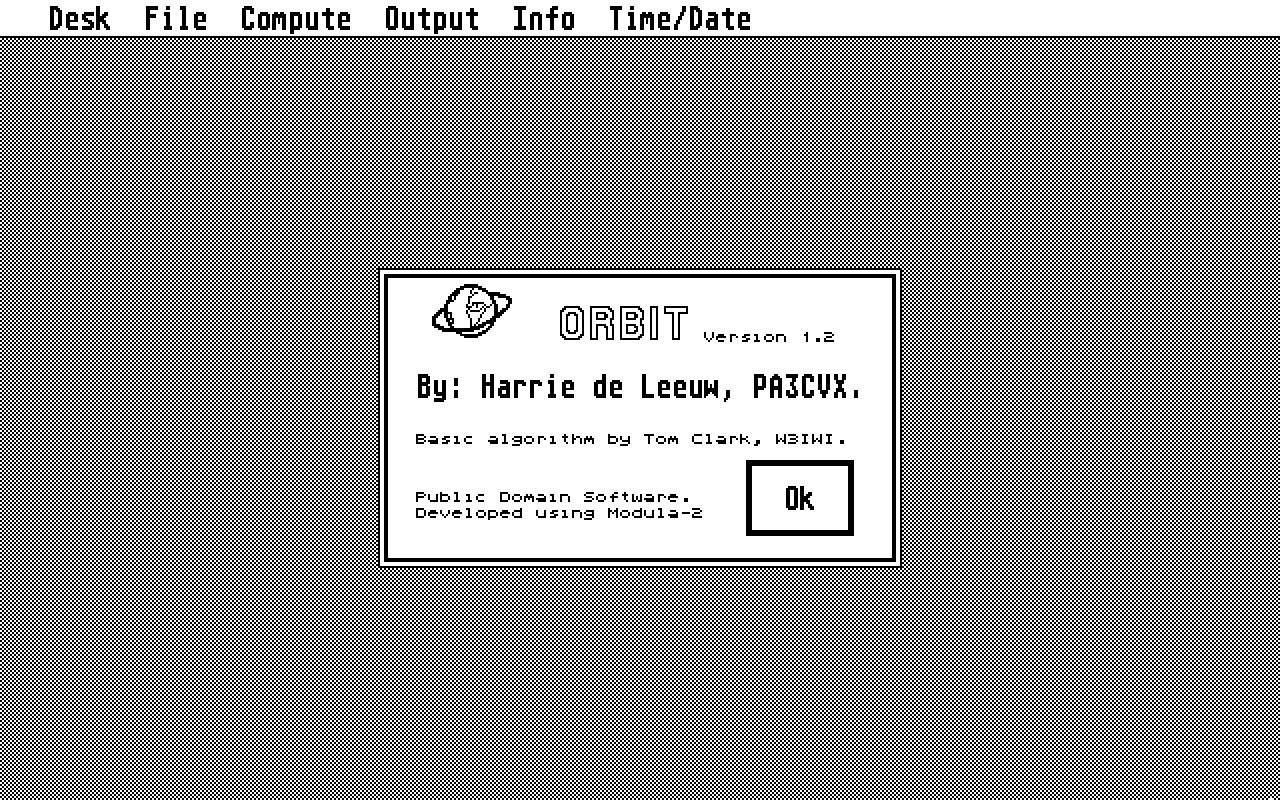
     -About 'Orbit'
          Selecting  this menu item gives the version  number  and
          the name of the author.

     -Desk Accessories


File:

     -Load Satellite
          Load satellite information from disk.

     -Save Satellite
          Save current active satellite data on disk.

     -New Satellite
          After  the  selection of this menu item,  a  dialog  box
          appears. This dialog box can be filled up with data of a
          new satellite.  These new data become the current active
          ones.

     -Change Satellite
          Selecting this menu item,  it is possible to change data
          of  an  already existing satellite data  file  on  disk.
          This  function  only changes the data on disk.   If  you
          want to use the new data, this data must be loaded using
          the 'Load Satellite' option.

     -Delete Satellite
          Delete a satellite file from disk.

     -Change Station
          Change the station data. The new data are stored on disk
          and will be used in the computations.
          Remark:  The  longitude must be given in degrees west of
          Greenwich.   For instance:  Hamburg (W-Germany) lies 350
          degrees west. (not 10 degrees!)

     -Quit
          Exits the program, back to GEM Desktop.


Compute:

     -Set Start/Stop/Step
          Sets the starttime,  endtime and timestep, which will be
          used in the computations when 'Start Scan' is  selected.
          Enter time and date in UTC (=Greenwich Mean Time).

     -Start Scan
          Compute  satellite position from starttime  to  endtime,
          which  are defined with 'Set  Start/Stop/Step'.   Output
          times are in UTC.   Hitting any key on the keyboard will
          stop the computations.

     -Track Real Time
          Compute  satellite position at the system time and  date
          (converted  to  UTC).  Hitting any key on  the  keyboard
          will stop the  computations.


REMARK:
     The last 100 computations are saved in a buffer.   Using the
     window's  vertical  slider it is possible to  browse  through
     this data.  The usual window controls apply here.


Output:

     -Screen Text
          Output on screen as a table.

     -Screen Graphics
          Output on screen on a map of the world.  The position of
          the satellite is marked with a cross.

     -Printer
          The output will be printed.


REMARK:
     It  is  only  possible to change the output  mode,  when  the
     output window is closed.


Info:

     -Scan Parameters Settings
          Gives  information  about  the  currently  active   scan
          parameters.

     -Satellite Parameters
          Gives information about the currently active  satellite.

     -Station Parameters
          Gives  information about the currently  active  station.


REMARK:
     The  info  windows can be controlled according to  the  usual
     rules.


Time/Date:

     -Set System Time/Date
          Utility to set the system time and date.  Use local time
          here.


Precision of REALs:

     Because of the poor precision of REALs, the point of time for
     which a computation is done may slightly differ from the time
     you expected.   This is also the reason why,  sometimes,  the
     Keppler  equations  can not be solved.   In the next  version
     this  problem will be solved.    The REALs which are critical
     will   be  substituted  by  LONGREALs.    At  this  time  the
     implementation of LONGREALs is not present.


       Harrie F.A. de Leeuw, PA3CVX,
       Papaverstraat 24,
       5271 RB  Sint-Michielsgestel,
       The Netherlands,
       Sept. 1986.