

Atari ST - 1989
LHarc-ST
- Genre
- Archiving
- Year
- 1989
- Language
- GFA BASIC
- Publisher
- [no publisher]
- Controls
- Keyboard
- Distributor
- —
- Resolution
- Medium / High / VGA
- Developer
- DeltaVision Systems
- ST Type
- ST, STe, TT, Falcon030 / 0.5MB
- Licensed from
- —
- Programmer(s)
- Van Herk, Bart / Webb, Jon
- Country

- MIDI
- —
- Software
- English
- Version
- 0.40b
- Box/Instructions
- English
- Number of Disks
- 1 / Double Sided / HD Installable
- License
- PD / Freeware / Shareware
- Dump
- Download
- Serial
- —
- Dump format
- MSA
- Protection
- —
OTHER VERSIONS WITH THE SAME TITLE (1)
INSTRUCTIONS
       _________________________________________________________________
      /                                                                /
     /   //      //  //   ////   /////    /////       /////  //////   /
    /   //      //  //  //  //  //  //  //          //        //     /
   /   //      //////  //////  /////   //      //   ////     //     /
  /   //      //  //  //  //  //  //  //              //    //     /
 /   //////  //  //  //  //  //  //   /////      /////     //     /
/                                                                /
ÿÿÿÿÿÿÿÿÿÿÿÿÿÿÿÿÿÿÿÿÿÿÿÿÿÿÿÿÿÿÿÿÿÿÿÿÿÿÿÿÿÿÿÿÿÿÿÿÿÿÿÿÿÿÿÿÿÿÿÿÿÿÿÿÿ v0.40
                      c 1989 by DeltaVision Systems
           Written in GfA and Turbo/C by J. Webb & E. van Herk

Is it a bird? Is it a plane? No, it's yet ANOTHER archiver. We've had SQ,
ARC,  PAK,  ZIP,  ZOO,  and now... LZH! We'll, the guys on MS-DOS seem to
like it, so us ST'ers will just have to adjust, as always...

-------------------------------------------------------------------------
                              INTRODUCTION
-------------------------------------------------------------------------

LHarc  was  developed  for MS-Dos systems  by  somebody  called  Haruyasu
Yoshizaki  from Japan.  It compresses typical files to about 60% of  what
ARC  would  do  (e.g.  if ARC compresses it  100K,  LHarc  will  probably
compress it to about 60K).  This is just about the best ANY archiver  can
do. And for transmitting files over a telephone line that makes a hell of
a difference...

An ST version of LHarc is being written me,  Jon Webb, with a lot of help
from Bart van Herk. This is the second release of LHarc-ST, compiled with
the brand new GfA 3.0 compiler and Turbo-C/ST.  The new compiler is  full
of bugs,  but I hope I have worked around most of them.  Still,  anything
can go wrong,  and neither Bart nor I take any responsibility whatsoever.
If you turn your 120 Meg harddisk into a C60 cassette tape, it's your own
silly fault.

This  v0.40  version has improved dramatically compared to  the  previous
one.  Not  only  is  it much faster,  its  implementation  is  also  more
complete.  Compression is about twice, decompression about three times as
fast, mainly thanks to some assembler optimizing (done by Bart). LHarc-ST
is  now a proper archiver,  not just a quick hack to get LZH's  unpacked.
New options include viewing, deleting, testing, renaming etc.

However,  LHarc-ST  is  still not completely compatible with  the  MS-Dos
version.  We don't guarantee that files created on an ST can be extracted
on  a  PC,  or  vice versa.  But if you follow  the  guidelines  in  this
document, you shouldn't have any problems.

-------------------------------------------------------------------------
                             STARTING LHARC
-------------------------------------------------------------------------

LHarc  can be started from the desktop or from a shell.  If you like  you
can rename LHARC.PRG to LHARC.TTP,  but it won't look pretty. LHarc knows
when  it  has  been  started from the  desktop.  It  will  allow  you  to
input/edit your command line, and will wait  for a keypress when done. If
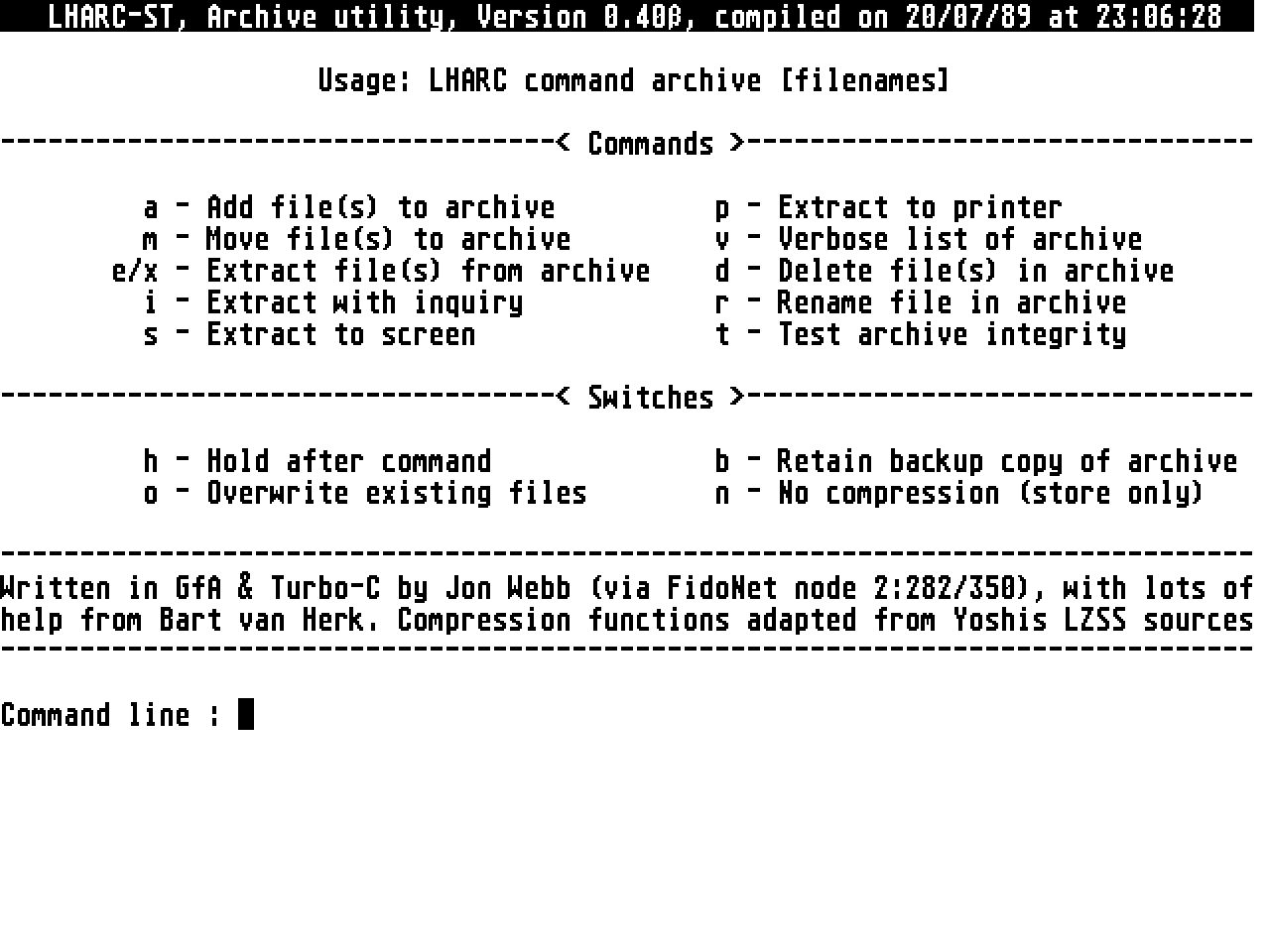
you  start  LHarc  without a command line,  it will  display  a  list  of
commands. LHarc should work fine with a standard ARCshell.

You  can get Gem to start LHarc automatically when you double-click on  a
.LZH file by going through the following steps:

     -    Highlight LHARC.PRG,
     -    Select 'Install Application' from the drop-down menu,
     -    Click on 'Gem', type 'LZH' and click on 'Okay',
     -    Select 'Save Desktop' from the drop-down menu.

If  you  are  not  running  the new TOS 1.4  you'll  need  to  edit  your
DESKTOP.INF file with a text editor next.  Any editor will do as long  as
it can produce ASCII TEXT.  You could use 1st Word with WP mode  switched
OFF, the editor Tempus, or the capture buffer in Flash. Right down at the
bottom  of your DESKTOP.INF file you'll see a line which looks  something
like this:

     #P 03 04   LHARC.PRG@ *.LZH@

This  tells  Gem to start up 'LHARC.PRG' whenever you double-click  on  a
'*.LZH' file.  But Gem only stores the name of the program,  not the path
leading  to it!  So it would only be able to find LHarc if it was in  the
same folder as your .LZH file.  You must insert the path yourself. If you
have LHarc in the folder C:\COMMS\, the line would look like this:

     #P 03 04   C:\COMMS\LHARC.PRG@ *.LZH@

Watch out you don't change any other characters of your DESKTOP.INF file,
because  Gem is very choosy about what it finds in there.  Leave the  '@'
characters in too!

Once you've installed LHarc as an application you can double-click on any
LZH file. Gem will tell LHarc which file you double-clicked on, and LHarc
will allow you to edit your command line (e.g.  insert -V in front of the
name).

-------------------------------------------------------------------------
                             INPUT AND OUTPUT
-------------------------------------------------------------------------

LHarc  can  be  redirected  to a  file  or  another  device,  except  for
extraction to the screen. Output can be paused by pressing Control-S, and
resumed  with any key.  Pressing ESC or Control-C will abort the  current
operation.

-------------------------------------------------------------------------
                             LHARC COMMANDS
-------------------------------------------------------------------------

To use LHarc you will need to tell it what to do by giving it a  command.
ARC users will find LHarc commands quite (if not very) familiar.  If  you
do  not  know  the  purpose of archivers,  please  have  a  look  at  the
documentation which accompanies ARC from System Enhancement Associates.

Optional parameters are in square brackets [..]. LHarc will automatically
add  .LZH  to an archive name if it can't find it.  If no  drive/path  is
specified,  the current drive/path is used.  If no filespec is  specified
with any command but add, delete and rename, *.* is assumed.

*    Command....... A
     Description... Add files to an archive

     Syntax........ LHARC A [path]archive[.LZH] filespecs...

     Examples...... LHARC A \document.lzh c:\docs\*.doc
                    LHARC A d:\games.lzh a:\pm\pacman.*
                    LHARC A c:\download\msgs *.msg
                    LHARC A a:source d:myprog.c c:*.pas c:\gfa\*.GFA

     The  'A' command adds files to an archive.  If the archive does  not
     yet   exist,  it will be created first.  The file specification  may
     include  wildcards.

*    Command....... M
     Description... Moves files to an archive

     Syntax........ LHARC M [path]archive[.LZH] filespecs...

     Example....... LHARC M thisdir.lzh *.*

     The  'M'  command moves files to an archive by adding  them  to  the
     archive,  and  then  deleting them from disk.  The  files  are  only
     deleted if the archive operation was succesful.

*    Command....... I
     Description... Extract files with Inquire

     Syntax........ LHARC I [path]archive[.LZH] filespecs...

     Examples...... LHARC I \document.lzh c:\docs\
                    LHARC I d:\games
                    LHARC I c:download *.msg messages\*.txt

     The  'I' command causes LHarc to display the filenames of each  file
     matching  the filespecs (or *.* if no filespec was  passed),  asking
     you  whether you want to extract this file.  Type [Y]es to  extract,
     [N]o  to continue with the next file,  [A]ll to extract the rest  of
     the files or [Q]uit to stop extracting.  If LHarc finds a file which
     already  exists,  it will ask you whether you are sure you  want  to
     extract it.  If the CRC doesn't match that of the original, you will
     be warned.

*    Command....... X
     Description... Extract files from an archive

     Syntax........ LHARC X [path]archive[.LZH] filespecs

     Examples...... LHARC X \document.lzh a:\*.*
                    LHARC X \sources\source d:myprog\calc*.h
                    LHARC X c:games.lzh d:\pac.prg e:breakout.prg
                    LHARC X b:download f:\

     The 'X' command works just like the 'I' command,  but it doesn't ask
     you  whether  you want to extract each file,  it just  extracts  all
     files matching filespec.  If a file already exists,  LHarc will warn
     you and ask you whether you're sure you want to extract it.  If  you
     don't like 'X', you can use 'E' instead (to please some ARC shells).

*    Commands...... S and P
     Description... Extract files to screen or printer

     Syntax........ LHARC S [path]archive[.LZH] filespecs
                    LHARC P [path]archive[.LZH] filespecs

     Examples...... LHARC S \document.lzh *.doc read_me.txt
                    LHARC P \printer.lzh picture.dmp

     The  'S' command extracts files from an archive,  just like the  'X'
     command,  but  puts them on the screen instead of on disk.  The  'P'
     command sends them to the printer.  Both commands cause the files to
     be sent via BIOS, so they are not redirectable.

*    Command....... T
     Description... Test files in archive

     Syntax........ LHARC T [path]archive[.LZH] filespecs...

     Examples...... LHARC T ..\badlzh importnt.doc
                    LHARC T xfer.lzh *.*

     LHarc  stores lots of info about the original file in  the  archive.
     One  thing it notes down is the CRC value of that file.  CRC  stands
     for  Cyclic  Redundancy  Check,  and is a special  way  of  checking
     whether a file has been damaged or not.  If the CRC of the  original
     file matches that of the extracted file,  you can be pretty sure the
     files are identical.  The 'T' command tests files in the archive and
     reports whether the CRC value in the header matches that  calculated
     by LHarc.

*    Command....... V
     Description... Verbose list of an archive

     Syntax........ LHARC V [path]archive[.LZH] filespecs...

     Examples...... LHARC V \document
                    LHARC V c:\archives\sources *.C D*.PAS
                    LHARC V a:games.lzh pac*.*

     The  'V'  command will show you a list of all files in  the  archive
     specified,  which match the filespecs (or all files,  if no filespec
     is given). You'll see the following information...

     - Filename:    the name of the original file
     - Actual:      the lenght of the original file when it's unpacked
     - Packed:      the number of bytes the file takes up in the archive
     - Ratio:       how large the packed file is compared to the original
     - Date:        date of last modification
     - Time:        time of last modification
     - Attr:        file attributes of the original:

                         w = Write Protected,
                         h = Hidden,
                         s = System,
                         a = Archived.

     - CRC:         The Cyclic Redundancy Check of the file. This is used
                    to check for damages to the archive.

     - Methd:       Compression method,  Either -lh0- for an uncompressed
                    file, or -lh1- for a compressed file.

*    Command....... D
     Description... Delete files in an archive

     Syntax........ LHARC D [path]archive[.LZH] filespecs...

     Examples...... LHARC D msdos pc_ditto.prg
                    LHARC D badlzh delete.*

     The  'D' command removes one or more entries from  the  archive.  No
     defaults are allowed here.

*    Command....... R
     Description... Rename a file in an archive

     Syntax........ LHARC R [path]archive[.LZH] oldNAME newNAME

     Example....... LHARC R upgrade.lzh version1.prg version2.prg

     This command changes the name of ONE SINGLE file in an archive.  You
     CAN'T use wildcards here!

-------------------------------------------------------------------------
                                SWITCHES
-------------------------------------------------------------------------

You  can influence the behaviour of LHarc by adding one or more  switches
after the command character. These switches are valid:

     H    Hold  after command,  will tell LHarc to pause for  a  keypress
          after it has done whatever it was supposed to do.  Because some
          people might be using LHarc for running a BBS,  a thirty second
          timeout  has been added,  so LHarc will exit after  30  seconds
          even  if you don't press a key.  When started from the  desktop
          LHarc will always ask for a keypress.

     B    keep  Backup of archive.  If you don't trust LHarc you can  get
          it to leave the 'old' copy of the archive on disk.  It won't be
          deleted, the extention will just be changed to '.BAK'.

     N    No  compression,  will  cause LHarc to store the  file  in  the
          archive without compressing it.  These files are displayed with
          method  '-lh0-' in the verbose list.  The CRC saved is a  dummy
          (Hex 1234).

     O    Overwrite existing files.  If you add this switch,  LHarc won't
          ask  you  whether you want to overwrite the file  about  to  be
          extracted if it already exists. The old file will be deleted.

Example:  You want to extract TEST.LZH, and you don't care about existing
files... The command would be:

     LHARC XO TEST.LZH

To  get  a verbose list of the contents of TEST.LZH,  and pausing  for  a
keypress after the list has been displayed, the command would be:

     LHARC VH TEST.LZH

-------------------------------------------------------------------------
                     ERRORLEVELS AND TEMPORARY FILES
-------------------------------------------------------------------------

LHarc passes a value back to the program it was called from.  The desktop
disregards this value, but other programs might find it useful. The value
(usually  called  an 'error level') depends on whether  the  command  was
executed succesfully. The following error levels are used:

     0    Okay, no error,
     1    The  given command wasn't recognised,  or the user aborted  the
          operation,
     2    The specified archive wasn't found,
     3    GemDos reported a read error. Probably a faulty disk,
     4    GemDos reported a write error. Same as above,
     5    A CRC error was found in the archive tested/extracted,
     6    The archive has a bad header in it, probably damaged,
     7    An internal error occured in LHarc.

Any  other error levels should be interpreted as  program  errors.  LHarc
creates a file called 'LHARC.$$$' when updating an archive.  This file is
later renamed to the actual archive name.  If an error occurs during  the
operation,  this file is left on disk and can be deleted.  If a file with
this  name already exists,  and an archive is updated,  the file will  be
deleted without warning!

-------------------------------------------------------------------------
               DIFFERENCES COMPARED TO THE MS-DOS VERSION
-------------------------------------------------------------------------

Like  I  said,  LHarc-ST  is not completely compatible  with  the  MS-DOS
version. Some things to keep in mind:

     -    LHarc-ST  has  been tested with archives  created  by  LHarc-PC
          v1.12 and vice versa,

     -    LHarc-ST can handle files with full pathnames,  but will  strip
          the  path  off when extracting.  LHarc-ST  can't  handle  self-
          extracting archives (.COM/.EXE).

     -    For  -lh0- type files (which are normally VERY small),  no  CRC
          check is done during decompression. All -lh1- files are checked
          of  course.  If you specify 'N'o compression when adding to  an
          archive, the CRC is a dummy (hex 1234).

     -    When  extracting  a file from an archive,  the  attributes  are
          disregarded.  I  don't like the thought of  archivers  creating
          hidden read-only system files.

     -    LHarc has a maximum of 100 files per archive at the moment.

-------------------------------------------------------------------------
                               KNOWN BUGS
-------------------------------------------------------------------------

Just  one:  Turbo-C  v1.0 (I still don't have 1.1,  no thanks to  CAM  in
Utrecht who are supposed to get me an update) has a bug in its libraries,
causing  it to forget to mark its write buffers dirty on rare  occasions.
Sorry, blame CAM...

-------------------------------------------------------------------------
                   BUG REPORTS AND DISTRIBUTION POLICY
-------------------------------------------------------------------------

If you find any bugs,  other than the one above, please let us know. We'd
like to know a number of things:

     - The version number of LHarc, PC or ST?
     - The command line used to call LHarc,
     - Information about WHAT was happening when the bug occured,
     - Information about the files you were adding/extracting,
     - Information about the archive you were adding to/extracting from,
     - Was that archive created on a PC or ST? By what version of LHarc?
     - What machine you're running (520 ST, 1040 ST, Mega-2 etc),
     - The version number or default date of your TOS,
     - Where you called LHarc from (desktop, PCommand etc.),
     - How much free memory you had when you started LHarc.

Please  fill in as much info as you can,  I need all the help I  can  get
8-)...  If possible, tell me how I can reproduce the error. You can reach
me by normal mail at:

     DeltaVision Systems,
     I.B.B.-laan 37,
     3582 VE Utrecht,
     The Netherlands.

or leave a message to Jon Webb at...

     Computershop Utrecht BBS (FidoNet 2:282/350),
     Telephone : Holland (0)30 - 660 487,
     at 300, 1200 or 2400 bps, 24 hours per day,
     your Sysop is Eddy Emck.

LHarc-ST may be used,  copied and made available for download as long  as
you stick to these rules:

     -    You ALWAYS include the documentation,
     -    You  do  NOT modify the program or documentation  in  any  way,
          exept for translation of the documentation,
     -    You  do  NOT charge a fee other than nominal on-line  time  and
          copying charges.

and  PLEASE show the version number of LHarc with the  file  name.  Thank
you!

-------------------------------------------------------------------------
                                HAVE FUN!
--------------------------------------------------------------------------