

Atari ST - 1995
Dither
- Genre
- Graphics - Miscellaneous
- Year
- 1995
- Language
- [unknown]
- Publisher
- [no publisher]
- Controls
- Mouse
- Distributor
- —
- Resolution
- Low / Medium / High / VGA
- Developer
- [n/a]
- ST Type
- ST, STe, TT, Falcon030 / 0.5MB
- Licensed from
- —
- Programmer(s)
- Clauss, Alexander
- Country

- MIDI
- —
- Software
- English / German
- Version
- 1.6b
- Box/Instructions
- English / German
- Number of Disks
- 1 / Double Sided / HD Installable
- License
- PD / Freeware / Shareware
- Dump
- Download
- Serial
- —
- Dump format
- MSA
- Protection
- —
INSTRUCTIONS
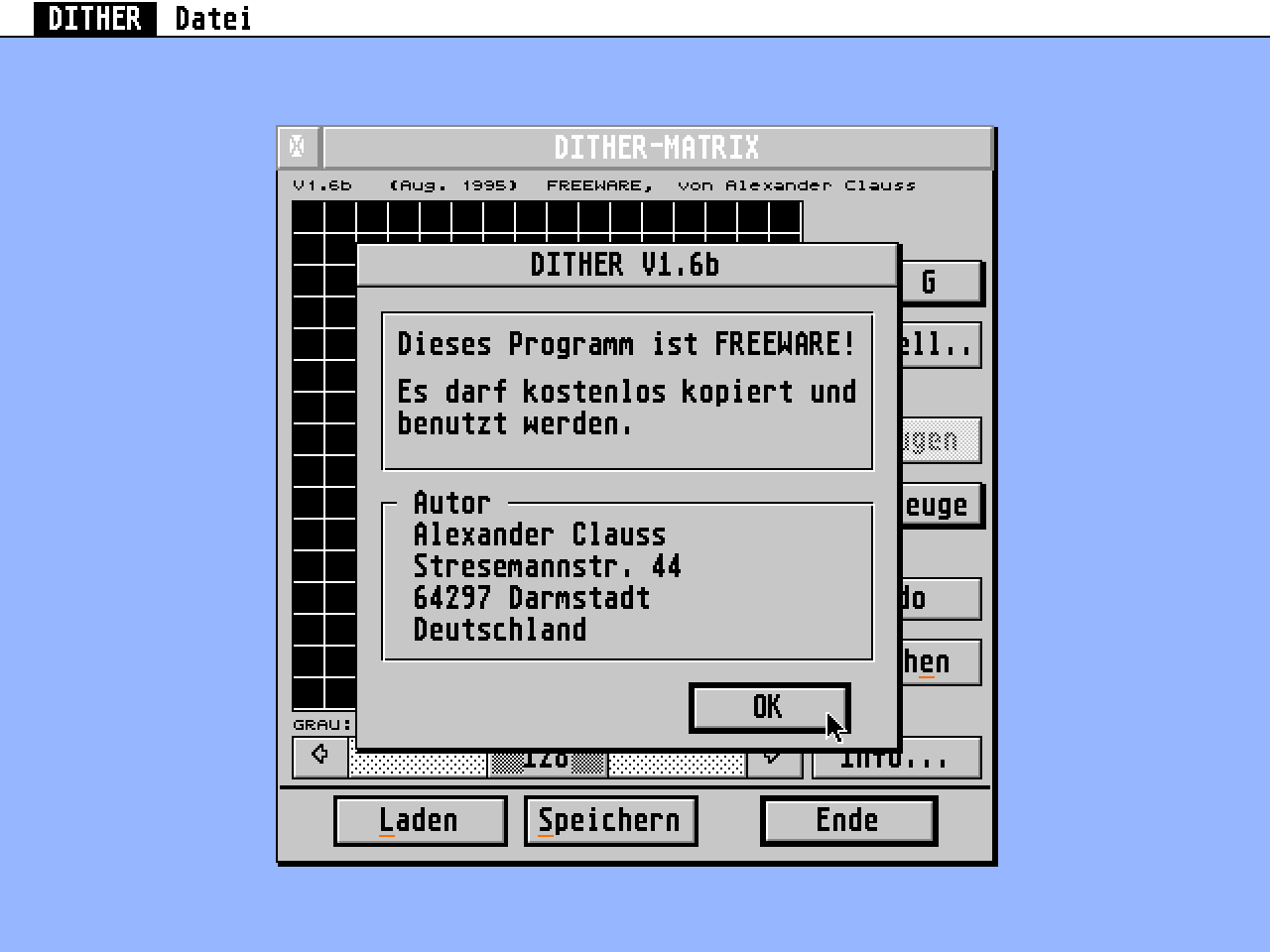
DITHER V1.6:  A program to create dithermatrices for GEMVIEW.
(Aug. 1994)   This program is FREEWARE.


Author: Alexander Clauss
        Stresemannstr. 44
        64297 Darmstadt
        Germany

email: aclauss@rbg.informatik.th-darmstadt.de


A short description
-------------------
Rename DITHER.PRG to DITHER.ACC if you want to use it as an accessory.


Language
--------
LANG\DITHER_G.RSC  German
LANG\DITHER_E.RSC  English

If you want to change the language of the programm, replace DITHER.RSC
by one of these files. (Rename it to DITHER.RSC and copy it to the same
location, where you placed DITHER.PRG)


What's a dithermatrix?
----------------------
A dithermatrix is an array with 16x16 positions. Each position of
this array contains a value between 0 (black) and 255 (white).
If you use 'ordered-dither' in GEMVIEW, a dithermatrix is used to
convert a colour or greyscale picture into a monochrome picture.
All colours of a picture must be replaced by a combination of black
and white pixels. For each pixel of the picture, GEMVIEW calculates
a value between 0 (black) and 255 (white). This value is compared
to the value of the dithermatrix, that is found at the following
position:
    x_dither = x_picture mod 16
    y_dither = y_picture mod 16.
If the pixel of the picture is darker than the pixel in the matrix,
GEMVIEW converts this pixel to black, otherwise to white.


Mode
----
Calculate (cyclic) (F1):
------------------------
    In this mode you can create matrices automatically. After you
    set some black (left-click) and white (SHIFT+left-click)
    hotspots, click on the 'Create'-button. Now, the program
    calculates a matrix (Near black hotspots the matrix will be dark;
    near white hotspots it will be bright).

Calculate (bound) (F2):
-----------------------
    In this mode you can create matrices automatically.
    After defining a boundary, click the 'Create'-button. The program
    calculates (a part of) the matrix (inside the boundary).
    In 'Settings'-dialog you can choose, in what way the matrix is
    calculated.

Calculate (distribute) (F3):
----------------------------
    In this mode you can create matrices automatically.
    Click 'Create' to calculate the matrix. The only way to get
    different matrices is, to select a different number of colors
    in 'Settings'-dialog.

256 shades (F4):
----------------
    The dithermatrix is displayed with all 256 colours (black..grey
    ..white). In this mode, it is easy to edit the matrix, but it
    is difficult to realize, how a special colour looks like, if it
    is transformed with the matrix.

Black & white (F5):
-------------------
    In this mode, it is easy to realize, how the current colour
    (set by the slider) looks like, but editing is difficult.
    All black and dark grey pixels are set, white and light grey
    pixels aren't set (in the current colour).
    White pixels aren't defined yet (equivalent to colour 0=black).
    Black pixels are pixels in the current colour.

Test (F6):
----------
    Shows the effect of the matrix on all 256 colours.


Settings (ALT-T):
-----------------
The settings in this dialog are only related to the calculation of
matrices.
'Number of colors': maximum number of colors in calculated matrices.

Only for 'Calculate (bound)':
'Direction'
'Black (0)': The color black is used on this side of the boundary
             (white is used on the opposite side).

Great array (dithermatrix)
--------------------------
While pressing the left mousebutton, you set pixels in the current
colour (0..255) (mode: '256 shades' and 'black&white') or you set/
remove hotspots (mode: 'calculate').

With a doubleclick on a pixel, you set the current colour to the
value of that pixel.


Slider
------
The Slider sets the current colour (0=black..light grey..dark grey
..255=white).
The keys '+' and '-' increases/decreases this value, too.


Tools/Brightness (ALT-B)
------------------------
You can change the brightness and contrast of the matrix.


Tools/Reflect (ALT-H, ALT-V)
----------------------------
The matrix can be reflected horizontally or vertically.


Tools/Rotate (ALT-M, ALT-N)
---------------------------
You can rotate the matrix.


Create (ALT-R)
---------------
In 'Calculate'-mode the program calculates a martix. You had to set at
least one hotspot (max. 64 black and/or white hotspots are possible).


Undo (UNDO)
Erase (ALT-E),
Load (ALT-L,CTRL-O),
Save (ALT-S,CTRL-S),
Quit (RETURN,ENTER,CTRL-Q)
--------------------------
Need no explanation, I think.