

Atari ST - 1991
DC Mouse Shift
- Genre
- Patch / Driver
- Year
- 1991
- Language
- Machine Language
- Publisher
- [no publisher]
- Controls
- Mouse
- Distributor
- —
- Resolution
- Low / Medium / High
- Developer
- Double Click Software
- ST Type
- ST, STe / 0.5MB
- Licensed from
- —
- Programmer(s)
- Vederman, Michael / Gerdes, Keith
- Country

- MIDI
- —
- Software
- English
- Version
- 1.0
- Box/Instructions
- English
- Number of Disks
- 1 / Double Sided / HD Installable
- License
- PD / Freeware / Shareware
- Dump
- Download
- Serial
- —
- Dump format
- MSA
- Protection
- —
INSTRUCTIONS
DC MOUSE SHIFT v1.0

Copyright (c) 1991 Double Click Software

Program by Michael B. Vederman and Keith Gerdes

DC MOUSE SHIFT is a FREEWARE program.  You may freely distribute this
program but may not alter the program or documentation contents.

==================================================================

DC MOUSE SHIFT emulates any of the modifier keys (SHIFTs, CONTROL and/or
ALTERNATE) by pressing the RIGHT MOUSE BUTTON.

Now, at the desktop you can select multiple files just by keeping the right
mouse button pressed while you are selecting (if you select to emulate one
of the SHIFT keys).

Or, you can MOVE (TOS 1.4 or higher) files by keeping the right mouse button
pressed when you drag and release the files (if you select to emulate the
CONTROL key).

Or, you can emulate any combination.  You can even have it turn off inside
of a program (or leave it on).


============
INSTALLATION
============
Installation is simple!

>To install DC MOUSE SHIFT, do this:
------------------------------------

1) Copy DCMSHIFT.PRG to your AUTO folder.

2) Perform the CONFIGURATION (see below).

3) Reset your computer to install it in memory.


=============
CONFIGURATION
=============
Before you do install DC MOUSE SHIFT, you should configure it.

>To configure DC MOUSE SHIFT, follow these steps:
-------------------------------------------------

1) Run DCMSHIFT.PRG from the desktop (in your AUTO folder).

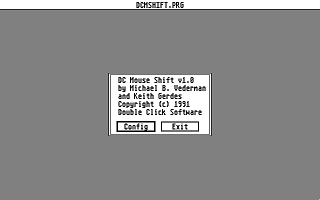
2) You will be presented with an alert box with some program info.  Click
   on the CONFIG button to continue.

3) You will next be presented with a series of alert boxes asking you which
   modifier keys you want to emulate while the RIGHT MOUSE BUTTON is being
   depressed:

   Emulate the  key
   with the right mouse button?

   Emulate the  key
   with the right mouse button?

   Emulate the  key
   with the right mouse button?

   Emulate the  key
   with the right mouse button?

   Click the YES button in any of the above mentioned alerts to emulate
   that modifier key when you press (and key pressed) the right mouse button.
   You can combine any of the modifier keys.

4) Now you will be asked if you want DC MOUSE SHIFT to be off when you execute
   a program.  Answer YES to have DCMSHIFT only on at the desktop.

5) DC MOUSE SHIFT will then attempt to save the info back to itself.  If it
   has trouble, you will be alerted.  Otherwise, it reminds you to move it
   to your AUTO folder.


====================
USING DC MOUSE SHIFT
====================
DC MOUSE SHIFT is really easy to use.  As an example, if you have it set up
to emulate the SHIFT key, then instead of holding down one of the SHIFT keys
to select multiple files when you click, you can press the RIGHT MOUSE BUTTON,
then keep it depressed and select the files normally.  Just let up on the
RIGHT MOUSE BUTTON when you are done.

You can use this on any version of TOS, and on any machine.

It is fully STE and TT compatible.

And, of course, it is 100% assembly language.  When installed, it uses
only 632 bytes.

===========
MORE INPUT!
===========
If you like this program, great!

Be sure to let us know what ideas or comments you have about our software.
We are always anxious to hear what anyone has to say!

You can reach us almost everywhere!

========
By Phone
========
Double Click Software  : (713)977-6520

======
Online
======
GEnie       :  DOUBLE-CLICK (CATegory 30)
CompuServe  :  75300,577    (GO ATARIVend, area 13)
Usenet      :  uace0@menudo.uh.edu
DC BBS      :  (713)944-0108