

Atari ST - 1994
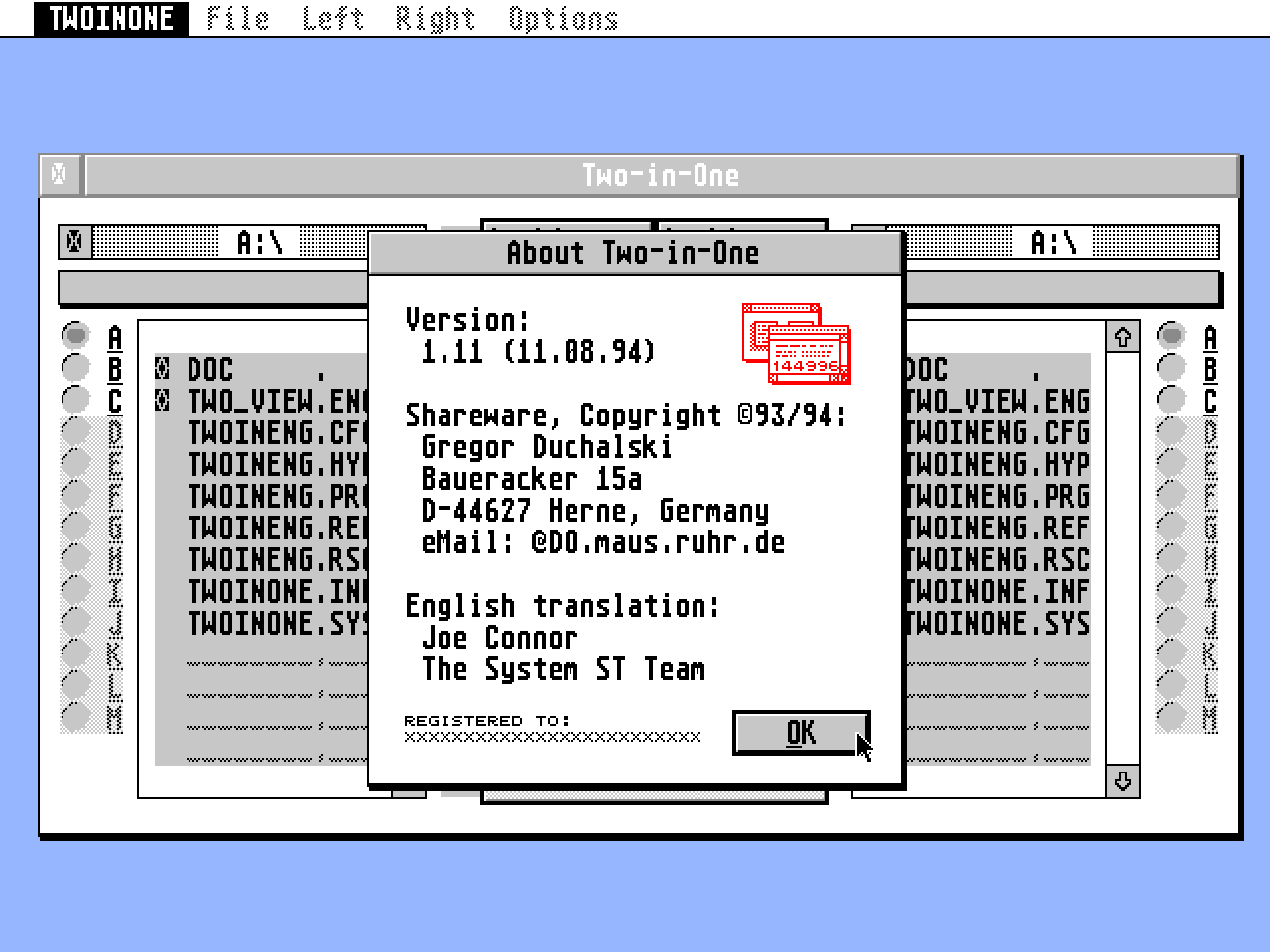
Two-in-One
- Genre
- Archiving
- Year
- 1994
- Language
- [unknown]
- Publisher
- [no publisher]
- Controls
- Mouse
- Distributor
- —
- Resolution
- Medium / High / VGA
- Developer
- [n/a]
- ST Type
- ST, STe, TT, Falcon030 / 0.5MB
- Licensed from
- —
- Programmer(s)
- Duchalski, Gregor
- Country

- MIDI
- —
- Software
- English
- Version
- 1.11
- Box/Instructions
- English
- Number of Disks
- 1 / Double Sided / HD Installable
- License
- PD / Freeware / Shareware
- Dump
- Download
- Serial
- —
- Dump format
- MSA
- Protection
- —
INSTRUCTIONS
---------------------------------------------------------------------------
-                       Two-in-One, English version                       -
-          Archive shell and manager for the Atari ST/STe/TT/Falcon       -
-                                                                         -
-                                Overview                                 -
---------------------------------------------------------------------------

NOTE: This text isn't always up to date! Use ST-Guide to read the
      TWOINENG.HYP hypertext for the latest documentation!
      This text last updated: 18th August 1994
---------------------------------------------------------------------------

Two-in-One originates from Germany and initially only a German version of
the program and documentation was available. Thanks to Joe Connor and the
System ST Team an English version is now supported in the UK.

Two-in-One is intuitive to use and features on-line help so this
documentation is much smaller than it used to be!

If you have any questions please feel free to contact me by Email:
Gregor_Duchalski@do.maus.ruhr.de

---------------------------------------------------------------------------
Prolog: ST-GUIDE installation
---------------------------------------------------------------------------

The installation of ST-GUIDE is very simple. Don't be put off by the number
of files included in the ST-GUIDE distribution. For normal use simply copy
ST-GUIDE.ACC to the root directory of your boot partition or disk and
reboot your system, that's it!

If you'd like to take advantage of the many advanced features offered by
ST-GUIDE (for example if you would prefer to keep all your hypertext files
in a single folder) edit ST-GUIDE.INF to suit your requirements and copy it
to the root directory of your boot partition or disk.

---------------------------------------------------------------------------
About Two-in-One
---------------------------------------------------------------------------

Two-in-One can be started in several different ways:

From a command line (CLI); the GEM Shell is not displayed and Two-in-One is
in 'Manager' mode. In this mode files are automatically archived and
unarchived. This method is ideal from desktops offering drag n drop
features, such as GEMINI.

Starting Two-in-One directly; the GEM Shell is displayed featuring a
intuitive interface. From the Shell you can configure Two-in-One to handle
all the popular archive formats, set up paths and parameters to call virus
detectors, programs to create self extracting archives, external file
viewers and other external programs.

Output from the archive programs is handled using GEM Window(s). Under
MultiTOS and MAG!X, Two-in-One and the archive program are started in
parallel mode and output from the archive program handled by the respective
utility, MINIWIN.APP with MultiTOS and VT52.PRG with MAG!X.

---------------------------------------------------------------------------
The 'Manager' functions
---------------------------------------------------------------------------

The following keys can be used in 'Manager' mode:

[Shift]: Hold this key down to call the GEM Shell which will appear
pre-loaded with the selected archive.

[Alternate]: Hold this key down to create a folder with the same name as
the archive into which the archive will be unpacked.

---------------------------------------------------------------------------
Supported archive formats
---------------------------------------------------------------------------

LHARC: Versions >=2.20 of LHarc programmed by Christian Grunenberg are
       supported. From V2.30 password support is included.

ZIP:   Versions >=2.0 of STZip programmed by Vincent Pomey are supported.

ZOO:   Versions >=2.0 of ZOO adapted for the ST by Gereon Steffens.

ARC:   I've tested Two-in-One with V6.02. Unfortunately some of the
       options detailed in the documentation don't function as described
       and other options don't appear to be implemented...

UNARJ: Versions >=2.41 of UNARJ are supported. This is the first version
       to offer sensible parameters for handling archives. Other UNARJ
       programs are no longer supported. The documentation supplied with
       this software is confused and badly structured, just what you'd
       expect from MS-DOS-software.

It's quite possible Two-in-One earlier versions of the archive programs
listed above will cause problems. Please obtain the latest versions and
try those before reporting problems.

---------------------------------------------------------------------------
Other stuff you should know
---------------------------------------------------------------------------

 -New features will not necessarily be detailed here. Refer to the file
  TWOINONE.NEW and the ST-Guide hypertext for the latest revisions.

 -TWOINONE.CFG contains the options for the individual archive programs.
  You can change these using a text editor but be careful not to change
  lines which begin with '#'. Additionally it's important not to enter
  more than 26 options per archive program!

 -To use Two-in-One in 'Manager' mode from the desktop/GEMINI it's
  important to bear in mind the following:
  As a default path you should normally use the path of the archive. As an
  expert option you could, for example, take the path of the top window,
  as a default. In this case the active path must come from Gemini and not
  Two-in-One.
  You can set this from within Gemini using the following option: 'setenv
  TWOINONE_PRG "D:N"' or 'setenv OPT_TWOINONE_PRG "D:N"'
  Incidentally, on starting Two-in-One the Directory window displays the
  current directory, and ignores whatever directory the Shell would
  otherwise look for.

 -If you install Two-in-One using the built-in Atari desktop be sure to
  set the 'Full path' option in the 'Install application' dialog under
  the Parameter setting.

 -The menu shortcuts can easily be changed using a Resource file editor
  (eg Interface).

 -Ghost dialogs: Hold down either [Shift] key or the right mouse button
  and click on the Flying Dial corner to make it 'invisible'. This is
  useful, for example, to view the main Two-in-One window under a Help
  dialog.
BOOK / MAGAZINE REVIEWS (1)
ST Format · April, 1996Rating: 90%