

Atari ST - IB Computers - 1986
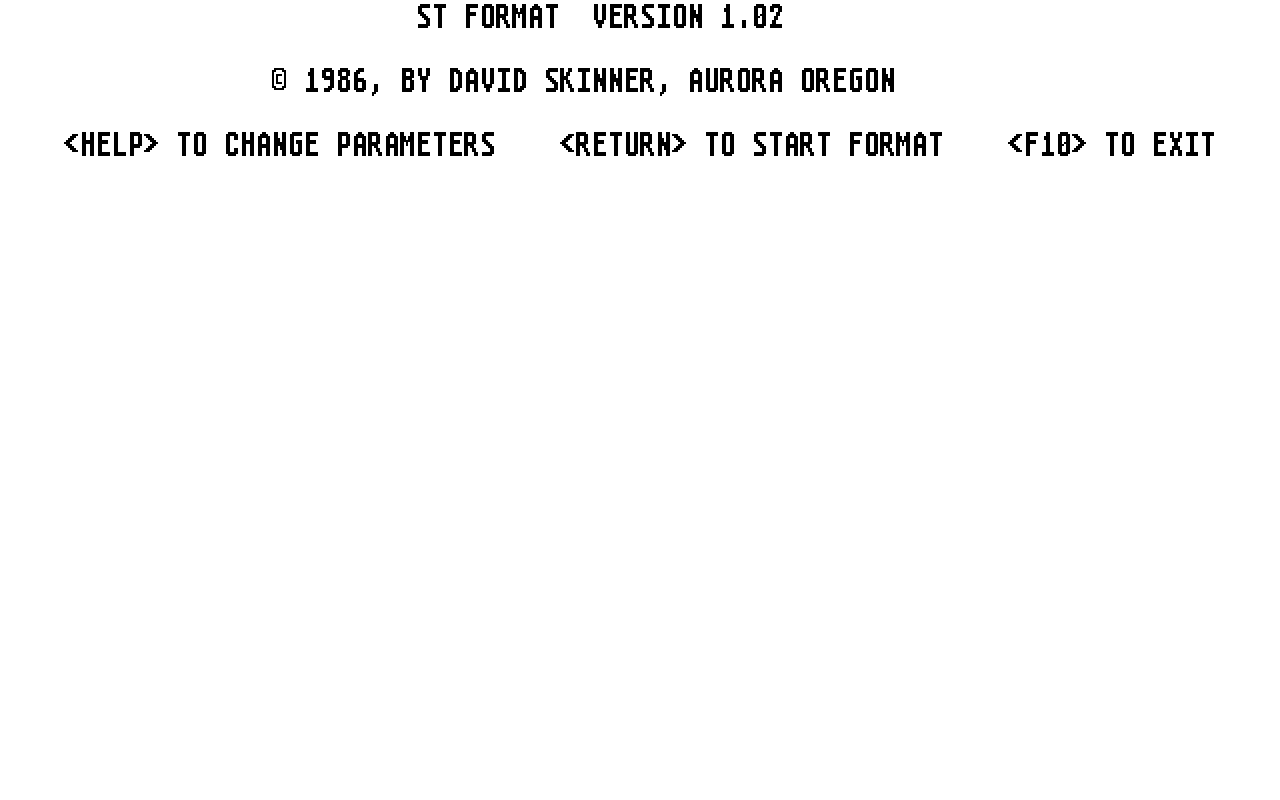
ST Format
- Genre
- Copying / Protecting / Dumping
- Year
- 1986
- Language
- [unknown]
- Publisher
- IB Computers
- Controls
- Keyboard
- Distributor
- —
- Resolution
- Medium / High / VGA
- Developer
- Aurora Oregon
- ST Type
- ST, STe, TT, Falcon030 / 0.5MB
- Licensed from
- —
- Programmer(s)
- Skinner, David
- Country

- MIDI
- —
- Software
- English
- Version
- 1.02
- Box/Instructions
- English
- Number of Disks
- 1 / Double Sided / HD Installable
- License
- Commercial
- Dump
- Download
- Serial
- —
- Dump format
- MSA
- Protection
- —
OTHER VERSIONS WITH THE SAME TITLE (1)
INSTRUCTIONS
         Thank you for your purchase of ST_FORMAT, version 1.01.  Updates
         of this software are available at reduced prices to registered
         owners.  See your owner registration material for more
         information.

         ST_FORMAT is very simple to use.  Unlike many other programs on
         the ST, ST_FORMAT automatically sets the screen resolution to
         medium and configures all required machine options.  (It restores
         the initial configuration when it exits.)

         LOADING ST_FORMAT

         ST_FORMAT may be loaded from a floppy drive, hard disk or a ram
         disk.  To start ST_FORMAT, just double click the program icon or
         name line.

         SELECTING OPTIONS

         Selecting options is very simple with ST_FORMAT.  To change any
         option first press the  key to make the option selection
         display appear.  Use the arrow keys to position the cursor to the
         field you wish to change and enter the new value.  If you press
          or  the original value will be restored.  When
         you press the  or an arrow key the new value will be
         saved.  When you have selected your options just press  to
         return to the main screen.  The options are very straight forward
         and self explanatory.

         NUMBER OF TRACKS

         The NUMBER OF TRACKS value should be normally left at 40 or 80
         tracks.  However, you may set it to a value slightly larger than
         normal to obtain more storage on each diskette.  Most 80 track
         drives can be formatted with 81 or 82 tracks without any problems.
         A few more can use 83 tracks and a very few more can use 84
         tracks.  You may wish to experiment with your drives to determine
         how many tracks you are able to use.

         SECTORS PER TRACK

         The standard ATARI TOS diskettes have 9 sectors per track.  If you
         are trying to be compatible with early versions of MS DOS you may
         wish to format with 8 sectors per track.  You may also select 10
         sectors per track to increase the amount of storage on you
         diskettes.

         STEP RATE SPEED

         Some third party disk drives for the ST (including the IB drive)
         do not seek at the same step rate as the drives supplied by ATARI.
         You can use these drives with ST_FORMAT by selecting a slower step
         rate.  To determine the proper step rate, first set the step rate
         code to two and format a diskette.  If the diskette does not
         format correctly set the parameter to one and repeat the
         operation.  If that does not work, try it with the parameter set
         to zero.  Most IB drives use 1 or 0 for this parameter.

         RUNNING THE PROGRAM

         Once you have selected the correct options (or immediately after
         entry if you are using the default selections), you can start the
         format operation by just pressing .  The program will then
         prompt you with a message to put your diskette into the proper
         drive.  After inserting your disk, press  again and the
         program will begin to format the diskette.  While the program is
         operating it will display the track it is currently processing.
         You may stop it at any time by pressing .

         After you have finished using ST_FORMAT, press  to exit to
         TOS.

         OTHER INFORMATION

         The directory tables that ST_FORMAT places on the disk are the ST
         standard ones if you select 80 tracks per diskette and 9 sectors
         per track.  If you select 40 tracks and 8 or 9 sectors per track
         it uses MS DOS parameters.  On all other formats it picks a set of
         parameters that are reasonable.  If you wish to be 100% sure your
         diskettes will work with all applications always select standard
         parameters.

         All diskette drives are capable of using 10 sectors per track and
         most are capable of at least 82 tracks per diskette.  If you
         format your diskettes with these parameters you can increase the
         amount of storage on each drive by more than 13%.  If you are
         lucky enough to be able to use track 83 you can get an additional
         5k bytes on each side.

         TOS currently (1-Oct-86) will not copy any disk except those with
         80 tracks of 9 sectors if you use an icon drag copy.  You may
         however copy files from one diskette format to any other diskette
         format if you do not attempt to copy the whole diskette at once.

         A-COPIER will copy any diskette formatted by ST_FORMAT if you use
         the nibble copy option.  When A-COPIER version 1.5 is available it
         will automatically copy nonstandard formats using the normal copy
         parameters.

         A-COPIER and ST_FORMAT are available from IB COMPUTERS, (503-297-
         8425) and MEGASOFT LTD. (206-687-7176).

         (C) 1986, DAVID SKINNER    AURORA OREGON.