

Atari ST - 1989
RelTree
- Genre
- Hobby - Genealogy
- Year
- 1989
- Language
- [unknown]
- Publisher
- [no publisher]
- Controls
- Keyboard / Mouse
- Distributor
- —
- Resolution
- Medium / High
- Developer
- [n/a]
- ST Type
- ST, STe, TT, Falcon030 / 0.5MB
- Licensed from
- —
- Programmer(s)
- Kopchak, Greg
- Country

- MIDI
- —
- Software
- English
- Version
- 2.04
- Box/Instructions
- English
- Number of Disks
- 1 / Double Sided
- License
- PD / Freeware / Shareware
- Dump
- Download
- Serial
- —
- Dump format
- MSA
- Protection
- —
INSTRUCTIONS
                               RELTREE2

                   Public Domain Tree Chart Program

                            by Greg Kopchak

   This  program  is  public  domain  and  may  be  included  in  any
   collection of public domain software,  bulletin board, information
   service, or user group library.

   RELTREE2.PRG  is  a program for the Atari ST and  Mega  series  to
   organize,  store  and  print  information  on  your  family  tree.
   Information  on  up  to  600  parents,   grandparents  and  great-
   grandparents can be stored on a 520 ST,  over 2,000 on a 1040  ST,
   going back up to thirty-five generations.

   This is the latest version  of the program,  version  2.04,  dated
   December 31, 1989.  It  offers  improved  printouts  of individual
   records and GEDCOM output.

   If you were  using  version 2.0 or 2.01 of the  program your  data
   will work with version 2.04. If you are using the original version
   called REL_TREE.PRG, see the note on converting NAMES.CRT files to
   the NAMES2.CRT format.

   After  loading  the program select the drive and folder  to  store
   your NAMES2.CRT file. Each file may  have  an  unlimited  extended
   notes  file tacked to it.  These files can either be  created  and
   displayed  from the drive and folder your NAMES2.CRT file is in or
   in the root directory of drive A.  With extensive records, you may
   want  to  put your extended notes on a floppy on  drive  A:.  Each
   extended note is stored as a separate file. Keep in mind the limit
   TOS has on files on one disk.  I use 50 extended notes per disk to
   allow room for future information.

   After  running the RELTREE2.PRG the first time,  select EDIT  from
   the  EDIT  menu and EDIT record 1. Put the information on yourself
   or one  of  your children into  the entry box.  Use 0 as the chart
   number  of  the  child of the first record.

   Only  direct ancestors of this first person should be included  in
   the database you create.  As your family knowledge and interest in
   genealogy increases, you can use the RT2_GED.PRG to move your data
   into a program that supports all relatives without retyping.

   For  each additional record created,  enter the chart  number  the
   computer created for his/her child.  Make sure that you enter  the
   sex of each individual as it is used to determine the chart number
   of an individual. HELP, left  mouse  button,  right  mouse button,
   and UNDO will page you through  records  while in  an  entry  box.

   Use  the child's CHART numbers  NOT  record  numbers  when  adding
   ancestors.

   Each individual can have one memory resident note of 80 characters
   in length. A second memory resident note will overwrite the first.

   An  extended note of unlimited length can be created  either  with
   the  simple  text  editor  included in  this  program  or  a  word
   processing program. Save the word processing file as an ASCII text
   file with left margin 0 and right margin no more than 65. See your
   word processing manual for information on ASCII files. The name of
   the  file created will be the record number of the person and  the
   .DOC extender (record 1,  1.DOC  record 124,  124.DOC).  Using the
   text  editor in the program will automatically name the files  for
   you.  If you use a word processor to write an extended note,  make
   sure that the last line ends with a return.

   If you use the text  editor in the  program, do  not skip a  line.
   Text is added to your file up to the first blank line.

   Dates  are entered in the format mmddyyy.  There are some  special
   flags for mm in RELTREE2:

           mm 13 prints ??? in place of the month
           mm 14 prints ___ in place of the month
           mm 15 prints circa in place of the month
           mm 16 prints before in place of the month
           mm 17 prints after in place of the month

   The  underline  character  is used as a place holder  in  a  date.
   15__1750 will print as __ circa 1750.

   Years  before 1000 should not have an underline before  the  year.
   Use 895_ or 0895 not _895.

   ******************************************************************
   The  tree chart you create must be printed in condensed mode on  a
   standard  80  column printer.  All other lists or records  can  be
   printed  in normal print.  The codes and printer controls sent  by
   the program are Epson compatible codes.
   ******************************************************************

   If you are using a DeskJet printer,  set lines to 66 per page  and
   perf  skip off before printing a tree chart.  After  setting  perf
   skip off, form feed a blank sheet so the sheet you are printing on
   will  start  at  top  of form.  There  are  several  programs  and
   accessories  to  do  this without flipping  dip  switches  on  the
   printer.

   When displaying by CHART number to screen, you can trace through a
   family line by pressing F for father,  M for mother or C for child
   after  the record is displayed on your screen.  Any other  key  or
   mouse  button takes you back to the GEM menu bar.  If the  mother,
   father or child is not in the database,  a message will appear and
   you will return to the menu bar.

   A variety of lists can be printed or displayed.

   Alphabetical by last name

   Pad  last  names of 3 letters or less with an  underscore  so  the
   appear in the correct order.  e.g. Lee_

   Titles  of 3 characters or less are appended to the last  name  in
   the listing e.g. (John P. Jones Jr appears as Jones Jr, John P.)

   Record number order

   Ahnentafel - an abreviated ancestors listing by generation

   If  you select PRINT-TO-DISK the very next printer output will  be
   sent  to a disk file you select.  Any information already in  this
   disk file will be over-written. You may then use this text file in
   your favorite word processor or desktop publishing program.

   The BOOK option under PRINT outputs your data as tagged ASCII  for
   import  into  Publisher  ST  by  Timeworks.  Two  .DTP  files  are
   included,  one  for  all right pages and one for  right  and  left
   pages.  A  Publisher  ST  file to print a query file  to  send  to
   relatives is also included.

   If  you  wish to be prompted for disk swaps  to  include  extended
   notes,  your BOOK output file drive must not be the same drive  as
   your extended notes drive. This also applies to GEDCOM export.

   Use  of  the BOOK option requires Publisher ST  by  Timeworks.  If
   you'd  like  a book printed at 300 dpi resolution and  don't  have
   Publisher  ST,  we can make a book for you at 25 cents  per  page.
   Send  the OUTPUT.PRN file created by the BOOK option along with  a
   deposit  of $2.50 per 100 names and $2.00 postage and handling  to
   the address below.  You will be billed for the balance or have the
   excess refunded depending on the amount of extended notes included
   in the file.

   The file RT2_GED.PRG in this arc converts your data to GEDCOM  PAF
   2.1 format for importing into other genealogy programs without the
   need  to retype the data.  Read the warnings and instructions  for
   the program you are importing to before importing a GEDCOM file to
   a new genealogy program.  RELTREE2 only supports GEDCOM output  in
   the PAF 2.1 standard.  If you have an older program that uses  the
   older PAF 2.0 standard only,  send me your GEDCOM file in PAF  2.1
   format and I will convert it to the older PAF 2.0 standard for the
   cost of return postage.

   For  both  RT2_GED  and BOOK files,  you  should  have  more  room
   available  on  the disk you are writing to than the size  of  your
   NAMES2.CRT  and  NOTES.CRT file combined.  If  you  are  combining
   extended  notes,  the sum total of the size of all extended  notes
   should also be added to estimate disk space needed.  Files can get
   quite large with extensive extended notes.

   Make a backup of your data on a regular basis. In particular use a
   backup when making a BOOK or GEDCOM file where files can get quite
   large and disk switching may be needed.

   If you have questions or suggestions for  the program  leave me E-
   mail on GEnie (GREG), Delphi (GREG) or CIS  (70357,2312)  or write
   to the address below. The data format of  Version 2  and higher of
   Tree Chart has changed from the  data  format of  Version  1.  Use
   the  TREE_CVT.PRG  to  convert  your NAMES.CRT  files  to the  new
   NAMES2.CRT format. TREE_CVT.ARC can be  downloaded from either CIS
   or GEnie or obtained from the author.

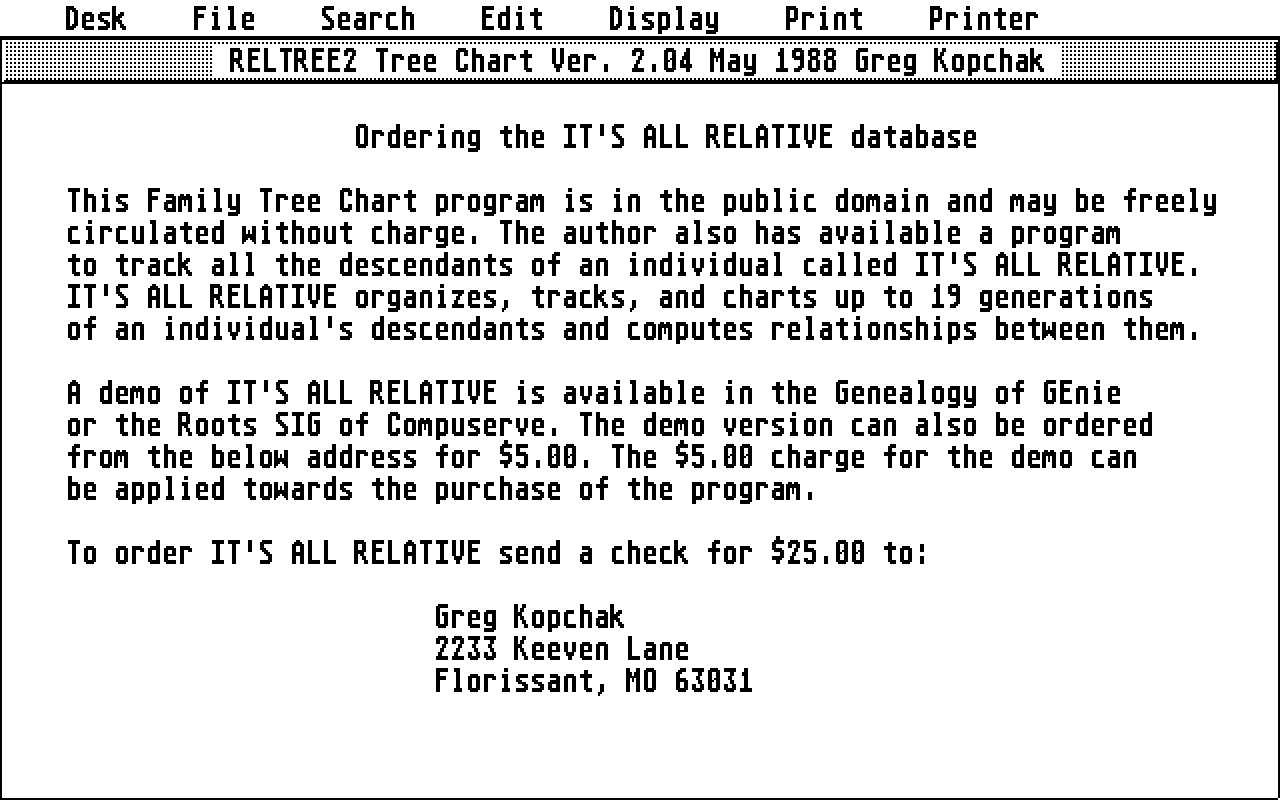
   We also have available a progenitors-based genealogy program  for
   keeping track of a family line called "It's All Relative". If you
   enjoy the tree chart program you will love "It's All Relative"!

                          It's All Relative

             A Truly "Relational" Database for the Atari ST
                      (c) May 1988 Greg Kopchak

   "It's  all Relative" is a descendants based  genealogical  program
   written with the ST in mind  from  the ground  up. Track a  family
   line  from its earliest know member to the  present  and   compute
   relationships  with a user friendly Gem based program.

   Track  a family line  incuding  all  aunts,  uncles,  cousins,
   nieces and nephews for up to 19 generations.

   Over 400 individual records on the 520ST
   Over 1,400 individual records on the 1040ST

   Entire database is memory resident
   Records appear on your screen instantly
   No waiting for disk access
   Fast searches - Less than 2 seconds for 1,400 records

   Searches can be done by
        Full name
        First name/last name or any portion of either
        ID number
        Location of birth/marriage/death
        Date (exact day/month/year)
        Month
        Year

   Child automatically tied to parent record at entry
   Computes and displays relationships between individuals

   Full range of reports:
        Individual records
        Family group charts
        Two types of descendants charts
             Short form with name only
             Long form with relationships calculated
        Listings of names in the database
        Database status report
        Alphabetic listings
        Listings by generation
        Family Datebook
        Family Time-line

   Printer control from the desktop at a click of the mouse

   All  printed reports can be directed to a disk file for  importing
   into  your  favorite desktop publishing program  for  professional
   camera ready results.

   Quick and easy editing of data
        Fast updating of your information
        Adjust the level of all records with a mouse-click

   Ability to tag an note limited only by disk size to each record

   Computes Soundex codes for names

   User support after purchase

   Each records contains information on:
        Name
        Sex
        Date and location of birth
        Date and location of marriages
        Location of current residence
        Date and place of death
        Age at death or current age
        Up to three spouses with information on:
             Full name
             Date of birth
             Date of death
        Up to 15 children for each record
        Two lines of free-form notes

   GEDCOM import/export in PAF 2.1 format

   BookMaker module to make a Family Book using Publisher ST

   Works on either color or monochrome monitor

   Not copy-protected

   "It's  All  Relative" is available at the special mail order price
   of $25.00, postpaid or $35.00, postpaid with the BookMaker module.
   Enclose your  check  or money  order for "It's All  Relative" to:

                       Greg Kopchak
                       2233 Keeven Lane
                       Florissant, MO 63031

   GEnie mail address: GREG
   CIS: 70357,2312
   DELPHI: GREG