

Atari ST - Branch Always Software - 1990
Quick Tools - Volume I
- Genre
- Various
- Year
- 1990
- Language
- [unknown]
- Publisher
- Branch Always Software
- Controls
- Mouse / Keyboard
- Distributor
- —
- Resolution
- Low / Medium / High / VGA
- Developer
- [n/a]
- ST Type
- ST, STe, TT, Falcon030 / 0.5MB
- Licensed from
- —
- Programmer(s)
- Mihocka, Darek / Kolenko, Ignac A. Jr.Lepore, Ian
- Country


- MIDI
- —
- Software
- English
- Version
- —
- Box/Instructions
- English
- Number of Disks
- 1 / Double Sided / HD Installable
- License
- Commercial
- Dump
- Download
- Serial
- —
- Dump format
- MSA
- Protection
- —
INSTRUCTIONS
Quick Tools Volume 1
====================

Useful Utilities for the Atari ST with the Quick Manager

Copyright (C) 1990 by Branch Always Software. All rights reserved.

This document may not, in whole or in part, be copied, reproduced,
translated, or reduced to any electronic medium or machine readable
form withouth prior written permission from Branch Always Software.

The contents of this package may not be redistributed, lent, leased,
or rented.


Disclaimer:

Branch Always Software makes no warranties, either expressed or implied,
with respect to this product, its quality, performance, or fitness for
any particular purpose. Every attempt has been made to assure the
highest possible quality of this product and compatiblity with other
software.

In no event will Branch Always Software be liable for any direct, indirect,
or consequential damages resulting out of the use of or inability to use
this product.


Support and Correspondence:

In the even that you have any difficulties using this product, we can be
reached by regular mail and electronic mail to offer technical support.


Mail:

    Branch Always Software              Branch Always Software
    PO Box 2624, Station B              14150 N.E. 20th St. #302
    Kitchener, Ontario  N2H 6N2         Bellevue, WA  98007
    CANADA                              U.S.A.

Phone: to be announced
Compuserve: 73657,2714
BIX, Delphi, GEnie: DAREKM
Usenet: mailbox@brasoft.uucp


Updates:

When updates of Qucik Tools Volume 1 become avialable, mail in the original
Quick Tools Volume 1 disk along with a $3 upgrade fee to cover postage and
handling. Notices will be posted on the above mentioned online services, as
well as in popular Atari ST newsletters.


Introduction
------------

Quick Tools Volume 1 is a collection of unique utilities which enhance the
user's productivity. All programs are written in C or 68000 assembly, thus
maximizing speed and minimizing size.

Quick Tools Vol. 1 runs on any Atari ST, Mega ST, or Atari STe computer.
The standard SC1224 color monitor, SM124 or SM125 monochrome monitors, and
the SM194 or Moniterm 19 inch monitors are supported. All releases of TOS,
from 1.0 to 1.6, are supported.

Quick Tools Vol. 1 is not just any set of utilities. This package includes
the fast file viewer, Quick View II, the fast file finder, Quick Find, the
desktop information cusomizer Quick Inf, the environment editor Quick Env,
the drive and partition protector Quick Lock, and much more!.

All of the software on this disk is intended to be used in either medium
resolution or monochrome, not low resolution.

To avoid confusion, this manual will refer to the entire package of progams
on the disk as Quick Tools. The individual programs will be called by name.


Disk contents:
--------------

The Quick Tools disk is a standard single-sided 360K floppy disk. The disk
is not copy protected, and should be immediately backed up before use.
Hard disk users can copy the entire disk to the hard disk.

The disk contains three folders:  AUTO, QUIKTOOL, and TOOLS. The AUTO
folder contains the Quick Tools Auto Folder program which installs the
default desktop environment for Quick Env and the drive locking
information for Quick Lock. The QUIKTOOL directory contains all the Quick
Tools that will be used with Quick Manager. This will be described in
detail later in the manual. Finally, the TOOLS folder contains further
folders which hold the individual Quick Tools utilities and associated
documentation files.

The main directory of the disk contains the Quick Manager accessory. There
is a README.DOC file which contains information which may update this
manual. Finally, a DESKTOP.INF file which is configured to automatically
call Quick View to read text files.

Please read the README.DOC file. This is accomplished by simply double
clicking on README.DOC from the desktop.


Installation:
-------------

Installation of the Quick Tools files is very easy, and consists of
copying the files from the Quick Tools disk to your boot disk. A boot disk
is the disk that is usually in the computer when power is first turned
on. The boot disk usually contains such programs as RAM disks, mouse
accelerators, disk caches, hard disk drivers, and desk accessories.

Every boot disk usually has a folder called AUTO. This is the folder that
the computer uses to store the above mentioned programs. Quick Tools must
install from the AUTO folder, so that it is active before the desktop
appears.

To install Quick Tools, copy the directory QUIKTOOL to the root directory
of your boot disk, and copy the file from the AUTO folder of the Quick Tools
disk to the AUTO folder of your boot disk. The file is called QUIKTOOL.PRG.

The reason for this file? The main reason is to allow the installation of
the default desktop environment strings (this program will either load
ENVIRON.SYS from the root directory of the boot disk, or duplicate
the environment that TOS itself creates) into a 2K environment space for
Quick Env, as well as installing the default locking information for
Quick Lock (this program will load the locking information from LOCK .LCK
in the root directory of your boot disk). If you feel that you will not be
needing the services of Quick Env or Quick Lock, you may feel free to
rename QUIKTOOL.PRG to QUIKTOOL.PRX to disable it, freeing up a few more K
of memory for you to use. Again, these programs will be explained later in
this manual.

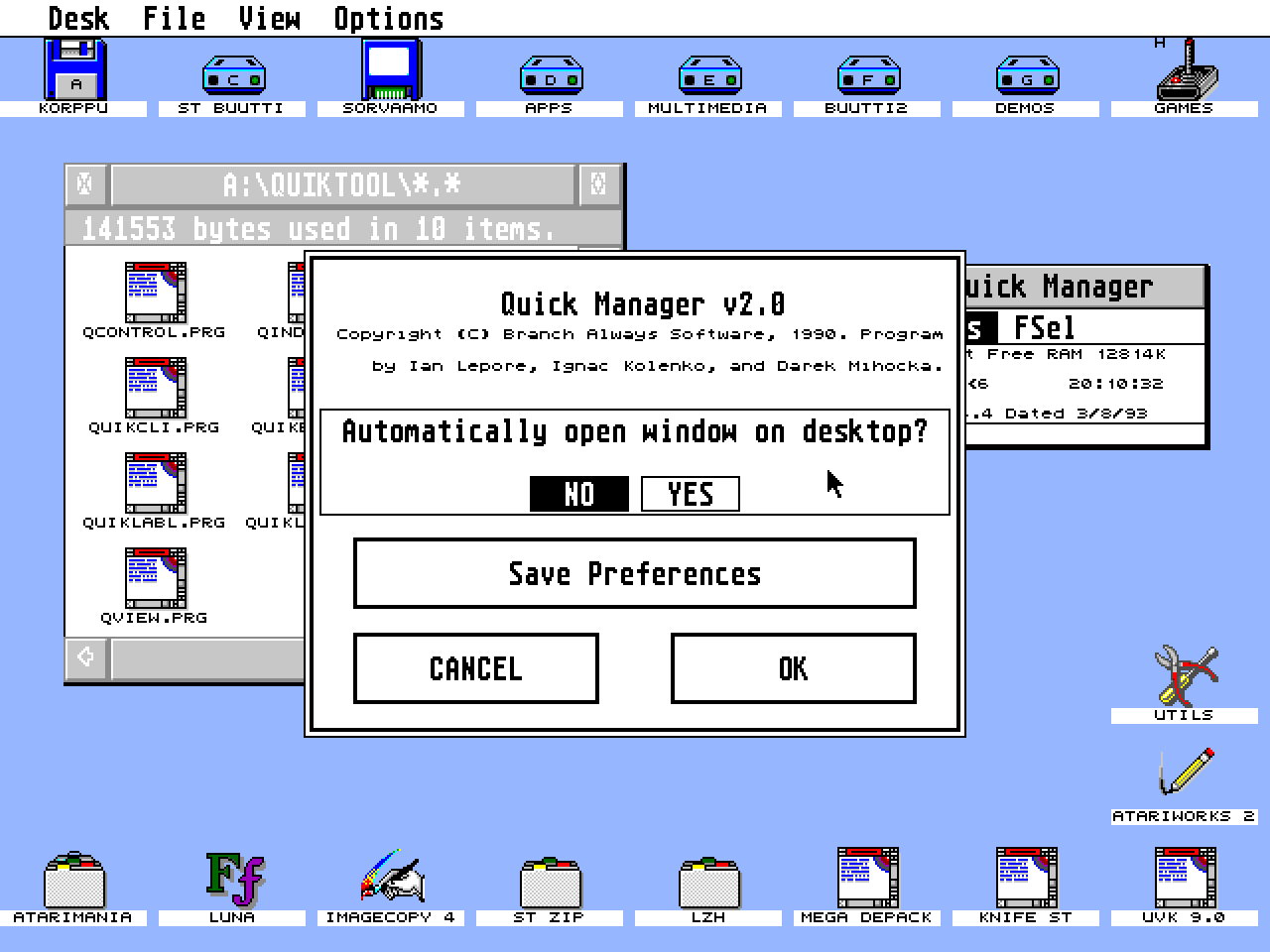
The Quick Manager, called QMGR.ACC, is a special accessory which will
automatically search the QUIKTOOL subdirectory in the root directory of
the boot disk, and reserve a buffer large enough to hold the biggest
Quick Tool in that subdirectory. After the desktop has fully booted,
accessing the Quick Manager will present its own menu bar of Quick Tools
which can then be loaded at any time !This feature will be fully explained
later in this manual.

All Quick Tools utilities can also be installed as either accessories or
applications. Copy the Quick Tools programs to the root directory of your
boot disk. Rename them to .ACC to install as accessories, and reboot to
load them.