

Atari ST - 1997
HomePage-Penguin
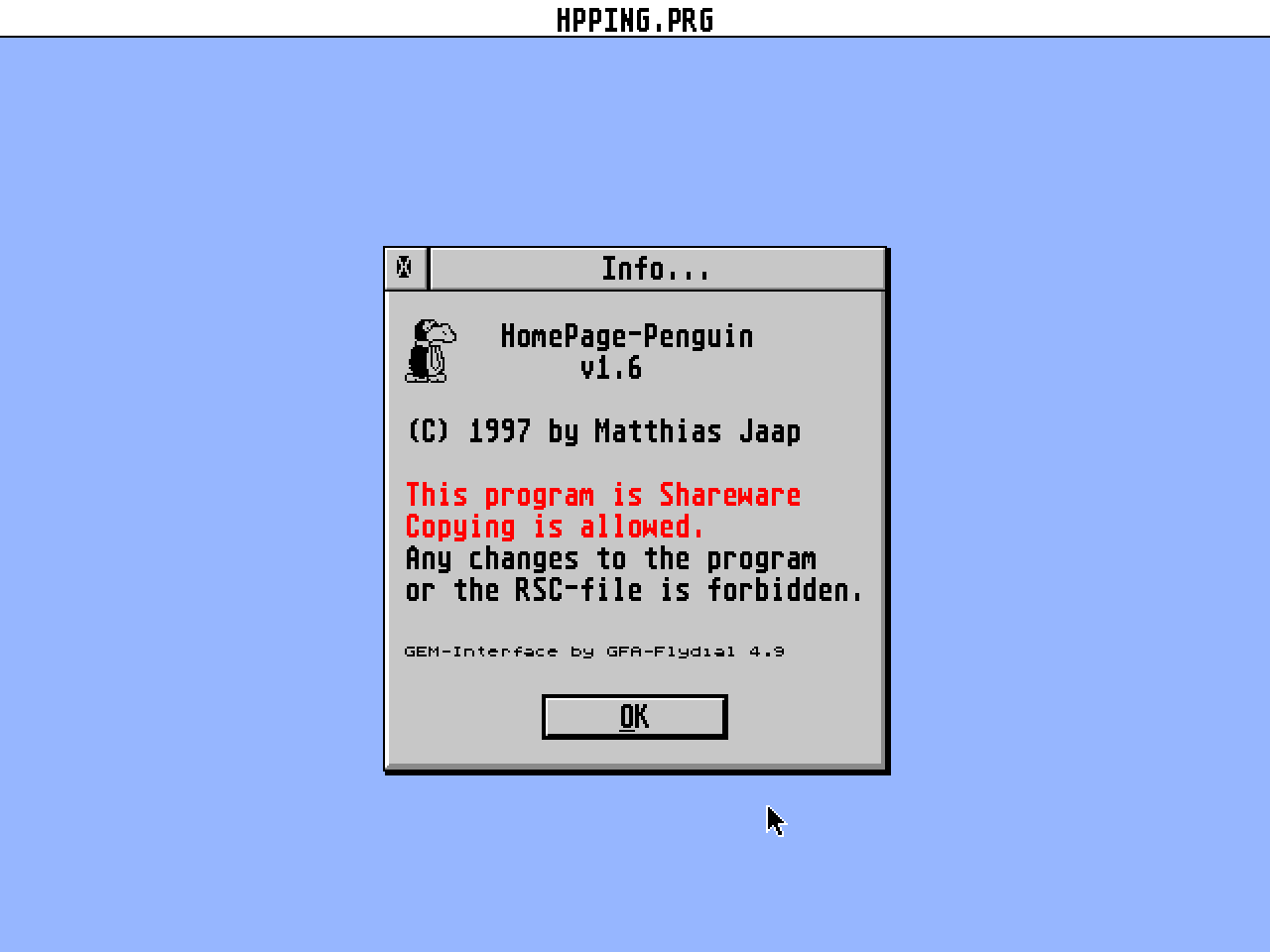
- Genre
- Programming - Miscellaneous
- Year
- 1997
- Language
- GFA BASIC
- Publisher
- [no publisher]
- Controls
- Keyboard / Mouse
- Distributor
- —
- Resolution
- High / VGA / RGB
- Developer
- [n/a]
- ST Type
- ST, STe, TT, Falcon030 / 1MB
- Licensed from
- —
- Programmer(s)
- Jaap, Matthias
- Country

- MIDI
- —
- Software
- English
- Version
- 1.6
- Box/Instructions
- English / German / Spanish
- Number of Disks
- 1 / Double Sided / HD Installable
- License
- PD / Freeware / Shareware
- Dump
- Download
- Serial
- —
- Dump format
- MSA
- Protection
- —
OTHER VERSIONS WITH THE SAME TITLE (4)
INSTRUCTIONS
HomePage-Penguin v1.6
---------------------
Written by Matthias Jaap
- English doc -
If you have ST-Guide installed you should read the HPPING_E Hypertext.
It is more detailed than this Readme.
1. Status
---------
HP-Penguin 1.6 is SHAREWARE. The work on this program is enormous and
I think that a shareware fee of 20 DM is something that everybody can
afford. So please support the work that has gone into this program and
I promise that there'll be many more updates...
Please transfer the money to:
Account nr: 5866 31-209
Account holder: Christine Jaap
Bank: Postbank Hamburg
BLZ ("Bankleitzahl" I don't know the English word for it.): 200 100 20
Please write that you registered for HP-Penguin on the transfer paper.
Please make sure that you have everything correct before transfering.
If you are unsure, contact me before transfering.
-----------------------------------------
Changes to the the text, resources or the program are forbidden!
Distribution by PD libraries and BBSs is allowed. Penguin may not be
included on cover disks or CD collections without my written
permission.
2. Improvements
---------------
Version 1.3 - 1.451: HP-Penguin runs also as an Accessory and
even under MultiTOS. This has been achieved by using the
GFA-Flydial-Library 4.9 by Gregor Duchalski.
Version 1.45 - 1.451: Complete translation of the comments!
The headings can now be set seperately
few bugs fixed in the German RSC-file
1.452: Bug fixes! English RSC should now work.
Image name converted to lower case letters.
Image size automatically recognized (GIF only)
1.5: 'Set Layout' dialog. 'Extended' and 'Freestyle'
are planned for version 1.7 .
'Professional' modus: In this modus you can
change the size of the headings, use up to 10
links and set the colour for activated links.
The HTML file can be put onto the clipboard.
Problems with Atari fileselector fixed.
3. System requirements:
-----------------------
Computer : Atari ST/TT/Falcon, TOS 1.4 - 4.4, MultiTOS, MagiC(PC/Mac)
Resolution: 640 * 200 or higher
Memory : HP-Penguin will take about 100KB of memory.
Application type: ACC or PRG. Pure GEM.
With the HP-Penguin you can create your own HTML-page without knowing
any HTML-commands. You create it by answering a few questions. You can
choose a background, make a two-column-text, insert a picture and many
more.
Please note that HP-Penguin has NOT an integrated editor. You have to
use an editor to write the text for your web page (it must not contain
html commands). The reason why HP-Penguin has not an own editor is,
that it would increase the program length dramatically. And there are
already some great editors around. By the way, the Penguin will
recognize the paragraphs correctly (okay, it's just a very stupid
little routine that sets a paragraph if the length of the line is
lower than a user definged length).
The program explains itself so it would be the best if you
start it right now!
This program has been written with GFA-Basic 3.5E on an
Atari Falcon. It is inspirated by a similar program for
Windows (Home Page Wizard).
4. The language
---------------
As said before, HP-Penguin is bi-lingual German/English.
There is also a French RSC file but it is an absolutely
awful translation done by me. If anybody wants to do a
translation to another language please contact me.
4.1 Falcon owners
You are lucky when you have a Falcon because HP-Penguin
will look at the _AKP-cookie and will load the correct
RSC-file. If the desktop language is set to other values
than German or English, HP-Penguin will automatically
choose the English resource file.
4.2 ST/TT owners, MagicPC/mac
If you are owner of an Atari ST/TT you have to choose
the language differently. There are two methods:
I) Rename one of the two resource files will cause
HP-Penguin to load the other.
Example: Rename HPPING.RSC to HPPING.RSX
HP-Penguin will load HPPING_E.RSC.
This will also work on a Falcon.
II) Start the program without renaming one of the RSC-
files.
A box will appear with the question which language
you want to have.
4.3 Emulator users and ST compatibles
As I have no experience with Atari emulators or the new
clone machines, I can not say if you need to rename
the files or not.
5. Known bugs/limitations
-------------------------
1. Please close the HP-Penguin window if you are using the
Penguin as an ACC under Single-TOS and are starting a
program!
2. Webspace 1.4b doesn't view HP-Penguin pages correctly. This is not
an error of the Penguin! Till a better version of this very young
program, use CAB to view the pages.
6. Future enhancements
----------------------
* You can see one in the start dialogue: Load HTML file.
* Perhaps I will use FaceValue for the next versions of HP-Penguin.
This would allow new features.
* Support for tables and the 'Extended' & 'Freestyle' option in
the layout dialog.
7. I would like to thank...
---------------------------
Sven Betz and Joachim Lhr of Betz Computer for their betatesting
and GFA-tips.
Gregor Duchalski for his fantastic GFA-Library.
The clipboard routine is written by Oliver Schildmann.
8. Contact:
-----------
If you have any new ideas or you want to translate HP-Penguin to
another language, please e-mail me:
E-Mail: sa6z220@public.uni-hamburg.de
9. Other Internet utilities
---------------------------
9.1 HTML-Help
Conversion of special characters between HTML, Windows, Atari and
DOS (important for non-English texts). A conversion of paths is
also possible.
Other features:
* HTML commands can be removed to get the pure ASCII text
* The Information option shows you the specs of your page
* Hotlist
* Runs also as an Accessory and fine with editors like Edith
* Filenames in a HTML file can be converted to upper/lowercase
letters or shortened to the 8+3 TOS format.
9.2 Tabi!
Tabi converts ASCII tables which can be produced e.g. by Atari Works
via 'Import file...' to HTML 3 tables. You can set different font
styls, colours etc. for every cell. The file created by this program
can be insert in a HTML page and you have a table without typing a
single HTML command!