

Atari ST - Oregon Research - 1992
Diamond Edge
- Genre
- Tape / Disk / Cartridge Utility
- Year
- 1992
- Language
- Other
- Publisher
- Oregon Research
- Controls
- Mouse
- Distributor
- —
- Resolution
- Medium / High / VGA / RGB
- Developer
- [n/a]
- ST Type
- ST, STe, TT, Falcon030 / 0.5MB
- Licensed from
- —
- Programmer(s)
- Monaco, Erin / Luneski, Bob
- Country

- MIDI
- —
- Software
- English
- Version
- 1.00
- Box/Instructions
- English
- Number of Disks
- 1 / Double Sided / HD Installable
- License
- Commercial
- Dump
- Download
- Serial
- —
- Dump format
- MSA
- Protection
- —
OTHER VERSIONS WITH THE SAME TITLE (6)
INSTRUCTIONS
                            Diamond Edge V1.00
                      Release Date: September 12, 1992

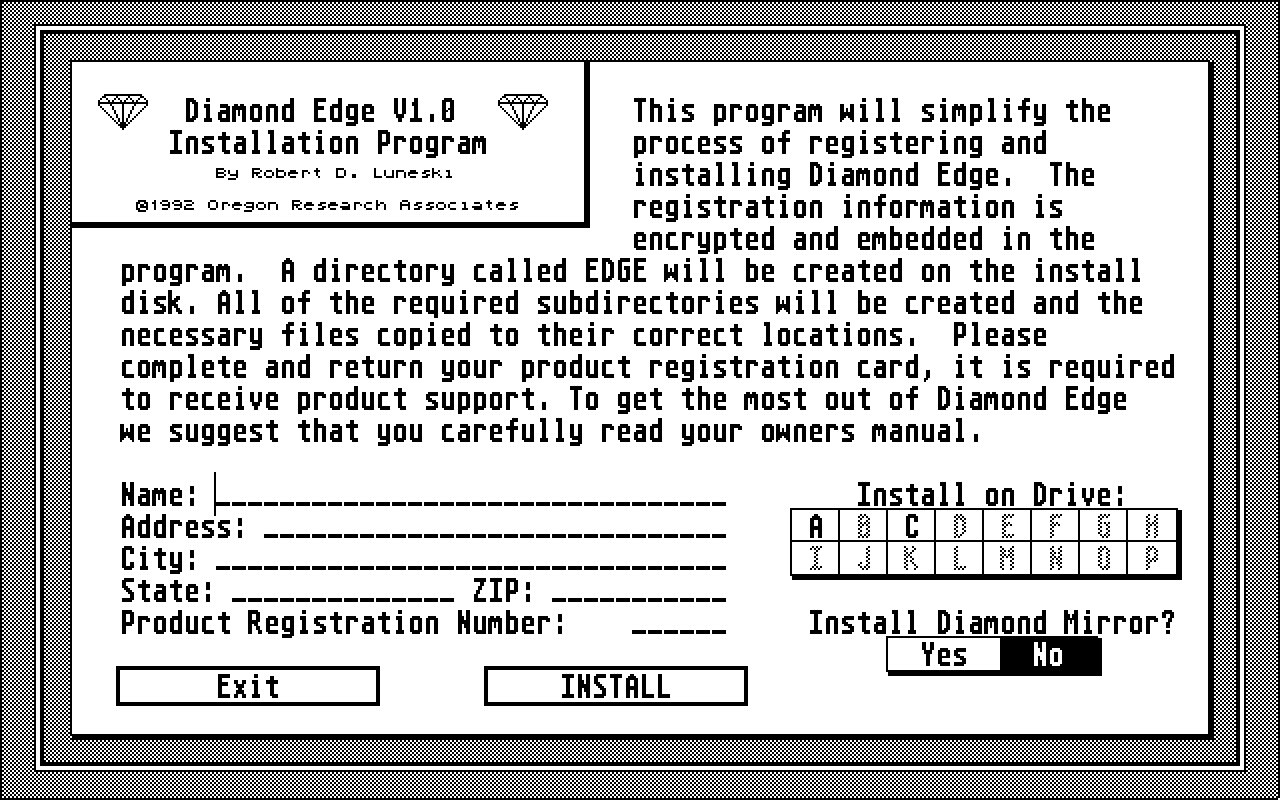
   Congratulations! You have just purchased the most advanced disk
management system available for your Atari ST. Before you can begin using
Diamond Edge, you must complete the program installation procedure.  Be sure
that your master disk is enabled for writing, then double-click on
INSTALL.PRG and answer a few simple questions(Name, Address, etc..) and
then select INSTALL from the program menu.  That's all there is to it!

   To ensure that you get the most out of your investment,  I STRONGLY urge
you to carefully read your manual.  Although Diamond Edge has been
designed for extreme ease of use and has online help for every program
function, the depth of power and flexibility becomes much clearer after
reading the manual. Many tricks and tips to help you get more out of the
program are explained as well as the product support procedures.  It is
EXTREMELY important that you fill out your owners registration card and
promptly return it to Oregon Research Associates.  This is required for
you to obtain the high level of product support that you deserve.

   On behalf of Oregon Research Associates, I would like to wish you
faster drive performance and happy endings to all of your disk problems.

Bob Luneski
Author Diamond Edge

*******************  Desk Icons for TOS 2.0x and above  *****************
                     ---------------------------------
Mr. Robert Morrow has generously donated the icons appearing in the file
ORAICONS.RSC. Use them with TOS 2.0x and above.  They make an attractive
addition to your desktop.

Extra Folders for TOS
----------------------
      Just because you have a TOS past 1.4 does not mean that you are
immune to operating system memory pool problems.  Although the limits
have been extended, they have not been eliminated and you can still run
into problems.  Disk Utility programs stress the operating system memory
pool more than other programs by accessing many more folders in a single
session than would be accessed during normal use.

   If you experience problems(even if you don't) we recommend you run
FOLDRXXX.PRG with several hundred folders or add additional folders through
your hard disk driver configuration program.  This recommendation is
regardless of the version of TOS that you have.

A Note to Data Diet Users
-------------------------

   If you are using Data Diet from Double Click Software be sure to read
pages 25-27 of the Data Diet manual about the Find First/Find Next setting.
If you are going to perform any validation file validation functions, then
before running Diamond Edge you must either turn Data Diet OFF or select
FIND NEXT FILE: ORIGINAL SIZE.  Data Diet normally DOES NOT return the
correct uncompressed file size from the operating system call used to
determine a file's size.  This will cause problems with ANY program that
relies on the official Atari documented behavior of the operating system call.

   Some other file copy/backup programs use a "read until End Of File(EOF)"
method and do not need(but should) to know the actual file size.  However,
this method that can yeild an incomplete copy with no error message in the
event of a disk error or corrupted file.  All you really know is that the
operating system reached an EOF marker(FFFF in the FAT Table), you don't
know for certain that you have all of the file.  I have personally
experienced at least a dozen such instances where the operating system has
failed to read the entire file as a result of a corrupted FAT table yet
reported no error.  You would then have a corrupted file and a false
sense of security. For absolute data integrity, Diamond Edge requires
knowledge of the actual file size so that if can determine that all of the
file has been really been read during a File Validation process.


Are you in possession of stolen merchandise?
--------------------------------------------

   Diamond Edge is commercial software.  If you have not paid for this
software and you are reading this illegally, then please reconsider your
actions.  You are literally stealing food from my childrens mouths.
In addition to being illegal and morally wrong to steal,  you will
be personally responsible for the death of the Atari ST and small
software companies like Oregon Research Associates.  Think about it.
BOOK / MAGAZINE REVIEWS (1)
International TOS Software Catalog · Winter, 1992