

Atari ST - 1991
DC DirDump
- Genre
- Tape / Disk / Cartridge Utility
- Year
- 1991
- Language
- [unknown]
- Publisher
- [no publisher]
- Controls
- Mouse
- Distributor
- —
- Resolution
- Low / Medium / High / VGA
- Developer
- Double Click Software
- ST Type
- ST, STe, TT, Falcon030 / 0.5MB
- Licensed from
- —
- Programmer(s)
- Vederman, Michael / Gerdes, Keith
- Country

- MIDI
- —
- Software
- English
- Version
- 1.0
- Box/Instructions
- English
- Number of Disks
- 1 / Double Sided / HD Installable
- License
- PD / Freeware / Shareware
- Dump
- Download
- Serial
- —
- Dump format
- MSA
- Protection
- —
INSTRUCTIONS
DC DirDump v1.0

DC DirDump Copyright (c) 1991 Double Click Software

Program by Keith Gerdes and Michael B. Vederman

DC DirDump is a FREEWARE program.  A FREEWARE program is one which you may
freely distribute, but you cannot charge for it or alter the program or
contents of the archive in any manner.  Double Click Software retains all
copyright exclusive rights except exclusive distribution.

==============================================================================

DC DirDump will alphabetize and dump the listing of the current directory
to either the screen, disk or printer.

If you use DC Desktop, then DC DirDump will 'hook' into DC Desktop and you
can just press the key + to dump the current directory when you
are at the GEM Desktop.

==============================================================================

============
INSTALLATION
============
If you use DC Desktop, you can install DC DirDump so it is memory resident.


>To install DC DirDump if you use DC DESKTOP, do this:
------------------------------------------------------

1) Place DCDIRDMP.PRG in your AUTO folder after DCD AUTO or DC DESKTOP.

2) Reboot your computer.  DC DirDump will load and hook into DC Desktop.

- or -

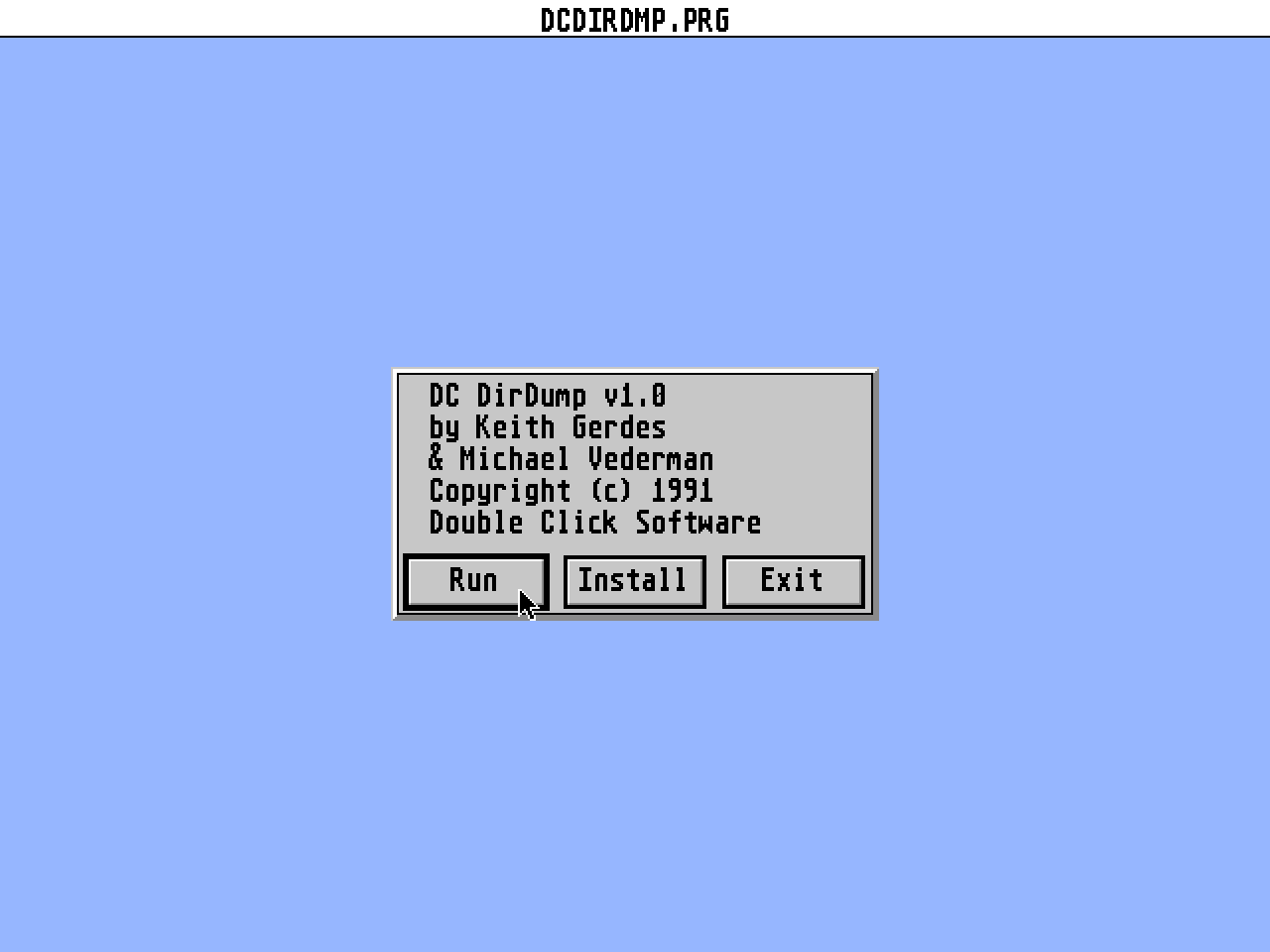
1) Execute DCDIRDMP.PRG from the desktop.  An alert box will appear.

2) Click on INSTALL button.  DC DirDump will load and hook into DC Desktop.


================
Using DC DirDump
================
When you run DC DirDump, you have the option of where you want the directory
listing going to: screen, printer or disk.

>To RUN DC DirDump from the DESKTOP, do this:
---------------------------------------------

1) Execute DCDIRDMP.PRG from the desktop.  An alert box will appear.

2) Click on the RUN button.  You will be presented with a file selector.

3) Use the file selector to locate the directory to dump.  After you have
   selected the directory to dump, you will be presented with another
   alert box.

4) Use the alert box to choose the destination for the directory listing
   by clicking on the appropriate button: SCREEN   PRINTER   FILE

   If you choose FILE, you will be presented with another file selector to
   enter the filename for the directory listing.

   If you choose to output to the SCREEN, the listing will be paged to the
   screen.  If the listing is too long for one screen, you will see a
   "-More-" prompt at the bottom of the screen.  To continue the listing
   press any key or mouse button.  To QUIT at this point, press the
   ,  or  key.

NOTE: If you choose the printer and the printer is not connected, the
      listing will go to the screen.

5) After the listing is completed, you will be presented with the file
   selector again in order to choose another directory to dump.  Select
   another directory, or click on CANCEL to quit.

>To RUN DC DirDump when it is memory resident (DC DESKTOP), do this:
--------------------------------------------------------------------

1) Install DCDIRDMP.PRG.

2) When at the desktop, press the + keys.  You will be
   presented with an alert box asking you for the destination of the
   directory listing:  SCREEN, PRINTER or FILE

NOTE: The current directory will be the TOP window.

3) Use the alert box to choose the destination for the directory listing
   by clicking on the appropriate button: SCREEN   PRINTER   FILE

   If you choose FILE, you will be presented with another file selector to
   enter the filename for the directory listing.

   If you choose to output to the SCREEN, the listing will be paged to the
   screen.  If the listing is too long for one screen, you will see a
   "-More-" prompt at the bottom of the screen.  To continue the listing
   press any key or mouse button.  To QUIT at this point, press the
   ,  or  key.

NOTE: If you choose the printer and the printer is not connected, the
      listing will go to the screen.

   The current directory listing will be alphabetized and dumped.

NOTE: If you have DC KEYTOP 1.2 installed, then the alert will appear at the
      desktop, otherwise, the desktop will clear and DC DirDump will execute
      just like a program were run.


IMPORTANT NOTE:  If you are NOT using TOS 1.4, we recommend that you use the
                 FOLDRxxx.PRG program from Atari to alleviate running into
                 any problem associated with folders.


=============
BUY, BUY, BUY
=============
Have you purchased the DC DESKTOP or DC UTILITIES version 2.0???

If not, you owe yourself the pleasure of using our superb programs.

"These programs are aSTounding!" - Ken Badertscher, ATARI Corp. talking
                                   about the DC UTILITIES v2.0

"The DC DESKTOP is a permanent part of my system!"
   - Ron Luks, Founder of Compuserve's Sig Atari

Call us to order, or ask your local retailer.


===========
MORE INPUT!
===========
If you like this program, great!  Help us out!  We are trying to write
-YOU- a program a week for ONE year!  Let's hear what programs you'd like
to see available; let's hear your program ideas!

Be sure to let us know what ideas or comments you have about our software.
We are always anxious to hear what anyone has to say!

You can reach us almost everywhere!

========
By Phone
========
Double Click Software  : (713)977-6520

======
Online
======
GEnie       :  DOUBLE-CLICK (CATegory 30)
CompuServe  :  75300,577    (GO ATARIVend, area 13)
Usenet      :  uace0@menudo.uh.edu
DC BBS      :  (713)944-0108