

Atari ST - ?
CFN Font List
- Genre
- Graphics - Font Editing
- Year
- —
- Language
- [unknown]
- Publisher
- [no publisher]
- Controls
- Keyboard / Mouse
- Distributor
- —
- Resolution
- Medium / High / VGA
- Developer
- [n/a]
- ST Type
- ST, STe, TT, Falcon030 / 0.5MB
- Licensed from
- —
- Programmer(s)
- Turnock, Don
- Country

- MIDI
- —
- Software
- English
- Version
- —
- Box/Instructions
- English
- Number of Disks
- 1 / Double Sided
- License
- PD / Freeware / Shareware
- Dump
- Download
- Serial
- —
- Dump format
- MSA
- Protection
- —
INSTRUCTIONS
CFN_LIST   by Don Turnock

CFN_LIST.PRG was written one afternoon as an escape from working on version
2 of FONTVERTER. (which, by the way, will be a full featured Page Stream
font editor, along with more conversion options). I needed an easy way to
get a listing of the ever-growing fonts on my hard drive. CFN_LIST.PRG will
read your Calamus(c) 'FONTS' directory, and write out two files.

The first file, "CFNLIST_.TXT", contains the file names of all the fonts in
the directory (only the files with the .CFN extender) with each name
separated by a return and a line feed (), in standard ASCII format.

The second file, "CFNLIST2.TXT", contains the file names of all the fonts,
along with the name of the font as it appears in Calamus. The two names are
separated with a  and the description is presented as ITALICS. Each
font is again seperated by a  combination. The file is saved in
WordPerfect format, so the tab and the italics will be shown that way when
you import it into Calamus, or other program of choice. If the italics
isn't what you want, just pick another type effect, another type style, or
leave both as the same font as you import the file.

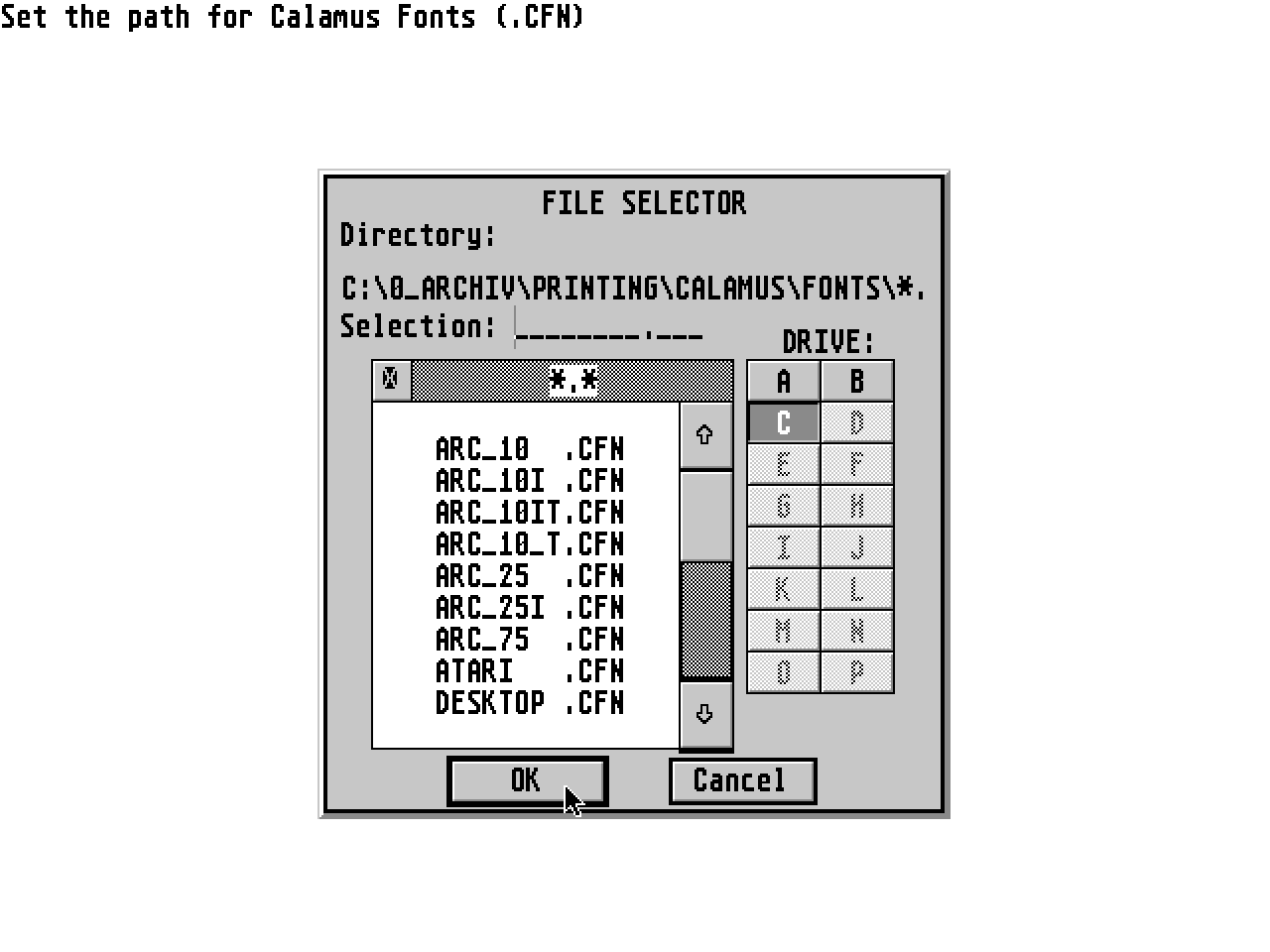
Running the program is very easy. When run, you will be prompted to select
the path containing your Calamus fonts, (usually \CALAMUS\FONTS\) and the
path that you wish your text files to be written to (usually \CALAMUS\
TEXT\). A file selector will come up for each. Simply choose a file in each
directory to let the program know which directory to use. The two paths you
chose will be printed on the screen, and an alert box will appear. You can
either accept the paths by clicking on "YES", choose new paths by clicking
on "NO", or leave the program by clicking on "QUIT".

After you click on "YES", the program will proceed without any more human
intervention. The FONTVERTER WIZARD will sort the list in ascending
alphabetical order, add the font descriptions, tabs, and italic codes, and
save the files, showing the font list on the screen as the Wizard
progresses. Oh yeah, it will also show you how many fonts there were in the
directory after they are listed on the screen.

ONE PROBLEM!!!

This program brought out a problem with the WordPerfect import module in
Calamus that has caused me problems in the past. It seems to skip codes,
add extra codes, leave out whole blocks of text following certain codes,
and many other strange problems. Calamus seems to miss the italics
sometimes when you load "CFNLIST2.TXT". It is not in the file because
WordPerfect, PageStream, and Timeworks Publisher all load it with no
problems at all!!! It will come in printed in all one font no matter which
font you pick for the italics when importing it. I left the codes in
anyway, figuring that maybe when ver 1.1 is released, (probably early fall
1990 the way Ditek works!! ) the WordPerfect import module will
finally work properly. (Or you can print it out from another program that
loads it correctly!)

I hope you all can use this program, as it is uploaded as a thanks to the
people who upload fonts, graphics, hints, and utilities to make life with
the ST a pleasure...

Don Turnock

P.S. If I need another break from FONTVERTER 2, a companion program to
this for PageStream and GDOS will follow. Feel free to leave me comments,
suggestions for future versions, or problems to DFTURNOCK on Genie.
FONTVERTER, the font converter between Calamus and PageStrteam, can be
bought from your local dealer, or ordered from:

MEGATYPE
PO BOX 645
SOUTH BEND, IN   46624

$39.95 including shipping  (Indiana residents add 5% sales tax)