

Atari ST - 1991
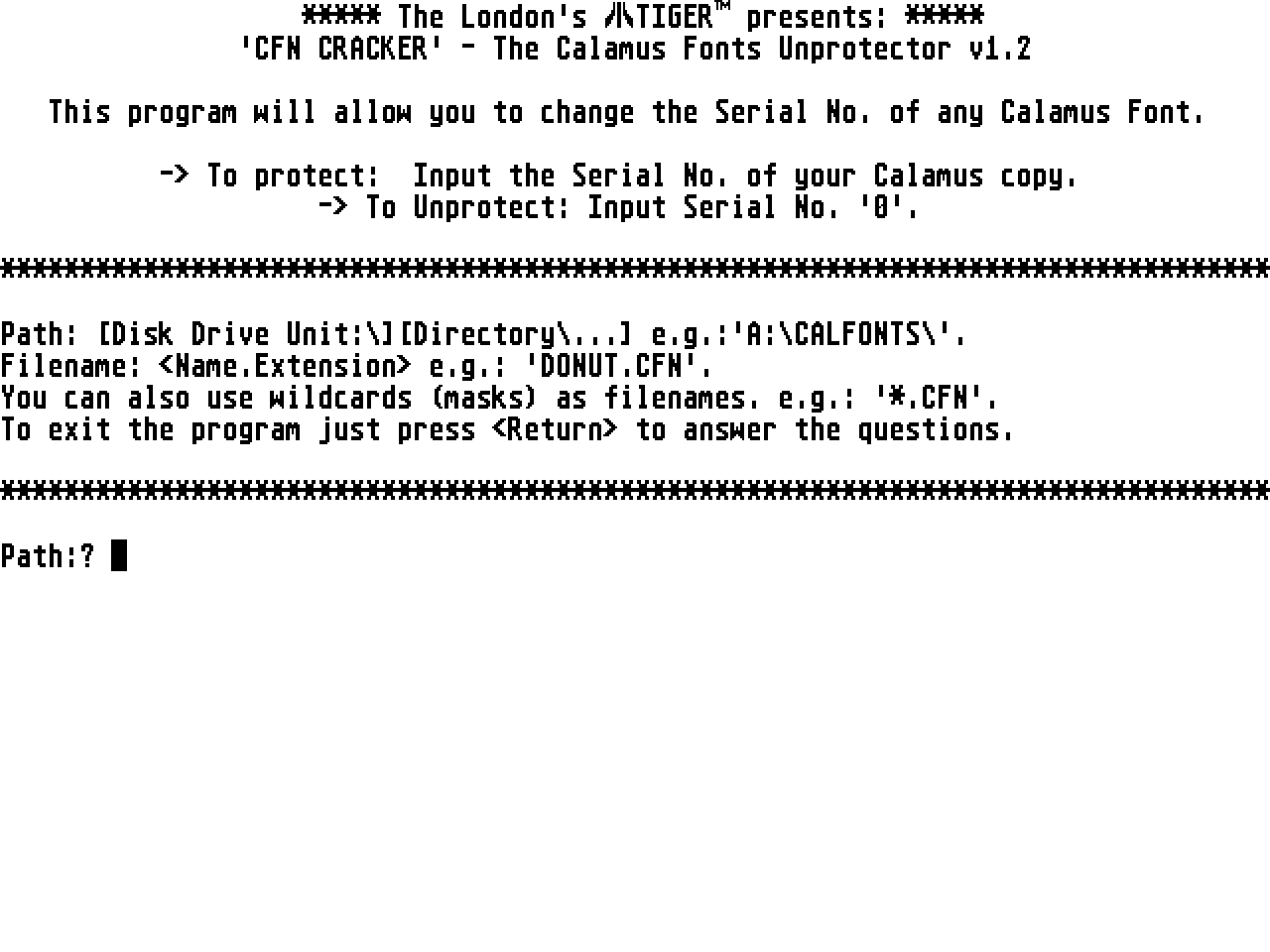
CFN Cracker
- Genre
- Copying / Protecting / Dumping
- Year
- 1991
- Language
- [unknown]
- Publisher
- [no publisher]
- Controls
- Keyboard
- Distributor
- —
- Resolution
- High / VGA
- Developer
- [n/a]
- ST Type
- ST, STe, TT, Falcon030 / 0.5MB
- Licensed from
- —
- Programmer(s)
- London's Tiger (The)
- Country

- MIDI
- —
- Software
- English
- Version
- 1.2
- Box/Instructions
- English
- Number of Disks
- 1 / Double Sided
- License
- PD / Freeware / Shareware
- Dump
- Download
- Serial
- —
- Dump format
- —
- Protection
- —
INSTRUCTIONS
***** The London's TIGER presents: *****
'CFNCRACKER' - The Calamus Fonts Unprotector v1.2

---------------------------------------------------------------------------

                           ABOUT THE PROTECTION

The Calamus program is unprotected (every copy has got its own Serial No.,
anyway). The protection is in the Fonts, instead. When you buy a new set of
original Fonts you got to give the Serial No. of your Calamus copy. Then
you are given a set of Fonts with YOUR Serial No. installed. This means
that if, for instance, a friend of yours gives you a copy of a Calamus Font
it's quite sure your Calamus copy will refuse to load it... However, there
is an exception to this Font-protection system; the so-called "Public
Domain" Fonts, which carry the Serial No. '0' and thus can be used with
EVERY Calamus copy.

---------------------------------------------------------------------------

                    WHAT CAN CFN CRACKER DO FOR YOU???

1. UNPROTECT a Calamus Font by changing its Serial No. to '0'.
   (so it will work with EVERY Calamus copy)
2. PROTECT a Calamus Font so it will only load into a given Calamus copy.
   (check the Serial No. of your copy first)
3. CHANGE a Serial No. from a protected Font, so it will be also
   protected, but for another Calamus copy.
   (e.g.: for a friend of yours)

---------------------------------------------------------------------------

                             USING THE PROGRAM

'CFN CRACKER' will ask you for:

1. A Path; just type it in the usual way...
   (e.g.: 'A:\CALFONTS\' means 'Folder CALFONTS on the root directory of
   the internal floppy disk drive'. You can specify any existing drive
   letter; A: or B: for a Floppy, C:, D:, E:, etc for a Hard Disk, M:, N;
   for a Ram Disk...). Press  when you're done.

2. A Filename; here you specify the full name of the Font(-) to modify.
   You can also use wildcards (e.g.: '*.CFN' will change ALL Fonts in a
   specified directory, 'SW*.CFN' will change ALL SWISS Fonts, etc). Press
    when you're done.

3. A Serial No.; here input the No. you want in the Font. Press
   when you're done.

---------------------------------------------------------------------------

                       RECOMMENDED PROCEDURE:

1. Make a LARGE RamDisk (e.g.: 300k on a 520ST, 700k on a 1040ST) with the
   letter 'M:\' and copy all the Fonts you want to modify to the root
   directory. Do NOT delete the original Fonts!

2. Run 'CFN CRACKER' and specify the Path ('M:\'), the Filename ('*.CFN')
   and the Serial No. ('0' to unprotect). Now your Fonts will be modified.

3. Copy the Fonts with the new Serial No. to a Folder called 'CALFNT_0.CFN'
   (or any descriptive name) in a new disk.

---------------------------------------------------------------------------

             SEE YOU NEXT TIME... ER, SORRY; NEXT PROGRAM!!!

Hope this simple program will be so useful for you as it is for me...
For any new ideas about this subject (or anything about the ST), please
contact with me...

Have fun!!!

                                            The London's TIGER
                                            September 1991.
***************************************************************************