

Atari ST - Blue Chip International - 1989
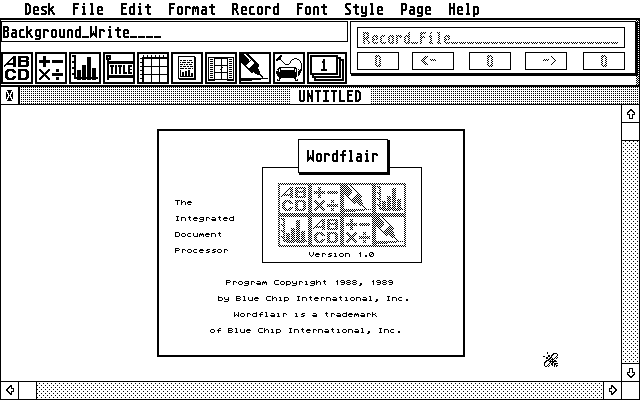
Wordflair
- Genre
- Printing - Desktop Publishing
- Year
- 1989
- Language
- [unknown]
- Publisher
- Blue Chip International
- Controls
- Mouse
- Distributor
- —
- Resolution
- Medium / High
- Developer
- [n/a]
- ST Type
- ST, STe, TT / 1MB
- Licensed from
- —
- Programmer(s)
- Ost, Mike / Ruchlis, Mike
- Country

- MIDI
- —
- Software
- English
- Version
- 1.0
- Box/Instructions
- English
- Number of Disks
- 2 / Double Sided / HD Installable
- License
- Commercial
- Dump
- Download
- Serial
- —
- Dump format
- MSA
- Protection
- —
OTHER VERSIONS WITH THE SAME TITLE (2)
1 / 3
INSTRUCTIONS
12:54 7.11.200912:54 7.11.2009READ ME FIRST

Thank you for purchasing Wordflair, the document processor.
 We have many plans for enhancing Wordflair over the next 12
months, so make sure that you send in your Customer
Registration Card to be eligible for our special upgrade
offers and free technical assistance.

Wordflair is designed for the fast creation of short,
compound documents.  Although document size is limited only
by available RAM, Wordflair does slow down as documents
become longer.  If you need to create a long document,
please consider breaking it into "chapters" or sections in
order to preserve performance.

Wordflair requires GDOS or G+plus in order to print.  For
your convenience, we have licensed a version of G+plus from
CodeHead Software,called G+FLAIR.  See the GDOS installation
instructions in the back of your User Guide and the
Readme.1st file on the GDOS Distribution disk for further
information.

The Examples (called Templates in your User Guide) are
intended to stimulate your own design ideas and offer
suggestions for using Wordflair.  If you are using Wordflair
with a medium resolution color monitor, use the files:
NWSLTCLR.WF, TUT2CLR.WF, TUT3CLR.WF instead of NWSLTR.WF,
TUT2.WF, and TUT3.WF.  The Example files were created using
a Monochrome monitor as were the figures in your User Guide.
Because the heights of GDOS Monochrome and Medium Color
fonts are different, files will vary when switching
monitors. A partial correction is available using
Wordflair's Optimized Print option. Try printing the Example
files using both Optimized and WYSIWYG Print options and
compare the differences. We do recommend that you use a
Monochrome monitor if possible.

Wordflair is provided on unprotected disks because Blue Chip
International, Inc. believes that you should be able to make
backup copies for your use only. Please be reminded that it
is illegal to give, sell or lend copies of the Wordflair
disks to anyone else. We thank you in advance for your
support, and for your respect for our copyrights.