

Atari ST - Precision Software - 1987
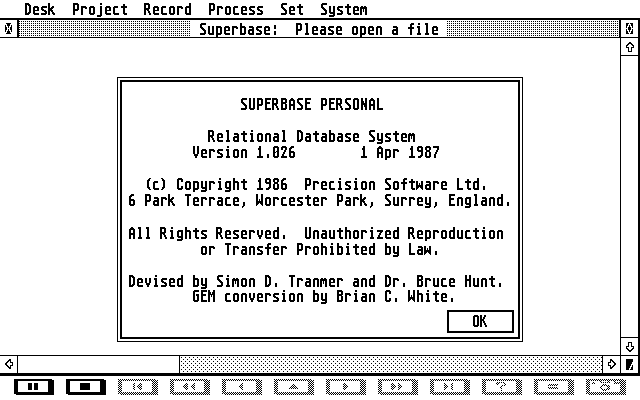
Superbase Personal
- Genre
- Database / Spreadsheet
- Year
- 1987
- Language
- [unknown]
- Publisher
- Precision Software
- Controls
- Mouse / Keyboard
- Distributor
- —
- Resolution
- Medium / High / VGA / RGB
- Developer
- Precision Software
- ST Type
- ST, STe, TT, Falcon030 / 0.5MB
- Licensed from
- —
- Programmer(s)
- White, Brian C. / Hunt, BruceTranmer, Simon D.
- Country

- MIDI
- —
- Software
- English
- Version
- 1.26
- Box/Instructions
- —
- Number of Disks
- 1 / Single Sided
- License
- Commercial
- Dump
- Download
- Serial
- —
- Dump format
- —
- Protection
- —
OTHER VERSIONS WITH THE SAME TITLE (4)
INSTRUCTIONS
          README.ASC
          ----------

This document contains information about a number of features in
Superbase Personal which could not be fully described in the User
Guide.

1. ALT KEYS. Some new Alt key alternatives to the menu options have
   been added:

       Open file         Alt-O
       Open index        Alt-I
       Open query        Alt-Q
       Directory change  Alt-X
       Status file       Alt-Y
       Status system     Alt-Z
       Document List     Alt-L

2. PARAMETERS FILE. Superbase automatically reads the sb.par
   parameters file whenever you change directory. This will only
   affect your system if you have different sb.par files in different
   directories.

3. PRINTERS.

   *  If you try to print a line longer than the line length set in
      Superbase's Printer options, Superbase will output a Carriage
      Return followed by a Line Feed when it reaches the maximum line
      length.

   *  Superbase expects the 'Skip over perforation' feature found on
      some printers to be set Off.

   *  Note that you can set a Printer initialization sequence from
      within Superbase's Printer options. This allows you to set the
      features and modes you prefer. The sequence of control codes is
      sent to the printer each time you perform a printing operation
      from within Superbase.

4. FILE NAMES. File names that include any non-alphanumeric
   characters, i.e. other than a-Z and 0-9, must be enclosed in
   quotation marks. Superbase supplies quotes when necessary during
   dialog selections, but if you type a command line in directly be
   sure to observe this rule.

   You may include drive specifiers with your file names, but
   Superbase does not support directory pathnames, except for external
   files.

5. EXTERNAL FILES. Superbase supports the following formats:
   Degas (all options, including compressed), Neochrome, .img graphics
   standard files such as those produced by Gem Paint. ASCII text files
   are also supported

6. KEYWORDS FOR QUERY. Two new keywords may be included in the Query
   Fields command line. Both should come at the beginning of the line.
   The DOWN keyword causes the query to output fields one per line,
   like Record View. The FIELD keyword causes the query to output
   field contents only, omitting the field name.

7. OUTPUT FIELD LENGTH IN QUERY. Fields are output at the length
   currently set in Table View. The  default length of any derived
   field is that of the first occurence. You can override the default
   length by using '&' parameter.

   -------------------------------------------------------------------
ADS (2)
ARTICLE (3)
Presentation
BOOK / MAGAZINE REVIEWS (1)
ST / Amiga Format · March, 1989Rating: 3.5/5