

Atari ST - Navarone Industries - 1988
ST Scan
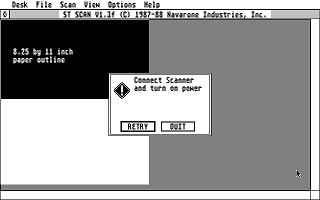
- Genre
- Graphics - Digitizing
- Year
- 1988
- Language
- [unknown]
- Publisher
- Navarone Industries
- Controls
- Mouse / Keyboard / Other
- Distributor
- —
- Resolution
- High
- Developer
- [n/a]
- ST Type
- ST, STe, TT / 1MB
- Licensed from
- —
- Programmer(s)
- [unknown]
- Country

- MIDI
- —
- Software
- English
- Version
- 1.3f
- Box/Instructions
- English
- Number of Disks
- 1 / Single Sided / HD Installable
- License
- Commercial
- Dump
- Download
- Serial
- —
- Dump format
- Pasti
- Protection
- —
OTHER VERSIONS WITH THE SAME TITLE (1)
1 / 5
INSTRUCTIONS (3)
6/30/87


BRIEF Instructions For Using ScanEdit+:

===== ============ === ===== ==========


IMPORTANT:  	SCANEDIT MUST be named SCANEDIT.ACC, and STSCAN MUST be named

		STSCAN.PRG in order to function properly together.


		SCANEDIT will only work with version 1.2e or later of STSCAN.


SETUP:


	Copy SCANEDIT.ACC to your boot disk into the top (or ROOT) folder on

	the disk.  Reboot system, then run STSCAN.  After scanning a window,

	you may select ScanEdit+ from the Desk menu.  Scanedit will open a

	window on the image you have scanned.


MAGNIFICATION:


	Initially, ScanEdit+ will be in 1x magnify mode, the image appearing

	similar to that available in STScan.  By clicking on the FULL box in

	the upper right corner, ScanEdit+ will then be set to 8x magnification

	mode, providing you with an enlarged image for precise editing.

	Clicking again in the FULL box in the upper right corner will return

	you to the 1x magnification mode.


EDITING:


	Clicking the left mouse button anywhere inside the ScanEdit+ window

	will toggle the pixel under the cursor.  This also determines the

	mode ScanEdit+ uses while the mouse button is held down.  For instance,

	if you click on a dark pixel, it will be erased.  If you then hold down

	the mouse button, any pixels under the cursor will be erased.

	After you let go of the left mouse button, the main STScan window will

	be updated to show the results of your editing.


*EOF:readme
INSTRUCTIONS (3)
ADS (2)
TRIVIA (1)
Hardware
Requires Canon IX-12 or IX-12f scanner
Many thanks to Rory McMahon for these super rare images of the scanner and its interface!
Many thanks to Rory McMahon for these super rare images of the scanner and its interface!