

Atari ST - Sack Electronic - 1989
PC Speed
- Genre
- Hardware - Emulation / OS Fixing
- Year
- 1989
- Language
- [unknown]
- Publisher
- Sack Electronic
- Controls
- Mouse
- Distributor
- —
- Resolution
- Low / Medium / High
- Developer
- SACK Electronic
- ST Type
- ST / 0.5MB
- Licensed from
- —
- Programmer(s)
- [unknown]
- Country

- MIDI
- —
- Software
- German
- Version
- 1.4
- Box/Instructions
- German
- Number of Disks
- 1 / Single Sided
- License
- Commercial
- Dump
- Download
- Serial
- —
- Dump format
- Pasti
- Protection
- —
OTHER VERSIONS WITH THE SAME TITLE (3)
INSTRUCTIONS
Important informations about PC-SPEED


1  On the 68000 CPU of the new MEGA ST is a little accesory print with a
   IC 74LS74.
   In order to secure the work of PC-SPEED, it is necessary to conect the
   PIN 12 of this print with a 220 Ohm resistor at PIN 12 of the 68000.
   It is also possible to do without the print, while conecting the yellow
   wire, wich is placed on the accesory print, directly with PIN 12
   of the 68000 CPU.

2  PC-SPEED tries, while booting, to execute the bootsector.
   If you by mistake try to boot from a TOS formatted disk, PC-SPEED
   crashes.

3  The TIMER.COM program on the PC-SPEED disk hands over the TOS-time to DOS.

4  PC-SPEED emulates the Olivetti 640*400 pixel graphic card.
   Many PC-programs (GEM,MS-WINDOWS etc.) support this.

                Upgradings for the PC-SPEED V1.30

5  If you have a serial PC-MOUSE you can use this MOUSE under ST-mode
   by executing PC-MOUSE.PRG .

6  MEGADISC.SYS is a driver for Ramdisk, which runs in the memory over
   1 Megabyte
   Usage: In CONFI G.SYS. following lines are to insert.
   DEVICE= [drive:] [\path] \MEGADISK.SYS
   No options are required.
   Following capacities are available:
    0   MB at MEGA2
    1.4 MB at MEGA2.5
    2.9 MB at MEGA4
   Attention: Do not install on 512KB or 1MB ST.

7  Extended Memory support (XMA)!!! (on ST > 1MB)
   Precisely: INT15 funktion 87HEX and 88HEX are supported.
   Following capacities are available:
    0    MB at MEGA1,1040,520,260 ST
    0.9  MB at MEGA2
    1.4  MB at MEGA2.5
    2.9  MB at MEGA4
   Hint: NORTON SI gives you the additional XMA Capacity.
   Usefullness: from DOS 3.3 on the VDISK.SYS ramdisk-driver can use
   the extended memory.
   Usage: Insert the following line in your CONFIG.SYS:
   DEVICE= [drive:] [\path] \VDISK.SYS [ capacity in KB ] /E
   Note: when using big ramdisks, it is necessary to increase the
   number of entries in the table of contents.
   The default givings give space for 64 entries.
   By using XMA difficulties may occur if Programms use the special
   Funktions of the 80286 Prozessor which are not supported by the
   NEC V30.
   Precisely: The V30 does not have a protected-mode.
   Note that the Extended Memory is not equivalent to the Expanded
   Memory.
   Expanded Memory need special Hardware-Cards on PC's or the
   capability of a 80386 Prozessor.

8  You can use your ST-Mouse under DOS.
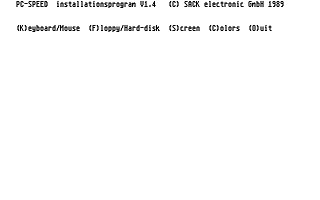
   Note the Keyboard/Mouse Option in the PCS_INST.PRG.
   The following entries are possible:
   RS232 :You can use the RS232 interface up to 2400Bd under DOS (COM1).
     It is also possible to connect a serial microsoft-kompatible Mouse.
   MICROSOFT-MOUSE: The ST-Mouse appears under DOS as a microsoft-
     kompatible mouse.
     In order to work with the mouse you need the equivalent
     mouse-driver which is supplied in many DOS-programs.
     Note: There are mouse-drivers, that only support Mouse-Systems
     compatible mice. Do not use these drivers.
     If a mouse-driver is named MSMOUSE.COM it is possible that
     the mouse-driver is only compatible to mouse-systems mice.
     The RS232 Interface is not supported in this mode.
   CURSOR-MOUSE: In this mode the ST-mouse does only emulate the
     funktion of the cursor-keys.


9  If you type the ( key on the external numberblock at the same time
   with the I key the screen can be inverted.

                Upgradings for the PC-SPEED V1.40

10 You can access up to 24 Partitions on your harddisk by using the
   ADD_PART.SYS driver.
   The usage of more than 1 harddisk is possible.
   Usage: Insert the following lines in the CONFIG.SYS:
   DEVICE=[Drive:][\Path]\ADD_PART.SYS
   No Options are required.
   After rebooting ADD_PART.SYS reports the new drivenumbers.
   Up to 2 Partitions the ADD_PART.SYS is not required.
   Note: Please choose the option MULTI in the PCS_INST.PRG .
   NORM and ICD remained due to compatibility and still function as
   the older PC-SPEED Versions.
   You can use Partitions up to 32MB ( using AHDI 3.0 ).
   Only the drivenumbers C and D are restricted to 16MB.

11 In the CGA mode you can display the TANDY 1000 resolution !!!
   Games often support this resolution.
   The TANDY 1000 can display 320 x 200 pixel in 16 Colors.

12 You can adjust the steprate on both drives A and B by using the
   PCS_INST.PRG .
   Normally 3 1/2 Inch Drives requires 3ms.
   5 1/4 Inch drives requires 6ms.
   Very slow drives requires 12ms.

13 With the PCS_OPT.COM programm you can increase the compatibility
   of PC-SPEED.
   The PCS_OPT.COM programm optimized the DOS operating system for
   PC-SPEED.
   Even very critical PC-programm are now supported.
   Hint: Execute the PCS_OPT.COM programm with your AUTOEXEC.BAT .

14 PC-SPEED is also available for the new ATARI STE !!!
   By fitting the PC-SPEED no soldering is necessary anymore.
ADS (1)
ARTICLE (3)
News
Compo Software UK distributor interview
BOOK / MAGAZINE REVIEWS (1)
ST Format · November, 1989