

Atari ST - 1991
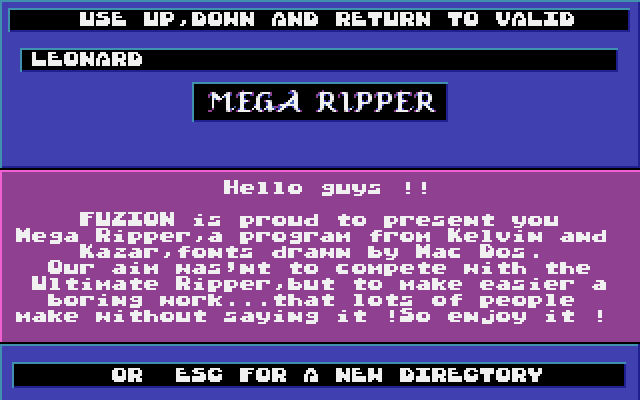
Mega Ripper
- Genre
- Tape / Disk / Cartridge Utility
- Year
- 1991
- Language
- —
- Publisher
- [no publisher]
- Controls
- Keyboard
- Distributor
- —
- Resolution
- Low
- Developer
- Fuzion
- ST Type
- ST, STe / 0.5MB
- Licensed from
- —
- Programmer(s)
- Kelvin / Kasar
- Country

- MIDI
- —
- Software
- English
- Version
- —
- Box/Instructions
- English
- Number of Disks
- 1 / Double Sided / HD Installable
- License
- PD / Freeware / Shareware
- Dump
- Download
- Serial
- —
- Dump format
- MSA
- Protection
- —
OTHER VERSIONS WITH THE SAME TITLE (1)
INSTRUCTIONS
                     -  M E G A   R I P P E R  -


--> RIPP A 3 VOICES MUSIC

Press F2 or F3 to search for a Count Zero or Mad Max music.
If the ripper finds one, than press F3 to listen to it
and use low and up arrows to try the differents musics in
the same data file. If the ripper finds a music, but that
you don't hear any sound when you press F3, use + and - to
select the right length of the music.

--> RIPP A TCB 'An Cool' MODULE

Press F5 to search for a TCB module. You can't listen to it,
you must save it and use the TCB tracker, ESC and SPACE to
escape.

--> RIPP AN AMIGA 32 INSTRUMENTS MODULE

Press F4 to search for a module, F3 to listen to it,
F1 to save it, F2 to look for another module in the same
file.

--> RIPP A QUARTET MUSIC

Press F7 to ripp a Quartet music.


--> RIPP A SAMPLE

Press F6 to search a sample. ( and ) to select the lenght
( start ) of the sample . Control and + to select the
length ( end ) of the sample. Left and right arrows to select
the frequence, high and low arrows to select the volume.
F1 to save the sample, F3 to listen to it.

--> RIPP A PIC ( LOGO, FONTS, PICS ... )

Use cursor keys, 2, 4, 6, 8, + and - to center the pic
and the right planes. Select Sprites format with keys (, ),
7, 9

--> DECRUNCH

This program decrunch Ice ( 2.1/2.2 and 2.3 ), press
I to select Ice 2.1 or 2.2, Jek, Automation, Jam,
Pompey Packer, etc ...
If you load a packed file, you can save it decrunched by
pressing F10.

--> COLORS

A pic begins by the 16 colours. Use 0 and . to revover the
right colors. You must have the octets of the colors just
at the top level of the pic, not on the screen !! When the pic
is centered, you just have to press the keys for the right
colors:
0 ------> degas elite
. ------> neochrome


                -  M E M O R Y    R I P P E R  -


This program only wprks on 1040. You can ripp programs wich
are not in files or that the mega ripper doesn't decrunch.
Load the program a first time, than press reset when you are
told to transform your 1040 in 520. Load the program a second
time and insert the disk that want to ripp. Select 1 or 2
if the program is in files or not. Press the reset button when
you want to ripp. Than load the mega ripper and press UNDO for
the loading selection. Than use the mega ripper to ripp as
normal. But this program doesn't work if the reset is blocked in
the program you want to ripp.


		        FUZION, 01/05/91, FRANCE, TRANSBEAUCE 2