

Atari ST - 1995
Install
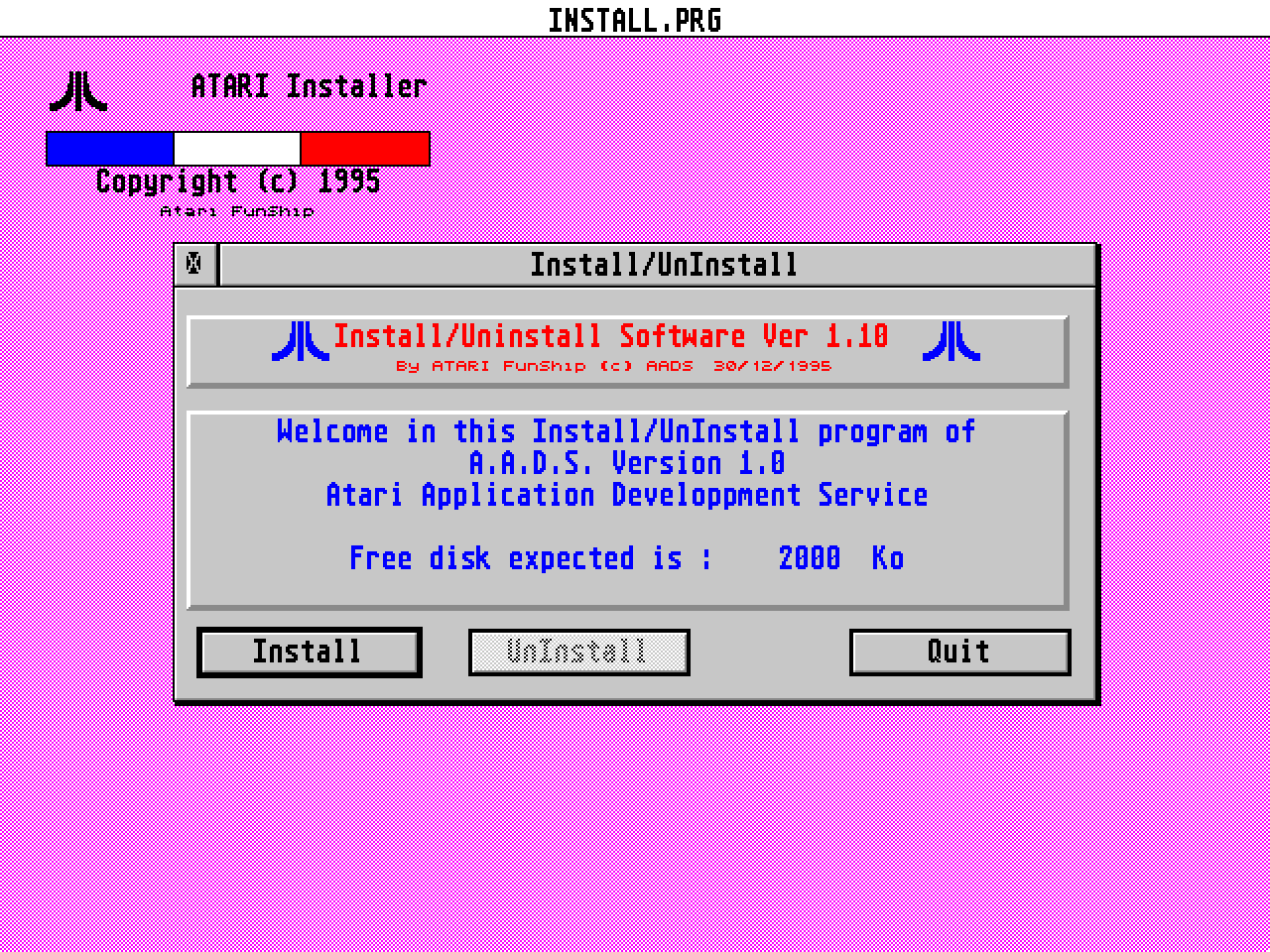
- Genre
- Tape / Disk / Cartridge Utility
- Year
- 1995
- Language
- Compiled C
- Publisher
- [no publisher]
- Controls
- Mouse
- Distributor
- —
- Resolution
- Medium / High / VGA
- Developer
- Atari Funship
- ST Type
- ST, STe, Falcon030 / 1MB
- Licensed from
- —
- Programmer(s)
- [unknown]
- Country

- MIDI
- —
- Software
- English / French
- Version
- 1.10
- Box/Instructions
- English
- Number of Disks
- 1 / Double Sided / HD Installable
- License
- PD / Freeware / Shareware
- Dump
- Download
- Serial
- —
- Dump format
- MSA
- Protection
- —
INSTRUCTIONS
				About Install GEM version 1.0
				=============================
				  Copyright Funship (c) 1995
				      all right reserved
				     Instal is a FREEWARE
				=============================
				       ATARI FALCON 030


Introduction:
-------------


	Install is a general install and uninstall program to make any software
installation for all Atari ST/TT/Falcon (And compatibles) or above and uninstallation.

This disk must contains:

	- Install.Prg   The install/uninstall GEM  program

	- InstallF.Rsc  The french ressource file

	- InstallG.Rsc  The english ressource file

	- Install.Dat   An example of installation script

	- Manual.txt    This file

Note:	For the Deutsch Atari user, you can make a copy of InstallX.Rsc into
 	into InstallD.Rsc (D = Deutschland) and translate all ressource's text
	in Deutsch.(I don't speak german...sorry !)
	Well, you get a german version of Install.

	The same is possible for Italian and Spanish with a ressource
	file InstallI.Rsc and InstallS.Rsc.

How it work:
------------


	Install make a copy of directory, sub-directories and any files
whitin, of the root where it was started. Install can be used from a floppy
disk, Cd-Rom, etc..

Just don't forget that Install.Dat must be placed into the same directory
of Install.Prg.


	Example:

			Root of install.prg
			|
			|--- Install.Prg
			|
			|--- FolderA -|
			|             |--- FolderA1
			|             |--- FolderA2
			|
			|--- FolderB
			|

	Example:
			CD-ROM
			|
			|--- Disk01  -|---Install.Prg
			|             |
			|             |--- FolderA -|
			|             |             |--- FolderA1
			|             |             |--- FolderA2
			|             |
			|             |--- FolderB
			|
			|
			|
			|--- Disk02  -|
			|             |
			|             |--- FolderC -|
			|             |             |--- FolderC1
			|             |             |--- FolderC2
			|             |
			|             |--- FolderD

Install will copy all files whitin its own root and ALL any files in its sub-directories
and any folders will be occur.

For uninstallation, it's the same way, Install.Prg delete the folder and all sub-folders and
sub-files, plus all files copied in another location.

How to use it:
--------------

		It's very easily to use, cause you have just to feed it with
a good Install.Dat for your application and ... run it .

The only one "difficult" is that you have to learn the script's language before
to make a install file. However this language is very simple and, if you want,
you can use the Install.Dat example to make a new script file from it.

	When you had make an installation, Install.Prg make a new file called Uninstal.Dat
that it keep an "history" of your personnal installation. Well, when you want to remove
you software you have just to run Install.Prg copied into your software folder. At this
point Install.Prg will remove ALL FILES into the folder; for this the reason, never create
new files into it, if you don't want delete it...

Script's Language:
------------------

	In this section, it'll be describe how to write a script with the
language's command.

The script's language recognize only one syntax as:

			COMMAND         =       Parameter

Where:

	- Command is a language's command such as Path, Space, etc...

	- An equal symbole to separate commands and parameters

	- Parameter is an expression dependencies of command

You can write any comment with the ; symbole. Any characters after will be passed.
All non-optionnal command MUST be into your Install.Dat file to allow Install.Prg
to run correctly and the users to understand Install.Prg's messages !

List of command:
----------------

PATH            Describe the drive and folder where installation must be processed.

		Ex:     PATH    =       C:\MyFoler

SPACE           Is the free disk space required in Ko

		Ex:     SPACE   =       3500                    Required 3,5 Mo


NAME            Is the software's name to install.

		Ex:     NAME    =       Aads Version 1.0

INFO            Is the software's information line.

		Ex:     INFO    =       French Version freeware for Falcon30

NUMBER          Is the number of disks expected to copy.

		Ex:     NUMBER  =       3               There are 3 disks to copy

DISK            Is the disk's name. For each disk you can give in order its name.

		Ex:     You have 3 disks, so you have 3 DISK command to name it.

			DISK    =       Include and Lib 	First disk
			DISK    =       Sources         	Second disk
			DISK    =       Examples        	The last disk


FILES           Is the number of files expected to copy. With this parameter,
		Install can determinate its state of files processed, managed its
		graphical thermometer and if the installation is done at the end.
		A installation is done when the number files copied equal
		the number of files expected.

		Ex:     FILES   =       115                     There are 115 files

PROG            Is the program's full path and name to start after a good
(Optionnal)     installation. For example you can run a doc viewer after
		install to show an overwiew of your software or any other program

		Ex:     PROG    =       \Aads\ReadMe\ReadMe.Prg

		Note: The path don't contain the drive specification, cause Install
		use always the current source drive.

CMDLINE         Is the command line to transmet to your additionnal program
(Optionnal)
		Ex:     CMDLINE =       \ReadMe.1st

		This command line will be transmit to ReadMe.Prg. Note that Readme.1st
		should be placed into the same root of additionnal program.

PROGINFO        Is a line text showed to user to allow him to start or no your
(Optionnal)     additionnal program.

		Ex:

		PROGINFO =	Do you want to read the news features about AadsV1.0 ?

SPECIAL         This command allow you to copy any files into another disk
(Optionnal)     location

		For example, if you want to copy somes .INF to C: root and
		.CPX files to D:\CPX you can do it with this command.

		Ex:

			SPECIAL         =       Noyau.inf,C:\
			SPECIAL         =       Noyau.cpx,D:\Cpx
			SPECIAL         =       Noyau.tos,C:\Auto

		Note: Don't forget the , symbole between name and path to install.

ICON
(Optionnal)	This command install a new icon on your desktop, with a name and an access
		path to the file or folder.

		Ex:
			ICON		=	14,MyPrg,\Divers\Myprg.prg
			Install an icon for Myprg.prg file. 14 is an number icon program
			in the deskicon.rsc.

			ICON		=	1,Folder,\Divers\*.*
			Install an icon for a folder called "Divers". Install detect this
			fact with the wildcards *.*. 1 is an number icon folder in the
			deskicon.rsc.

		The folder Divers is a folder found into the install folder specified
		when you had install. For example, if you had used C:\NewFold as install
		folder, the path will be extend as C:\NewFold\Divers\Myprg.prg and
		C:\NewFold\Divers\*.*.

		You can use any ICON command as you want for files and folders.


Example of file script
----------------------

; ------------------------------------------------------
; An example of install file description for Install.Prg
; FunShip (c) 1995
; ------------------------------------------------------

PATH            =       G:\Cible
SPACE           =       1000

; ------------------------------------------------------

NAME            =       Pack AADS V1.0
INFO            =       Atari Application Developpment Service

; ------------------------------------------------------

NUMBER          =       3
DISK            =       Include And Lib
DISK            =       Prj And Sources
DISK            =       Manual

; ------------------------------------------------------

FILES           =       45

; ------------------------------------------------------

PROG            =       \aads\disk01\Readme\LisezMoi.app
CMDLINE         =       \readme.1st
PROGINFO        =       Voulez-vous lire une introduction ?

; ------------------------------------------------------

SPECIAL         =       Noyau.inf,C:\
SPECIAL         =       Noyau.tos,C:\Auto

; ------------------------------------------------------

ICON		=	4,Readme,\Lisezmoi.prg
ICON		=	1,Folder,\*.*

; End of file


Goodbye:
--------


	Install.Prg was designed with AadsV1.0 and in C language and must run on
	all ST,TT,Falcon and may be MultiTOS (?!).

	FunShip (c) - FRANCE 1995