

Atari ST - WizWorks! - 1990
Image Cat
- Genre
- Printing - Miscellaneous
- Year
- 1990
- Language
- [unknown]
- Publisher
- WizWorks!
- Controls
- Mouse
- Distributor
- —
- Resolution
- Low / Medium / High
- Developer
- [n/a]
- ST Type
- ST, STe, TT, Falcon030 / 0.5MB
- Licensed from
- —
- Programmer(s)
- Walters, Chet
- Country

- MIDI
- —
- Software
- English
- Version
- 2.0
- Box/Instructions
- English
- Number of Disks
- 1 / Double Sided
- License
- Commercial
- Dump
- Download
- Serial
- —
- Dump format
- MSA
- Protection
- —
INSTRUCTIONS
Things that did not make it into the manual......

File capacity increased.....
All CAT programs will allow printing up to 15500 graphics at a time in
a "hands off" environment!  The programs will "dig" up to one directory
deep and will dig into up to thirty folders which reside within the
"root" path you choose with the SET PATH button.  Since they will print
up to 500 files per directory, this makes them capable of printing 30
times 500 plus the 500 in root path equaling 15500 files!  Doing this
is not recommended, however.  The "dig" feature was added mainly for
those with floppies full of separate folders of graphics.  If you abuse
this feature with a large hard drive partition full of files, you do so
at your own risk.  Fried printers are not the responsibility of
WizWorks!

CatsPaw doesn't do windows!
For memory consideration and for an attractive background if you use
Easel ST, the CatsPaw menu program does not open a window.  This causes
absolutely no troubles with IMG_CAT2, MAC_CAT, PIC_CAT nor FVIEWIMG.PRG
which always clean up after themselves properly.  However, there are
some programs floating around which rely on the TOS DeskTop to clean up
after them.  CatsPaw does not feel that it has responsibility to clean
up after these sloppy programs.  Even though you can "RUN OTHER"
programs through CatsPaw, it was not meant as a substitute for the GEM
desktop nor to replace alternate desktops like HotWire or NeoDesk.
Offending programs will leave their final screens as is for the AES to
toy with upon exit.  Migraph's programs leave their icons on the
screen.  Many programs written in GFA BASIC will leave whatever was the
last thing on the screen ON THE SCREEN!  FunFace, from one of our
competitors, actually leaves its form on the screen which must slowly
redraw before anything else can happen! Sheesh!  At any rate, this
seems only a cosmetic problem with everything we've tested so far.

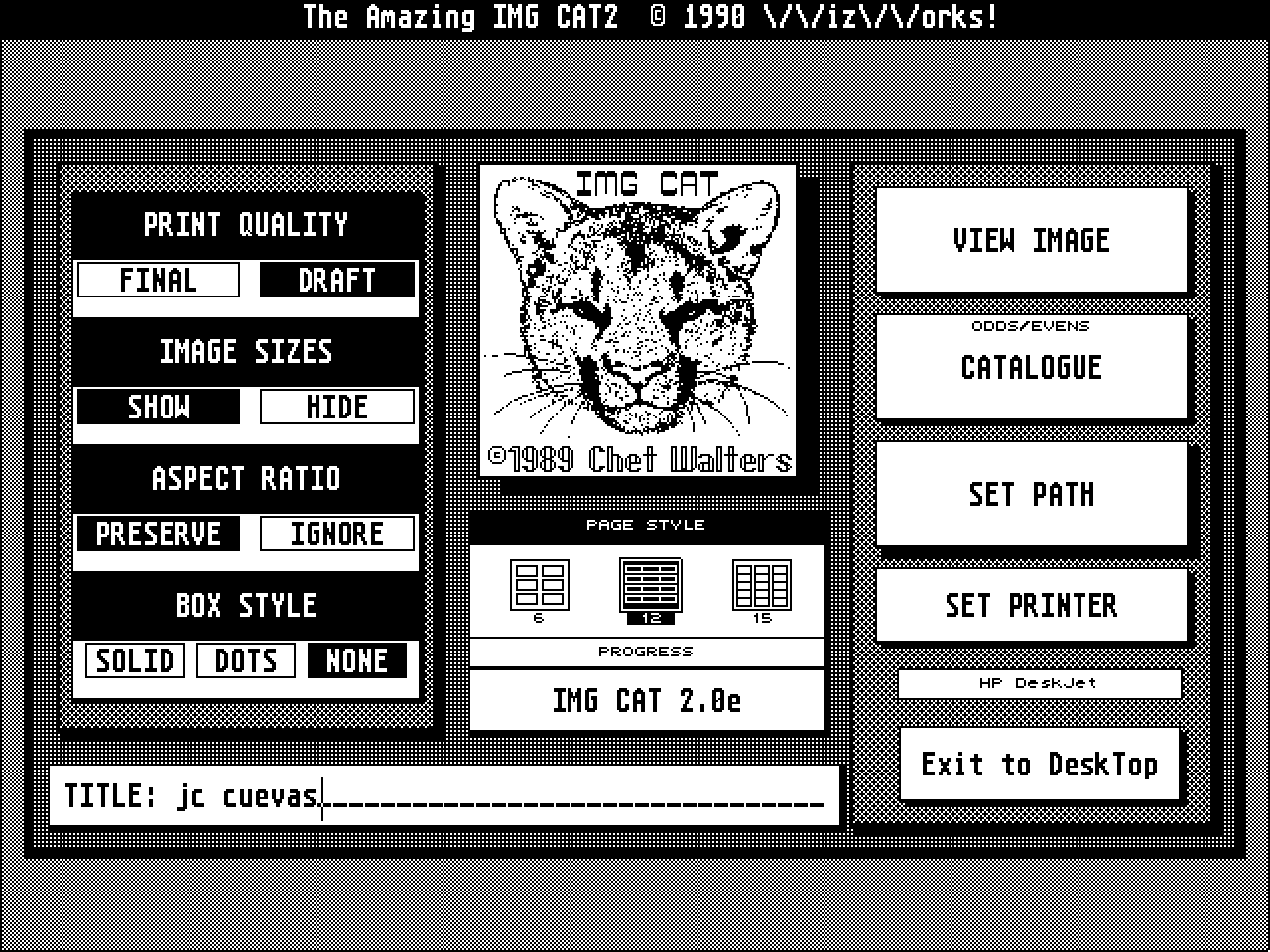
Buttons, buttons, whose got the exit buttons....
In response to requests by several users, there is a "quick exit"
button in all of the CAT programs.  In each of the kitty's left ears
(that's your right, the kitty's left) there is a dark spot.  Clicking
on that dark spot will exit the program instantly no questions asked.
Also, the EXIT TO DESKTOP button has been set to reflect whether the
program will exit to CatsPaw or to the DeskTop.  The "quick exit" still
behaves according to this setting too.  The kitty's nose is still used
for SAVE DEFAULTS.

Printers
The Panasonic KX-P4450 and the NEC LC-890 have been added to the
printer list, however these printers must be in HP emulation mode to
work properly.  See your owners manual for instructions on getting
these into HP mode. Many thanks go to Tom Lamparty for his loan of
an Epson LQ 800 used in the debugging of the 24 pin drivers.

Problems with the SLM804
A very few Atari Laser folks have reported troubles with the laser
printer if there is something plugged into the cartridge port.  It
always seems to be the Migraph Scanner that does it, but if it's
plugged in, the printer errors out.  The problem can be solved by
removing the scanner cart and rebooting.  If you still experience
troubles, remove the Diablo emulator from the queue and reboot without
it.  IMAGE CAT accesses the laser directly through DMA and the DE is not
needed to run it.  In fact, it might cause trouble (as it does with
many other things).

Bug fixes and new feature (3-27-90)
There was a bug in CatsPaw that caused it to crash if the buttons were
double-clicked.  Sometimes this would crop up even if there was no intent
to double-click, but the system still interpreted it this way.  This bug
is fixed, and with the fix is a new feature.  Now, if you do indeed
double-click the buttons, the RETURN TO CATSPAW state will be set to
RETURN TO DESKTOP and CatsPaw will not come up after the chosen program
has run.  As for the case of the missing mouse pointer:  the first release
of FVIEWIMG.ACC killed the mouse permanently if it was run in color as an
ACC.  It no longer does that.

UPDATE versions x.0a (6-1-90)
If you find that your SLM804 merely returns an error message and will not
print, the CAT program may be set to the wrong UNIT ADDRESS DMA DEVICE
number. Run through SET PRINTER on each of the IMAGE CAT programs and set
the DMA DEV number to the proper number to match your SLMC804 controller
DMA DEVICE Dip Switch setting (see the SLM manual PG 43). You can also run
the TEST.PRG which came on your SLM disk and the resulting printout will
tell you the proper setting (Dip Sw: #) to which to set CAT programs. The
same test program will tell you your page dimensions.  The CAT programs
will print properly only on US LETTER sized paper (2400 x 3180) or on A4
paper size (2336 x 3386).  The SLM paper tray MUST match the setting to
which you have configured the CAT programs (see SLM manual pg 21). The CAT
programs do not manual feed, but feed from the tray only. These settings
are saved so DON'T FORGET TO SAVE DEFAULTS!

Path vs Title "bug"
It's not a bug and only two folks have encountered it,
but.... If you choose to have an alternate title on the page other than the
current path (usually if you're printing from a floppy), then your
alternate title MUST NOT have a backslash ("\") character in it or the
title will be stripped to that character.  This means that you should clear
the line with the ESCape key before typing in an alternate title.  If you
leave the "A:\" that appears there and type something following that, then
what you type will not print since the string is stripped.  I really don't
know why one would want to leave the "A:\" there in the title since the
path prints anyway, but a few have reported this "bug."  Use ESC to clear
the line and type no "\" characters in your alternate title.

Update info 7/27/90
The file capacity of all of the CAT programs has been increased. You may
now have up to 40 folders (still only single deep tho) and you can print
up to 700 files per folder.  That's 28,700 files at once!  Now, if that
don't beat all!  Please reread the first paragraph of this text file
for the cautions on printing big like that.  There has also been a minor
change to the main dialog of MAC_CAT.  Instead of the PSEUDO flag, there
is now a box titled SEARCH SPEC.  Some folks are not too careful about
what they name .MAC pics, though it is customary to name them .MAC when
they are moved to an ST disk.  You can now print files with ANY extender
(ie *.*), but MAC_CAT will assume that it's a MAC pic and might crash
if the file loaded is not.  It's best to just rename the pics with the
extender .MAC and then print them with the .MAC button hilited.  You can
use the VIEW A MAC button to determine if they are indeed MAC pics. If you
come up with a blank screen and a "funky header" you can assume the file
is not a .MAC pic but something else altogether. If it happens that you
cannot rename the pics, then go ahead and take a chance.  MAC_CAT pretty
much knows when there is an error, and will print the file as a blank
box.  However, it can only tell when it tries to load the pic all the way
and that would take too long to search so it only does it during printing.
If you try to SET PATH with the *.* you will be asked to confirm.  You
can then change it to .MAC if you wish.  If you set *.* after you've set
path, then no confirmation is requested. You're on your own then.

This version also has another small enhancement:
The x.0e versions will now let you proceed if you are not in High or
Medium resolution.  If you have a high resolution color board installed,
try it.  It may work.  We have not tested it.  If you are actually running
in low rez, it will likely crash at one time or another so change to
medium resolution or high to get full features.

Epson MX 80 notes:
The older Epson MX 80 with Graftrax printers work just fine with all CAT
programs except that they cannot do DRAFT mode.  Since the programs come
first defaulted to DRAFT mode, it will be necessary to set FINAL if you
have one of these printers.  Don't forget to save defaults!
BOOK / MAGAZINE REVIEWS (1)
International TOS Software Catalog · Winter, 1992