

Atari ST - Antic Publishing - 1988
Guitar Solo
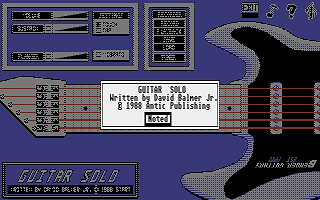
- Genre
- Music / Sound
- Year
- 1988
- Language
- GFA BASIC
- Publisher
- Antic Publishing
- Controls
- Mouse
- Distributor
- —
- Resolution
- Medium / High
- Developer
- [n/a]
- ST Type
- ST, STe / 0.5MB
- Licensed from
- —
- Programmer(s)
- Balmer, David Jr.
- Country

- MIDI
- —
- Software
- English
- Version
- —
- Box/Instructions
- English
- Number of Disks
- 1 / Double Sided
- License
- PD / Freeware / Shareware
- Dump
- Download
- Serial
- —
- Dump format
- MSA
- Protection
- —
INSTRUCTIONS
PROGRAMMING METHOD

I created all the graphics with DEGAS Elite.  I believe in using
all the tools at hand; why spend days of writing code to produce
detailed screens when in a few hours you can have a professional
looking, fully detailed screen with all the creatively fancy
weirdness you want?

Once I made a screen, I digitize the key coordinates and store
them in data statements so my programs know where everything is.

SOUNDS, EASY

GFA BASIC provides some simple means of producing sound.  The
command Sound in its normal form allows you to play a particular
note in a particular octave at a particular volume.  Example:

     Sound channel, volume, note, octave, duration

This command will allow you to play only EXACT notes.  You cannot
use this command for the smooth transitions in the vibrato
setting.  You will need to use a variation of the command:

     Sound channel, volumn, #PERIOD, duration

In this way, we can set the #PERIOD to any frequency we wish be
using the following formula:

     #Period = TRUNC ( 12500 / frequency + 0.5 )

The problem is, we need to know the frequency of each note to use
the command.  Conceivably there is a chart somewhere that shows
all the frequencies, but I was unable to locate one.  Lacking
that, I wrote a program to "tune" the frequency value to the note
played by simultaneously playing the specific note and octave
function against the frequency sound function.  Then I would "make
it match" by ear.  After a few hours, a fistful of hair,
complaining neighbors and a now tone-deaf sense of hearing, I had
the equivalent frequencies worked out.  They are stored in the
file called "NOTEFREQ.DAT".  You can take a look at it from the
Desktop.

After all the difficulties of the notes were worked out, I needed
to add the capability to make the thing sound like something other
than a "computer."

By adding vibrato, sustain, etc. I found that I had fallen into
the same trap that the digitar designers had--my three-voice
sound capabilities had dropped to one, leaving me unable to make
the thing do chords without tearing out more hair.  Due to the
fact that I really enjoy not being bald, I decided that the
program was just fine in spite of that.

SUMMING UP

Guitar Solo represents a simple exercise in using the tools at
hand--simplicity of design, simplicity of use.  Isn't that what
an ST is supposed to be for?

I encourage you to experiment with the program - dig around, see
how various things are done.  Some nice features to add could be
MIDI, chords, music scoring, etc.  But most of all, have a little
fun!