

Atari ST - ?
Font Edit
- Genre
- Graphics - Font Editing
- Year
- —
- Language
- [unknown]
- Publisher
- [no publisher]
- Controls
- Mouse
- Distributor
- —
- Resolution
- High
- Developer
- SoftLogik Corp.
- ST Type
- ST, STe / 0.5MB
- Licensed from
- —
- Programmer(s)
- Kazmaier, Deron
- Country

- MIDI
- —
- Software
- English
- Version
- —
- Box/Instructions
- English
- Number of Disks
- 1 / Double Sided / HD Installable
- License
- PD / Freeware / Shareware
- Dump
- Download
- Serial
- —
- Dump format
- MSA
- Protection
- —
INSTRUCTIONS
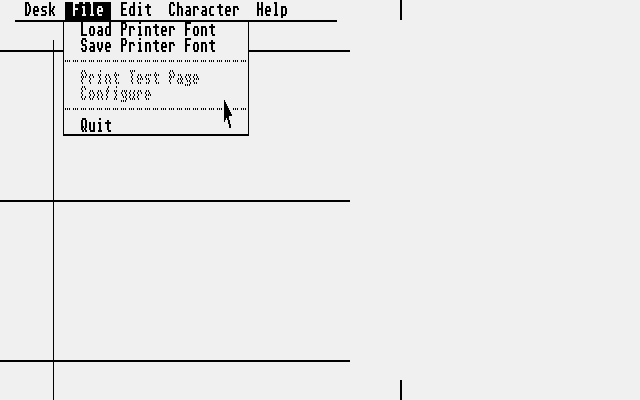
Here are the font editors.  THEY WILL ONLY WORK ON MONOCHROME MONITORS.

The file "CED.PRG" is for creating screen fonts and the file "PFONT.PRG" is for creating printer fonts.  Unfortunately, I am the only one who knows how to use it.  I have tried to explain to Shawn how to use it but he just can't grasp it.  Therefore, we do not have any documentation.

If someone would like to volunteer and write some documentation for this, it would be sincerely appreciated.

The easiest way to get started is by loading an existing font and then experimenting.

After loading the printer font editor, you can ignore the first 32 characters because they are for foreign and ESC characters.  The 33rd character starts the standard character set.

In order for a font to work correctly, both the screen font and the printer font must have the same name with the exception of the file extenders.  Screen fonts must use ".FNT" and printer fonts must use ".PFT"

I apologize for the lack of documentation, but I hope someone can help us out.  If someone wants to tackle this, I will help them out the best I can.

If you create a font which you would like for SoftLogik to distribute, please let us know.

Thank you for your cooperation.

Deron Kazmaier.