

Atari ST - Application Systems Heidelberg - 1993
Ease
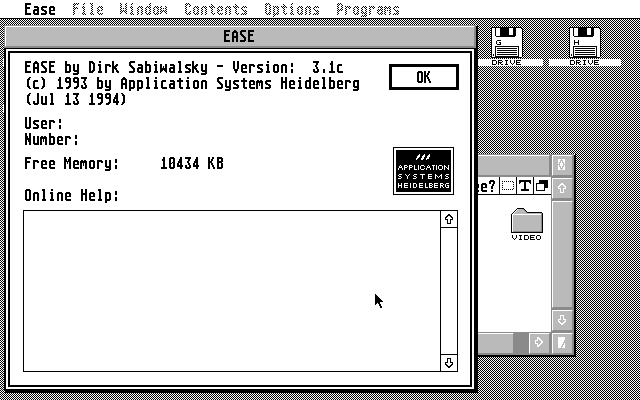
- Genre
- DOS / OS
- Year
- 1993
- Language
- [unknown]
- Publisher
- Application Systems Heidelberg
- Controls
- Keyboard / Mouse
- Distributor
- —
- Resolution
- Medium / High / VGA / RGB
- Developer
- [n/a]
- ST Type
- ST, STe, TT, Falcon030 / 0.5MB
- Licensed from
- —
- Programmer(s)
- Sabiwalsky, Dirk
- Country

- MIDI
- —
- Software
- English
- Version
- 3.1c
- Box/Instructions
- English
- Number of Disks
- 1 / Double Sided / HD Installable
- License
- Commercial
- Dump
- Download
- Serial
- —
- Dump format
- MSA
- Protection
- —
INSTRUCTIONS
Thank you for purchasing EASE, the finest Desktop Replacement for the
Atari range of computers.

The EASE manual will be forwarded to you free of charge as soon as we
have the English translation finished.

To install EASE please follow these steps.

Installation onto Hard Drive:

Create a folder called EASE on your C partition.
Copy the complete contents of the EASE disk into this EASE folder.
Double click on EXTRAS.TOS to decompress the rest of the program.
When this is finished delete the EXTRAS.TOS from the EASE folder.

Installation onto Floppy Disk:

Make a backup of the original disk.
Format a Blank Disk.
Copy EXTRAS.TOS from the EASE disk onto the formatted disk.
Double click on EXTRAS.TOS to decompress the rest of the program.
When this is finished delete the EXTRAS.TOS from the formatted disk.

To run EASE you simply double click on EASE.PRG.  The only file that
needs to be present in the same place as EASE.PRG is ICONS.CNF.

The other extra files that come with EASE are listed here:

3D_SW_IC.CNF

This is an alternative icon file with 3D icons.

CHANGES.PRG

Place this into your auto folder to allow EASE to know how much room
is free on a disk or partition.  This is used for the 'Check
Destination before Copying' option, along with the ability to show how
much room is left on a disk/partition at the top of each desktop
window.

START.PRG

This is for users of pre TOS 1.4 machines.  Place this into your auto
folder along with START.PAR.  This will allow these machines to
automatically load EASE everytime you boot up.  Users of TOS 1.4 or
above do not need this program, please use the Install Application
option under the normal desktop.  Users of MagiC need to install an
extra line into the MAGX.INF file with the following contents:

#_SHL   C:\EASE\EASE.PRG

Please note that this line should go before the line containing #_CTR

COMMAND.TOS

This is a small command line interpreter.  Use this in the normal way
by double clicking it.

ICONCONS.PRG

This is automatically called from within EASE when you use the
function 'Edit Icons'.  Floppy disk users must copy this file onto
the same disk and into the same folder as EASE.PRG.

Most of EASE is self explanatory and the features can be found simply
by trying out various options.  This is only meant to be a simple
guide to installing EASE.  The Manual that will follow will go into
detail of how each function works.  We ask that you experiment with
EASE so that you can find out some of its features before the manual
arrives.  Please do not call our offices to ask about the features
before the manual arrives.

We thank you for your understanding in this matter.