

Atari ST - 1990
DC F-Light
- Genre
- Tape / Disk / Cartridge Utility
- Year
- 1990
- Language
- Machine Language
- Publisher
- [no publisher]
- Controls
- Mouse
- Distributor
- —
- Resolution
- Low / Medium / High
- Developer
- Double Click Software
- ST Type
- ST, STe / 0.5MB
- Licensed from
- —
- Programmer(s)
- Vederman, Michael / Gerdes, Keith
- Country

- MIDI
- —
- Software
- English
- Version
- 1.0
- Box/Instructions
- English
- Number of Disks
- 1 / Double Sided / HD Installable
- License
- PD / Freeware / Shareware
- Dump
- Download
- Serial
- —
- Dump format
- MSA
- Protection
- —
INSTRUCTIONS
DC FLIGHT v1.0
 aka DC F-Light
  aka DC Floppy Light

FREEWARE Program
by Keith Gerdes & Michael B. Vederman
Copyright (c) 1990 Double Click Software

You are free to distribute this program, just so long as you keep the
operating instructions enclosed and intact.

--------------------------------------------------------------------------
Operation
---------

DC FLIGHT installs a routine into the read/write vector (RWABS) of storage
devices- floppy disks, hard drives, ramdisks, etc.  Each time such a device
(all with the exception of the floppy) is accessed, the floppy drive A light
will come on until the operation is finished.

Now you can monitor the usage of ramdisks and caches, since, generally, there
was no way to know when they were active.

NOTE: Some ramdisk and cache operations may be too quick for you to notice
      the floppy light.

Also, this is a great substitue for hard disks which may not have a working
"busy" light or at least not in plain sight.


Installation
------------

From the:

1) Desktop

   Run DCFLIGHT.PRG from the desktop.

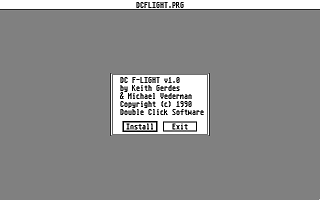
   An info alert prompts you to [Install] or [Exit] DC FLIGHT.

   Install places DC FLIGHT into the device chain (see above) and
   stays resident.

   Exit(ing) terminates the program with no installation.

2) AUTO folder

   Copy DCFLIGHT.PRG to your AUTO folder.  (Best if last.  See below.)

   Upon execution, program information is printed to the screen.

   DC FLIGHT is placed into the device chain (see above) and stays
   resident using only 392 bytes of memory.

NOTE: You will want DC FLIGHT to install itself after all storage devices
      have been installed, so that DC FLIGHT will be able to show accesses
      throughout the vector chain.

      Hard disks normally are setup to AUTOboot, so that is taken care of.
      Any other devices that have drivers in the AUTO folder, should be placed
      before DC FLIGHT.

      If they are an accessory, then that is another story...


100% Assembly

==================
COMMENTS WELCOME
==================

As usual, we would be EXTREMELY glad to hear your comments and suggestions
for enhancements to this and the other programs.

- mike and keith

We can be reached at:

Voice:  (713)977-6520

Online:

The DC BBS: (713)944-0108   / 300-1200-2400 baud / 24 hrs
GEnie:      DOUBLE-CLICK (CATegory 30)
CompuServe: 75300,577 (go ATARIVendors, area 13)
Usenet:     uace0@menudo.uh.edu