

Atari ST - 1991
DC CRC
- Genre
- Copying / Protecting / Dumping
- Year
- 1991
- Language
- Machine Language
- Publisher
- [no publisher]
- Controls
- Mouse
- Distributor
- —
- Resolution
- Low / Medium / High
- Developer
- Double Click Software
- ST Type
- ST, STe / 0.5MB
- Licensed from
- —
- Programmer(s)
- Vederman, Michael / Lee, Paul
- Country

- MIDI
- —
- Software
- English
- Version
- 1.0
- Box/Instructions
- English
- Number of Disks
- 1 / Double Sided / HD Installable
- License
- PD / Freeware / Shareware
- Dump
- Download
- Serial
- —
- Dump format
- MSA
- Protection
- —
INSTRUCTIONS
DC CRC v1.0 (1/25/91)

DC CRC is Copyright (c) 1991 Double Click Software

Program by Paul W. Lee and Michael B. Vederman

DC CRC v1.0 is a FREEWARE program.  A FREEWARE program is one which you may
freely distribute, but you cannot charge for it or alter the program or
contents of the archive in any manner.  Double Click Software retains all
copyright exclusive rights except exclusive distribution.

==============================================================================

DC CRC will compute and record the CRC (ARC type) for any file.

DC CRC allows you to add a file and its CRC, or compare a file's CRC with the
CRC stored in the CRC master list.


==============
Running DC CRC
==============

>To run DC CRC, do this:
------------------------

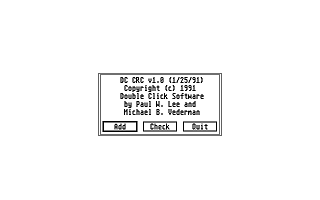
1) Run DC_CRC.PRG from the desktop.  You will be presented with an alert box
   asking you to ADD (a file), CHECK (a file) or QUIT (the program).

2) Choose the appropriate button.

===================
Adding a File's CRC
===================

>To add a file's CRC, follow these steps:
-----------------------------------------

1) Run DC_CRC.PRG and choose ADD.  You will be presented with a file
   selector.

   NOTE: The first time you choose this option, it will attempt to open
   the file FILES.CRC which should be located in the same folder as the
   DC CRC program.  The file FILES.CRC contains the filename and CRC of
   the files you add to the list.  If this file can't be opened, it will
   be created.

2) Locate and choose the file to add.  The filename and CRC will be
   displayed at the top of the screen.  The filename and CRC will be added
   to the master list, or if it already exists in the list, the entry
   will be updated.

3) You will be prompted again with the file selector.  Repeat step #2 or
   click on CANCEL to return to the initial alert box.


=====================
Checking a File's CRC
=====================

>To check a file's CRC, follow these steps:
-------------------------------------------

1) Run DC_CRC.PRG and choose CHECK.  You will be presented with a file
   selector.

   NOTE: The first time you choose this option, it will attempt to open
   the file FILES.CRC which should be located in the same folder as the
   DC CRC program.  The file FILES.CRC contains the filename and CRC of
   the files you add to the list.  If this file can't be opened you will be
   returned to the initial alert box.

2) Locate and choose the file to check.  The filename and CRC will be
   displayed at the top of the screen.  If the file is located in FILES.CRC,
   the computed CRC will be checked against the one stored in the master
   list.  If the CRC matches, DC CRC will say so.  If there is a mismatch,
   DC CRC will also say so.

   NOTE: If the file is not already in the list, it will be added.

3) You will be prompted again with the file selector.  Repeat step #2 or
   click on CANCEL to return to the initial alert box.


==========================
The master list: FILES.CRC
==========================
The master list, FILES.CRC, contains entries for all the files you add.
This master list is used later when you want to confirm a files CRC as
being the same when you initially recorded it.

Each line in the list is formatted as follows:

TESTNAME.PRG  = ABCD
^           ^ ^^^   ^
|           | |||   |____ cr/lf
|           | |||________ 4 digit Hexadecimal CRC (uppercase letters)
|           | ||_________ one space
|           | |__________ equal sign
|           |____________ 2-13 spaces
|________________________ filename

Total line length is 22:

20 alphanumeric characters
one carriage return
one line feed

100% Assembly

==================
COMMENTS WELCOME
==================

As usual, we would be EXTREMELY glad to hear your comments and suggestions
for enhancements to this and any of our other programs.

- mike and paul

We can be reached at:

Voice:  (713)977-6520

Online:

The DC BBS: (713)944-0108   / 300-1200-2400 baud / 24 hrs
GEnie:      DOUBLE-CLICK (CATegory 30)
CompuServe: 75300,577 (go ATARIVendors, area 13)
Usenet:     uace0@menudo.uh.edu