

Atari ST - ?
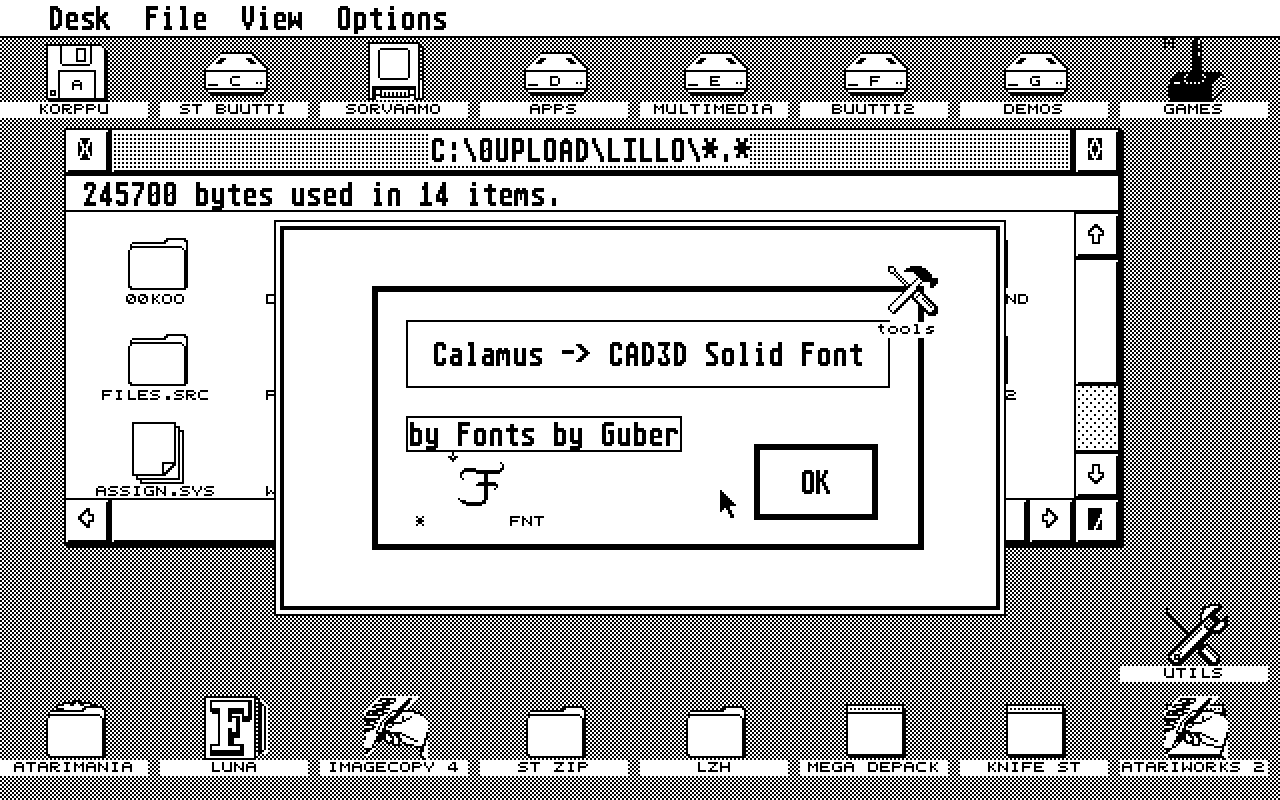
Calamus to CAD-3D Solid Font Converter
- Genre
- Graphics - Font Editing
- Year
- —
- Language
- [unknown]
- Publisher
- [no publisher]
- Controls
- Keyboard / Mouse
- Distributor
- —
- Resolution
- Medium / High
- Developer
- Fonts by Guber
- ST Type
- ST, STe, TT, Falcon030 / 0.5MB
- Licensed from
- —
- Programmer(s)
- Guber, Sol
- Country

- MIDI
- —
- Software
- English
- Version
- —
- Box/Instructions
- English
- Number of Disks
- 1 / Double Sided / HD Installable
- License
- PD / Freeware / Shareware
- Dump
- Download
- Serial
- —
- Dump format
- MSA
- Protection
- —
INSTRUCTIONS
This accessory converts Calamus fonts into a format that can be
used by the program CAD3D, written Tom Hudson.  The method to produce
these 3D letters, is to take a shape and extrude them and then all of
the tools of CAD3D can be used to manipulate the letters.  It will only
generate .XLT files, not CAD3D files.  You will still need CAD3D to use
this program.

The accessory is very easy to use.  First you enter the name of
the font that you wish to use.  It is important that the font be an
"Outline" compatible Calamus font, that is, one in which each letter is
not made up of lots of little pieces, like serifs or stems.  However,
it will work with them.  After the fonts has been entered, then a
phrase, with less than 30 letters, is entered for the letters that you
would like to have generated.  Finally, the extrude surfaces are made
and you can then formulate the letters.  (If the phrase has more than
30 letters, break it up into two parts.)

The ability to only generate the letters a phrase is a necessary
limitation.  If it were not so, then for a typical alphabet, there
would be over 100 files that would be written and if the font had some
sort of complexity, the number of files could be double this amount.
It would easily fill up a hard disk or give you problems with a folder
if this amount of files were quickly generated.  If your phrase has
duplicated letters, only one will have a shape made for it.  When you
use CAD3D, the SHIFT-move command will allow you to duplicate that
letter.

The files that are written are easily deciphered as to its
contents.  Suppose the font name is BABYTETH.CFN and the phrase is
"The".  Four files would be made, with two file for the 'e'.  The names
would be BABYT_T0.XLT which would contain the capital 'T', BABYTLH0.XLT
which would contain the lower case 'h'.  The letter 'e' is made up of
two loops, the outer shape and the small cutout.  The files for these
two pieces would be BABYTLE0.XLT and BABYTLE1.XLT.  Up to ten pieces
can make up a letter.

To use the letter 'e', the outer shape and the cutout must be
combined.  The first thing to do after the shape is extruded, is to
shrink the width of the outer shape by about 2%.  This will increase
the probability for the combination to work properly.  Then go to the
I+II icon in CAD3D and click on it.  The proper operation is the
subtraction one with the cutout being removed from the outer shape.
This combination may take several minutes to generate.  In some cases,
the shape will be modified strangely.  If this occurs, then use the
'stamp' operation rather than the subtraction operation.

For some letters, the separate parts are not touching, for
example, the cross bar of the T may not be on the stem of the T.  In
this case, a simple addition of the two objects will suffice.

There is still one problem with this accessory.  Letters are very
complicated.  For CAD3D to do a proper extrude, the points that make up
the figure must be in a clock wise direction.  If all of the shapes
were convex, then it would be easy to determine the direction.  But a
letter like a capital 'B' with a serif, has both convex and concave
sections, and depending on where you look, it is difficult to determine
the direction.  After struggling with this for several weeks, I have
been able to achieve a 87% accuracy for telling clockwise from
counterclockwise.

For many purposes this might be OK, but not for a programming
application.  This is were YOU, the user, comes in.  After the title,
there will be a message asking if you are willing to help in the
selection of clockwise and counterclockwise.  For the first time that
you use the program, let the program do its own calculations.  When you
are in CAD3D, try and perform an extrude operation.  Most of the time,
it will work properly.  Once in a while, it will state that the shape
is counterclockwise.  If this is the case, then the letter must be
re-formed.

To re-form a letter, run the accessory again, but this time, click
on the button stating that you will help in the calculation.  When the
program runs, there will be a new dialog box on the screen for each of
the pieces of the letter.  The top line will show the name and part of
the letter, using the file coding explained above.  There may or may
not be a second line stating the work "NOT", and then there will be two
buttons on the bottom of the screen called "SWITCH" and "DON'T".

You will now have to pick the correct operation by selecting
either of the two buttons.  Let me explain the case where the letter
was generated correctly.  If the dialog box states that the letter is
"NOT" switched, then pick the "DON'T" box.  If the dialog box states
that the letter is switched, then pick the "SWITCH" box.

The opposite is true if the letter was not generated correctly.
If the dialog box states that the letter is "NOT" switched, then pick
the "SWITCH" box.  If the dialog box states that the letter is
switched, then pick the "DON'T" box.  This will need to be done only
with the letters that were not correctly.  Every time that you use the
accessory, there will be the choice about this helping option.

Why have I written this program and put it into the public domain?
Am I an altruistic lover of programming?  Am I a individual who wishes
to see the Atari family of computers grow and prosper?  Am I a fool?
Am I trying to make money?  All of these are true.  I also have about
200 Calamus fonts that would look lovely in your 3D application.  Use
and abuse this program, and if you like it, send me money.  If you love
it, then buy many more fonts, not only from me but from the other
Calamus font suppliers.

Yours truly,

Sol Guber
Fonts by Guber
717 Elkington Ln
St. Louis, MO  63132
314-991-0318