

Atari ST - ?
Booz GEM
- Genre
- Archiving
- Year
- —
- Language
- Compiled C
- Publisher
- [no publisher]
- Controls
- Mouse
- Distributor
- —
- Resolution
- Low / Medium / High / VGA
- Developer
- [n/a]
- ST Type
- ST, STe, TT, Falcon030 / 0.5MB
- Licensed from
- —
- Programmer(s)
- Dhesi, Rahul / Dorman, Michael Alan
- Country

- MIDI
- —
- Software
- English
- Version
- 2.13 Beta
- Box/Instructions
- English
- Number of Disks
- 1 / Double Sided / HD Installable
- License
- PD / Freeware / Shareware
- Dump
- Download
- Serial
- —
- Dump format
- MSA
- Protection
- —
INSTRUCTIONS
					GEMBOOZ.PRG

		Legal Stuff:

First, I'll get the legal stuff out of the way:

	I will not be liable for the proper working of this program, and
	will not be held responsible for any damage that may ensue upon
	its use or misuse.

Now, with that little sop to our litigation-happy soceity out of
the way, I'll get to the programs.

		History:

Booz is designed to be a basic, memory-efficient extractor for
Zoo files.  It's designed to be run from the command line, and
has a minimum of options--just l, t, and x, to list, test, and
extract files, respectively.  It currently has some limitations.
The biggest one is that it doesn't handle directories, *at
all*.  It *does* handle the high-compression Zoo 2.1 files.

All well and good.  I got the sources, and compiled them with
HSC 1.40 from Ian Lepore (which is the successor to Heat-N-Serve
Sozobon 1.33i and currently in beta-testing--the name change was
made to (hopefully) avoid confusion with Sozobon 2.0, which is
by the original Sozobon crew).

I personally have gone through numerous periods in which I have
used either GEM or CLI's almost exclusively.  Being in one of my
GEM phases, I decided to wrap a GEM interface around Booz, in
the hopes that it would appease some of the people that decry
Zoo's (sometimes Byzantine) command-line.  It would also make my
life a bit easier.

		Operation:

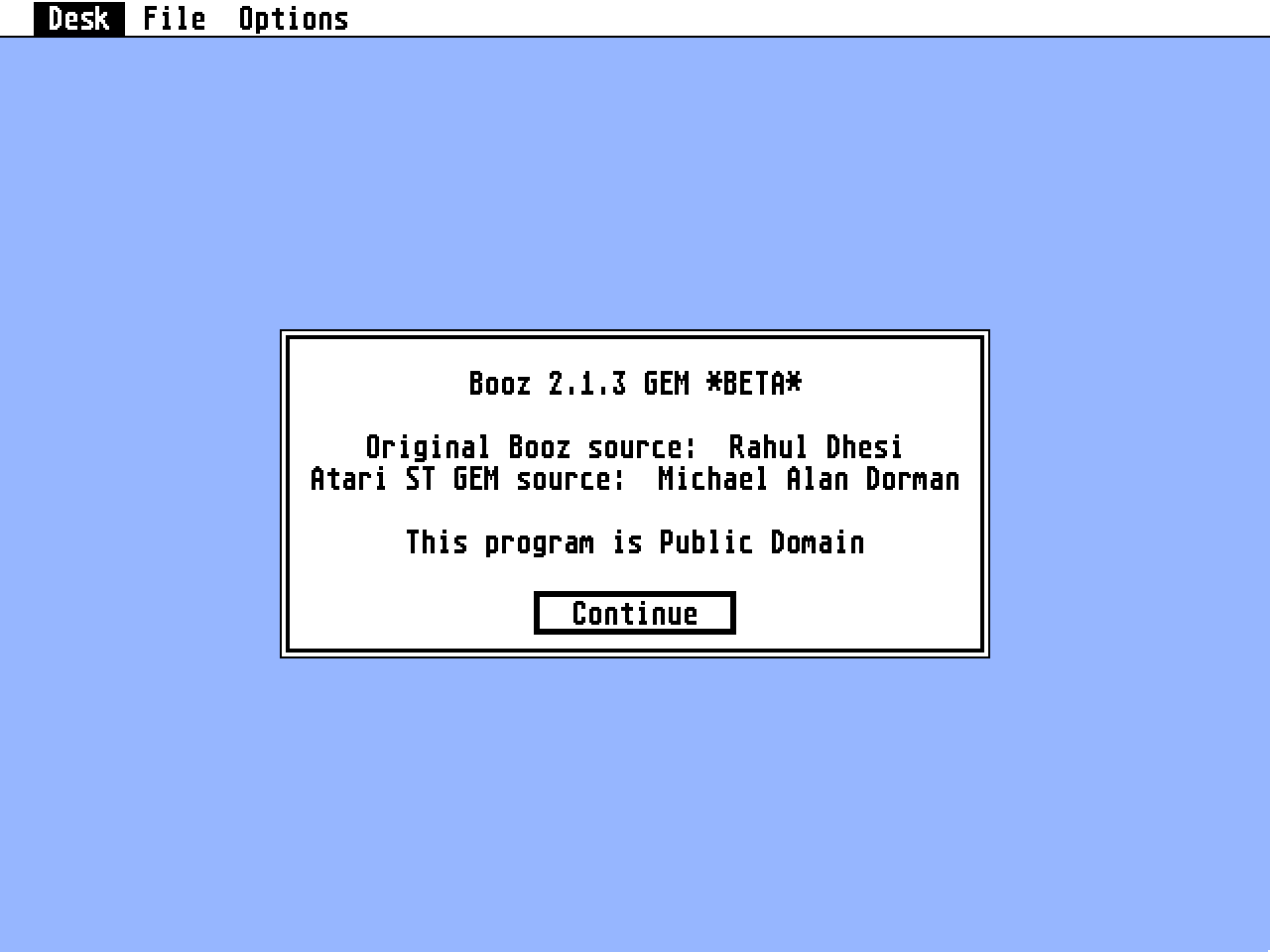
When you run BoozGEM.prg, you'll be greeted by a familiar menu
interface.  The options are (I hope) self-explanitory.  If you
select the About... option, you'll get a little message with
credits in it.

Under "File", there are five options:  List, Test, Extract,
Batch Extract, and Quit.  Quit should be obvious.  List just
lists the contents of the archive, using a standard GEM file
selector to prompt you for the file.  Test tests the integrity
of the archive, prompting you for the name of the file with a
file selector.

Extract is a bit more complex, but not much--It first prompts
you for the file you want to extract.  Then it prompts you for a
directory to extract to (this is a big plus over the "real"
Zoo.ttp, which doesn't let you tell it where to extract files).
Then it extracts the file to that directory.

If, during extraction, BoozGEM.prg finds that a file it is
trying to extract already exists, it'll prompt you.  You have
the choice to either keep the original file, which will skip
extracting the file in question, or you can overwrite one file,
which will extract this file over the file that already exists,
or you can choose to overwrite all, which means that BoozGEM.prg
will no longer prompt you if it finds a file that already
exists--it will overwrite files with impunity.

Batch extract is something I've wanted for a long time.  What it
does is allow you to select a subdirectory with a bunch of .ZOO
files in it.  Then you select a destination subdirectory.  It
will then extract all the files to like-named subdirectories
within the destination subdirectory.  Like magic, it'll extract
a bunch of .ZOO files unsupervised.

The other menu, "Options" only has one entry.  If "Extract to
subdirectories" is selected, the behavior of the normal extract
command is similar to that of the "Batch Extract" Option, in
that BoozGEM.prg will create a named subdirectory within the
destination subdirectory, and extract the files to there.

That's it for operation.

		To Do:

This version is marked *BETA* in the about box.  That's not as
horrifying as it sounds.  I marked it that way because it still
doesn't do some of the things I'd like it to.  Among these
are:

	Accept a command line -- I'd like for people to be able to
double-click on a .ZOO file and have it automatically extract.
I'm not sure whether it will default to extracting to the
current directory or ask you for a destination directory.

	Full directory support -- This will probably come last,
since it will involve ripping huge festering hunks of the
original Zoo source code out, in order to be able to support
Zoo's directory-storage scheme.

[Editor's note:  The next two have already been implemented]

	Create directories automatically -- I'd like to be able to
set a flag (constant from one run to the other) so that
BoozGEM.prg will automatically create a directory to put the
extracted files in.  That way, if you were extracting a file
called "wombat.zoo", you could set a "root" directory (say, c:\
tmp) and BoozGEM would create c:\tmp\wombat and put all the
extracted files there.

	Batch extraction -- I'd like to be able to have a whole
directory full of .ZOO files, and just click on one menu entry
and have them extracted automatically into named subdirectories
below the directory where they are (or where you tell them to
go...).  This is obviously dependent upon the previous "wish".

Heck, while i'm at it:

	Full archive creation support (i.e. A GEM version of Zoo
itself) -- This may happen, but it won't be monstrously soon, so
don't hold your breath.  It will take work, though a couple of
other guys I know have said that they'd help, it'll still take a
while.  Maybe a lot of encouragement from people in the Atari
community would speed this up.  It's always nice to get
encouragement and hear from people who are using tools that
you've created.

	Why there isn't source code:

The source code to Booz is freely available--I think I got mine
from the Unix RT on GEnie.  It's on the Internet, I've seen it.
So releasing the source to the text-mode Booz would be
silly--it's already out there, and it was only 15 minutes of
work to get it functioning with HSC, which isn't even an ANSI
compiler.

The source code to BoozGEM.prg will get out there eventually.
The problem is, it's still pretty messy, and it is pretty
dependant upon both HSC 1.40 (which is still in Beta) and my own
winx_lib.a, a library of windowed-text output routines that is
still in beta, as well as being dependent upon the GemFast 1.8
libraries that are also in beta and only (at this time)
available to HSC 1.40 beta-testers (since they're both by the
same guy, Ian Lepore).  How's that for a house of Greek cards,
huh?

Once it's cleaner, and HSC 1.40's out there, and GemFast 1.8,
and my own winx_lib.a, I'll release it.  Hopefully most of my
wish list will be in by that time, too.

		Thanks:

To Rahul Dhesi, without whom Zoo and Booz wouldn't exist.

To Ian Lepore, without whom I would never have started on this
project--it started as a big beta-test suite, and grew.

To Steve Yelvington, CBARRON, and Chris Herborth for hints, tips
and encouragement, and for keeping me off Ian's back when the
program bombed because they found the bugs I missed.

To John Stanley, for the same services as above, as well as
MicroEMACS 2.19b, the editor I'm using and have fallen in love
with.

Also to Anne Klinefelter, for not getting testy when I spent
hours slaving away at a computer instead of doing important
things like baking bread.

		How to contact me:

If you have something that you'd like to see done (if it isn't
in the to do: list) or if you (heaven forbid) find a bug, please
contact me, and I'll try to fix it.  Honest.

My various electronic addresses are:

M.DORMAN2 on GEnie
mad@sss.cba.ua.edu on the Internet (only til August)

		Revision notes:

Version 2.1.1:
	This was supposed to be the first public release, but I
forgot to include the .rsc file when I uploaded it to GEnie.
Oops.  By the time I realised it, though, I had already made so
many changes that I decided to work some more, since they were
going well.  Hence came...

Version 2.1.3:
	This is the version you have in your hands right now.  It
includes the ability to extract to subdirectories, as well as a
"batch extraction" mode.  Two things on the to do: list down.  I
also updated this doc and caught a couple of tiny, likely
non-destructive bugs.