Atari ST - J. D. Koftinoff Software - ?
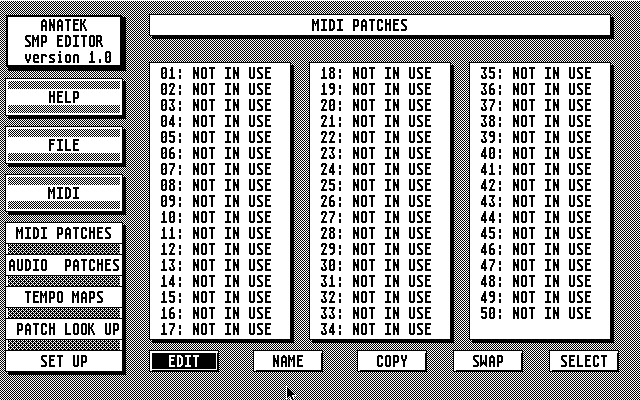
Anatek SMP Editor
- Genre
- Music / Sound
- Year
- —
- Language
- [unknown]
- Publisher
- J. D. Koftinoff Software
- Controls
- MIDI-Device / Mouse
- Distributor
- —
- Resolution
- High
- Developer
- [n/a]
- ST Type
- ST, STe, TT, Falcon030 / 0.5MB
- Licensed from
- —
- Programmer(s)
- Koftinoff, Jeff D.
- Country

- MIDI
- Yes
- Software
- English
- Version
- —
- Box/Instructions
- English
- Number of Disks
- 1 / Double Sided
- License
- Commercial
- Dump
- Download
- Serial
- —
- Dump format
- MSA
- Protection
- —
ADDITIONAL COMMENTS
Released as freeware in 2002
INSTRUCTIONS
Welcome to the SMP series editor for the Anatek SMP-7 and SMP-16
products!

This program can be run as a desk accessory or as a stand alone program.
To run it as a DA, either boot up from this disk, or copy the files
'SMP.ACC' and 'SMP.OPT' to your boot disk.

To run it as a stand alone program, run the 'SMP.PRG' file.

Both files are actually exactly the same file; they are provided with both
names for ease of use.

PLEASE NOTE: When using the SMP Editor program as a desk accessory while
you are running some MIDI sequencer programs , receiving bulk dumps from
your SMP module may not work properly.  In this instance you will have to
exit from your sequencer first.  Data transfer TO your SMP module will work
fine all the time.


MAKE SURE YOU SELECT THE PROPER MODULE TYPE (SMP-7 V1.0, V2.0, SMP-16 V1.0,V2.0)
BEFORE YOU ATTEMPT TO TRANSFER DATE TO OR FROM YOUR SMP MODULE.

This program allows you to edit all the paramters in a SMP-16 Version 2.0;
If you have any other module, the program will work fine, but the extra
parameters available in a SMP-16 V2.0 will not transfer.  Please see
your SMP-16 Manual for information about what paramters are available.

This program does not come with a manual.  Instead, included is a context
sensitive and automatic on line help system.  To shut off the automatic
help system, go to the Setup screen and set 'Expert Mode' to 'YES'.

We hope you enjoy using this product!
TRIVIA (2)
Origins
See more information at developer's website
Hardware
Requires Anatek SMP-7 or SMP-16 patchbay