

Atari ST - Looking Glass Software - 1987
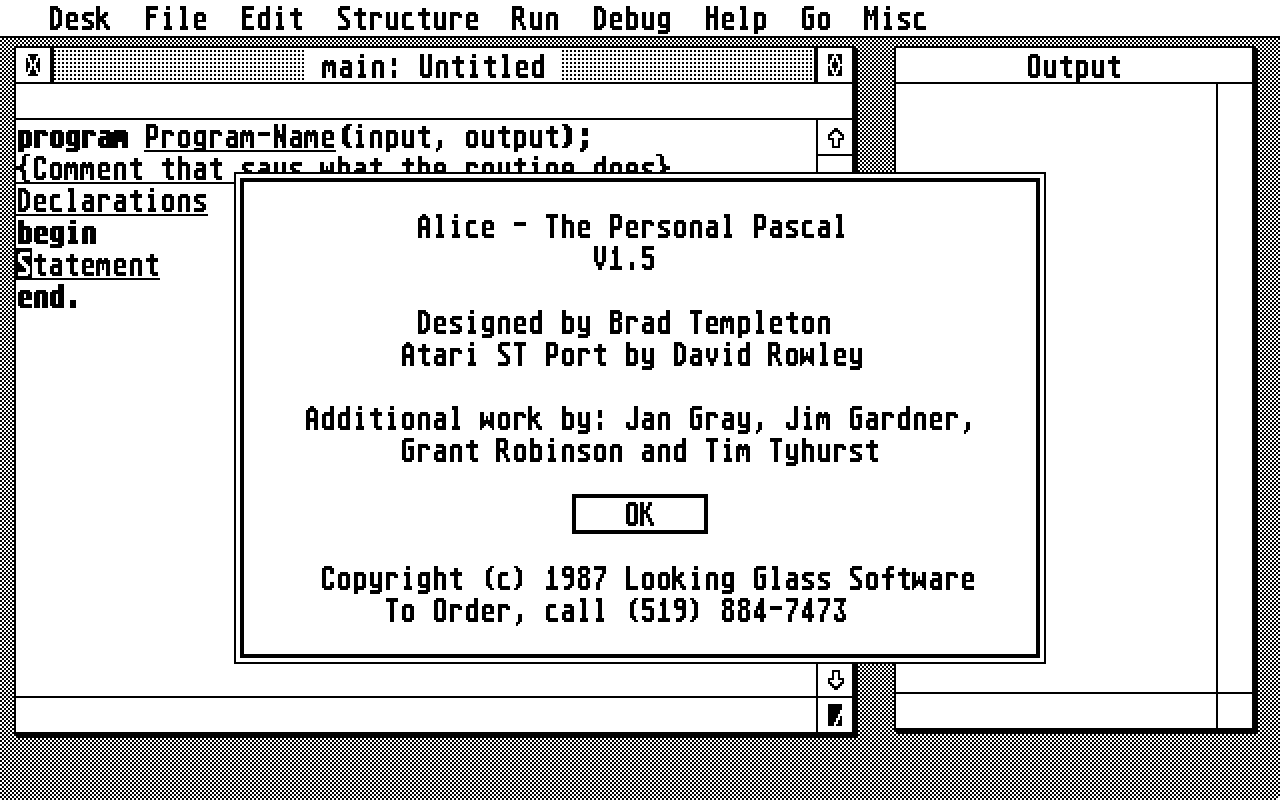
Alice - The Personal Pascal
- Genre
- Programming - Language
- Year
- 1987
- Language
- [unknown]
- Publisher
- Looking Glass Software
- Controls
- Mouse
- Distributor
- —
- Resolution
- Low / Medium / High
- Developer
- [n/a]
- ST Type
- ST, STe / 0.5MB
- Licensed from
- —
- Programmer(s)
- Rowley, David / Gardner, JimRobinson, Grant / Tyhurst, TimGray, Jan
- Country

- MIDI
- —
- Software
- English
- Version
- 1.5
- Box/Instructions
- English
- Number of Disks
- 1 / Double Sided
- License
- Commercial
- Dump
- Download
- Serial
- —
- Dump format
- ST
- Protection
- —
OTHER VERSIONS WITH THE SAME TITLE (1)
INSTRUCTIONS
Questions and Answers about ALICE

Q: What's the difference between an interpreter and a compiler?

A: A compiler takes a high level language program and translates it into
a free-standing machine language program.  An interpreter takes the high
level language program and attempts to understand it at that level, or
at some intermediate level.  ALICE contains an interpreter.  An interpreter
is usually much slower at running a program than compiled code, but because
the interpreter works with the program at a high level when it is running,
you can debug a lot more easily.  An interpreter can also run a program
immediately -- you don't need to compile it first before you can run it.

ALICE is the system for you if your programs sit around waiting for the
user to do things -- ie. if they don't require a lot of speed.  If you need
speed, you should buy a Pascal compiler in addition to ALICE.

Q: Why can't I just change arbitrary text in my program?

A: ALICE is truly different from the text editors you may have edited
programs with before.  With ALICE, you're actually editing your program
as a PROGRAM, not as a piece of text.  What this means is that ALICE thinks
of your program like a "tree" where program structures are branches that
contain other program structures and so on.   The valid editing operations
in ALICE are the same ones you could use on a tree.  Clipping off a set
of branches, and possibly grafting new sets of branches in different places.
We've made your job easier, though, by providing all sorts of special
features to make use of these basic operations.  In particular, the ALICE
expression parser lets you type in and edit your Pascal expressions as a
text without worrying about the tree structure.  For larger things, we believe
that you SHOULD worry about the tree structure - that's what makes a
structured program.

Q: Why isn't there a global search-and-replace?

A: That's a valuable feature in many text editors, but remember that ALICE isn't
a text editor.   If you edit a variable's declaration using the EDIT command,
all the uses of that name will change too.  That's about the only global
search and replace you need in a program.  If you do need something complex,
you can save your file as text, edit it with a regular editor, and convert
it back to ALICE form with the "apin" program.  This is cumbersome, but we
think you won't have to do this very often, if at all.

Q: What if I have a more sweeping change I am doing frequently?

A: ALICE can be customized to make your common operations as easy as
the touch of a key.  You can define macros to do any sequence of operations
-- see the section of the manual on the "map" command and the initialization
file.  You can also customize ALICE even further with Pascal programs.  More
on that, later.

Q: ALICE lays out all the syntax - will learners ever pick up all the details
about begins, ends and semicolons for use in the real world?

A: Some people worry about that, but research done on syntax-directed editors
indicates that students taking a course with a syntax-directed editor learn
the "concrete syntax" no worse than those using a traditional system.
If you're scared that you'll never be able to use an old-style system after
getting used to ALICE, you may be right - just like you can't go back to
punch cards after using a screen editor.

Q: How do I change an IF statement into a WHILE loop?

A: We realized that some types of editing would not be very convenient if
done in a tree based manner.  So we allow you to make such special changes
with a single command.  Look up the "Special Changes" menu on the Structure
menu, and others.

Q: How do I make changes that aren't on the Special Changes menu?

A: ALICE is perhaps the most programmable editor in the world because it's
programmable IN PASCAL.  Look for our special library on how to program
in your own ALICE features.   Before you go this far, however, think about
how to solve your problem using the "move" and "get" commands which let
you put "branches" of your "tree" into what we call workspaces, allowing
you to do complex manipulations.

Q: ALICE indents my program for me, which is nice.  But what if I prefer
my own style of indentation and formatting?

A: It's true that many people have their own particular styles of formatting
their programs, and are devoted to them.  Sadly, one of the prices you pay
when getting automatic formatting is that it might not be done your way.
We felt that providing a choice would be too confusing for beginners,
since it's a choice you really don't have to worry about until you get
more advanced.  ALICE does load its templates, though, and we have
provided different template files with different control of indent and
begin-end style.  In the meantime, look below for information on
how to change the indenting of your "begin-end"s with the "-i" option.

Q: ALICE always represents arrays in the form arr[1][2] instead of arr[1,2].
Why is this?

A: In Pascal, the latter form is defined as a short form for the first.
As above, we felt that providing a multitude of forms would just complicate
the program, especially for beginners, without providing any extra power.
Note that ALICE lets you type in the latter form, and converts it to the
first.

Q: Sometimes errors involving mismatched types don't go away when I fix
the declarations involved.  Why is this?

A: For ALICE to completely check the whole program every time you change
a declaration would be a monumental job, and we don't think you would
want to wait for it.  After all, compilers spend a fair proportion of
their time just checking the program over once when you compile it.  And
you know how long they take!  ALICE will recheck your error if you move the
cursor to it, or if you run the program or ask ALICE to typecheck it for you.
Just about any other error will get reported to you the instant you enter
it - this is the only kind of error where you get a delayed reaction.
If you want, you can have ALICE check everything with every change.
Lookup up the "checking frequency" command line option, or just include
"f=6" in your init file.

Q: How do I list my program on the printer?

A: Use the TEXT command on the command line (Type CTRL-X first).
	>text prn:
	will do the listing directly for you.

Q: How do I output to the printer in my program?
	Create a printer file of type 'text' with something like:
		var
			Lst : text;
	... then in your program say
		append( Lst, 'lst:' );
		writeln( Lst, 'This appears on my printer' );


Q: I'm running out of memory.  What can I do?

A: ALICE uses up a lot of memory because it remembers how to undo almost every
change you make to your program.  If you delete 50 lines, it still keeps them
around so you can undo that delete.  If you want that memory back, you can
use the "Recover Memory" command found on the MISC menu.
If you are truly running out of memory, it might be because the memory
allocator ALICE uses has broken up your memory into chunks too small to use.
Saving your program, quitting and reloading the whole thing may help.
In the end, however, this version of ALICE is designed for learning and
prototyping small to medium programs.  If your program gets really big, you
will have to think of ways to make it smaller, or perhaps consider buying
an Atari 1040ST, or getting a memory upgrade.

Q: Sometimes hitting the space bar does a lot, other times it just types
a space.  What is happening?

A: ALICE likes to anticipate what you are doing -- that's how it saves you
so much typing.  It usually does this when you type a recognized Pascal
word like "var" and follow it with a space.  Inside an expression, comment
or string, however, spaces have a meaning and ALICE is required to treat
them as nothing special.  This sounds confusing at first, but we feel
our solution is fairly natural once you get the hang of it.  You'll want
to mix the use of spaces with other special keys like the TAB key or the
ESC key.  Soon you'll develop a familiar pattern with the keys on your
keyboard and you'll be amazed at how fast you can enter programs.  You'll
never want to use another editor for Pascal.  We certainly don't.

If you don't want the action of space, use the "Esc" key to finish
editing your expressions and variables.


Q: Often when declaring variables or entering immediate statements I
find it a problem moving the cursor back to where I was.  What can I
do to make this easier?

A: We have anticipated this problem and provided a special command that
takes the cursor back to the last place it was before a big jump like
the ones you described.  Look for "Former Cursor Loc" on the GO menu.

Q: What if I don't like the keys you have chosen to do things in ALICE.

A: ALICE is designed with the experimenter in mind.  All ALICE keys
are actually what we call "macros", which is to say they are not hardwired
to the actions they perform.  You can define your own keys, and change
the ones that exist.  You'll find that the ALICE initialization file
contains the definitions for all the keys ALICE uses.  It maps them
all to the low level commands that are the final interface to ALICE.
You will find those mappings in the ALICE initialization file, and you
can change them to your hearts content.

Q: Why can't I continue a program where I stopped it after I change it?

A: If you change a program, you will confuse ALICE as to what was
going on when it stopped.  ALICE keeps a careful record of all that
was going on in the program at the time you interrupted it, with
references to all the different parts of the program under execution.
If you change the program, those references will no longer be
correct, so ALICE can't go on.  Sorry.

Q: What if I want to use ALICE just as an editor?

A: You can use ALICE just as an editor to prepare Pascal programs for
other compilers, but naturally ALICE can't check the specialized features
of these compilers.  With the caveat that we don't fully support this type
of activity, typing "not" on any placeholder that takes up a line will pop
up a special kind of comment.  This is the "non-ALICE" comment and you will
notice that it is NOT surrounded by braces.  This means that you can type
anything here, and it will be passed on to other compilers when you save
the file, but ignored by ALICE.

To use ALICE in this manner, simply be sure you save your program both
in ALICE format, and as text, before you quit.  You can then compile the
text version.  When you want to go back to ALICE to make changes,
simply load in the ALICE format version.  You can even setup the ALT-S
key to issue both the "SAVE" and "TEXT" commands at the same time by
using the ALICE macro facility.

You can even call your compiler directly from within ALICE if you have
the memory for it, by using the "COMPILE" command, which appears as
"Invoke Compiler" in the File menu.  ALICE will also load files that
end in ".pas" by running the "apin" program on them first, but there must
be enough memory around to run this program.  See the manual for more
details, particularly concerning the \f  and %% features.  The "COMPILE"
command is a combination of TEXT and SHELL.

Q: What if I don't like the colours ALICE uses to display my program?

A: ALICE lets you change the colour scheme to be as flashy or conservative
as you desire.  Check the section of the manual concerning the initialization
file and the "colour" option.  Even people with non-colour monitors can
alter the attributes ALICE uses, although they come from a more limited
set.  You want all your errors in reverse video red bold underlined ?
It can be done !

Q: If I have a lot of declarations, changing them gets a little slow.  What
can I do?

A: ALICE likes to check your declarations at all times to make sure that
they are correct.  It needs to do this so that it can correctly check your
statements as you type them in.  The price you pay is that all your
declarations are checked each time you change one.  The problem is that
this can get a little slow if you have a lot of declarations, or start
changing your globals a lot.   One solution is to copy your declarations
into another workspace, and edit them there, copying them back when done.
This is not a great solution, and we're working on making this faster.

Q: When will there be an ALICE for the "C" language?

A: We get a lot of requests for this.  The problem here is that the full
C doesn't have a proper syntax because of the macro pre-processor.  C
programs can have arbitrary combinations of symbols if you use the #define
construct a lot, and this makes the job for ALICE very difficult.  It's not
a solved problem, but we're considering solutions.

Q: What if I want to run my ALICE programs without ALICE?

A: The ALICE supplement kit contains a version of the ALICE interpreter that
works without the editor (APRUN), and can be used to run independent programs.
We will allow you to give this program away with your programs, and even allow
it to be included in commercial packages for a small fee.  As an added bonus,
this interpreter will be faster than the one used with ALICE because it
has debugging features taken out of it.

Of course, you can also save out your program and run it through any
standard Pascal compiler so that it will run at its very fastest.

Q: ALICE can help a lot, but it sure gets in the way sometimes for
more complicated editing operations.  What can I do?

A: This is the big trade-off of a system like ALICE.  A system that
holds a learner's hand is bound to frustrate more experienced people
somewhat.  We've done our best to allow you to make custom changes so
that the system will be more usable to you.  In the long run, though,
may experienced programmers develop particular habits of editing
programs that just don't mesh with ALICE.  Perhaps it just isn't the
right system for them.  For beginners, we feel that the best way to
make many "text-editor" type changes is to delete structures and enter
them again.  ALICE makes entering structures very fast and error-free,
so this isn't at all as bad as it might sound at first reading.
Try it.