

Atari ST - Szabo Software - 1986
TechMate Chess
- Genre
- Board Game - Chess
- Year
- 1986
- Language
- [unknown]
- Publisher
- Szabo Software
- Controls
- Mouse
- Distributor
- —
- Players
- 1
- Developer
- [n/a]
- Resolution
- Low / High
- Licensed from
- —
- Programmer(s)
- [unknown]
- Country

- Graphic Artist(s)
- [unknown]
- Software
- English
- Game design
- [unknown]
- Box/Instructions
- English
- Musician(s)
- [unknown]
- License
- Game Demo or Preview - Commercial
- Sound FX
- [unknown]
- Serial
- —
- Cover Artist(s)
- —
- ST Type
- ST, STe, TT / 0.5MB
- MIDI
- —
- Version
- [preview]
- Dump
- Download
- Number of Disks
- 1 / Single Sided
- Dump format
- —
- Protection
- —
OTHER VERSIONS WITH THE SAME TITLE (3)
ADDITIONAL COMMENTS
Preview version not monochrome compatible.
INSTRUCTIONS
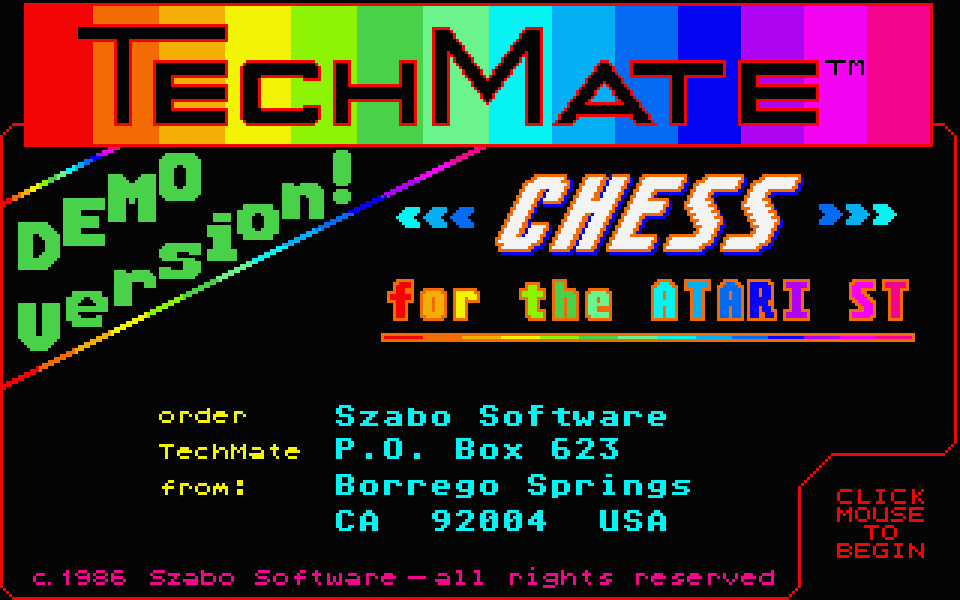
                          TECHMATE (DEMO VERSION)
      (For RGB color monitors only--will not work with monochrome)

      This Demo Version of TechMate lets you play chess against the
    computer with most of the features of TechMate itself--minus the
    "essential ingredient"--TechMate's exceptional algorithm. (The Demo
    plays chess slightly better than random.) Thus you may test for
    yourself how easy and fun playing chess is with TechMate!

       To begin TechMate Demo, double click on TECHMATE.PRG. The logo
    screen will appear. Click once (anywhere), and the playing screen
    will appear. Before clicking on the "start game" box, you may:

       CHOOSE WHITE OR BLACK: Click the mouse anywhere on the BOARD,
    and the pieces will switch colors. Click again to toggle back to
    the original scheme. TechMate always takes the top end of the board,
    regardless of color.

       ADJUST THE CLOCKS: They show seconds of play remaining per side,
    and are settable up to 9998 seconds. Default is 300 seconds (5 min.)
    To change a digit, overlay it with the mouse pointer and click.
    The left button increases, the right button decreases settings.
    The rightmost digit changes by 2-second increments only. During play,
    the clock that is running is highlighted.

       After setting color and time, click the "start game" box to begin.

    MOVING PIECES:  1. Click once on the piece or the square it's on.
                    2. Move the mouse to the desired square.
                    3. Click again.

       If you press the button too long, or "drag" the mouse, TechMate
    will beep. If you attempt to make an illegal move, TechMate will
    beep. TechMate plays "touch move:" if you "touch" (click) a piece
    you must move it. The begin and end squares of all moves are high-
    lighted. You may quit at any time during play by clicking the "quit"
    box. TechMate Demo recognizes en passant capture, castling (move the
    king over to the proper square, the rook shifts automatically), and
    promotion or "queening" (when a pawn reaches the far rank, four
    pieces will appear to the right. Click the mouse on your choice to
    complete the promotion).Game ends when one side runs out of time,
    with checkmate, or with stalemate. At game's end you may play again
    or quit (click appropriate box).

       If you would like to order TechMate, send check or money order
    for $49.95 (US) to: SZABO SOFTWARE, P.O. BOX 623, BORREGO SPRINGS,
    CA. 92004, USA. (International orders please add $5.00)

               Available November 1, 1986

    ALL CONTENT AND GRAPHICS OF TECHMATE AND TECHMATE DEMO COPYRIGHT 1986
    BY SZABO SOFTWARE. ALL RIGHTS RESERVED. TECHMATE IS A TRADEMARK OF
    SZABO SOFTWARE. ATARI ST IS A REGISTERED TRADEMARK OF ATARI CORP.
ADS (1)
TRIVIA (1)
Hardware
Supports ST High resolution