INSTRUCTIONS
                        HangOpus Documentation
                        ======================

What HangOpus is:

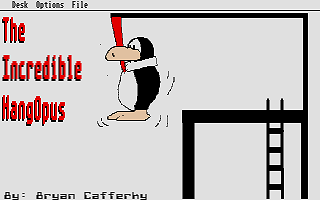
HangOpus is a hangman game that hangs poor Opus of Bloom County fame
by his neck tie.  It is completely GEM based and in written in Personal
Pascal by OSS and ICD.  It uses Degas format pictures to allow for better
graphics.  It also features a word editor that allows you to create your
own word files to be used in the game.


How to play...

Because the game uses GEM, it is pretty self explanatory.  When you run
the game, you get a GEM menu.  Select the Play Game option to start
playing using the default word file 'Words.wds'.  The game play screen
will appear.  A dialog box with the letters of the alphabet appears at
the bottom of the screen.  Click on each letter you think might be in the
word.  At the upper left corner of the screen is a status box.  The
dashes are for the word that you must guess.  There is one dash for each
letter in the word.  As you get each letter, the dashes will be filled in
with the letters you got right, hence filling out the word.  The Tries
left number tells you haw many wrong guesses you have left before you
lose the game.  Number of guesses tells you how many guesses you have used.
The HangOpus character will appear piece by piece as you get letters wrong.


Creating Word Files...

To allow the game to have an unlimited vocabulary, a word file editor is
provided.  The editor allows you to change any word file or create a new
file.  You can then select this file to be used in the game.  To use the
editor, select the 'Edit Word File' option from the GEM menu.  A File
select box will appear.  Select the file you want to edit or type in a
file name you wish to create. **** Make sure the file has an extension of
.WDS as that is the assumed extension for word files and it makes it a
little easier for you to use the files(they automatically come up in the
file select box).  The entire file, one screen worth of words will appear
on the screen.  Move the cursor around and add or make changes as you
wish.  Click on DONE to save the changes and CANCEL if you wish to exit
without saving the changes.


Selecting a word file...

To select a word file, just select the 'Select Word File' option off the
Gem Menu.  A file select box will be displayed with all files with the
'.WDS' extension on the default drive.  Select the file you want and
click on 'OK' to get back to the menu.


Also...

There are many bits and pieces of Pascal source code in this program that
could be of use to Personal Pascal programers such as fixes to Personal
Pascal problems, loading and displaying Degas pictures and changing the
palletes and using the sound demon.  I hope the source code helps some
people in using Personal Pascal etc... It's pretty well documented but
sloppier than I would have liked, my first Personal Pascal program.

Send me comments on what you think, like or questions..

Enjoy... Bryan Cafferky
 1 / 7
1 / 7