

Atari ST - 1998
Hellgate
 1 / 7
1 / 7- Genre
- Shoot'em Up! - 3-D
- Year
- 1998
- Language
- STOS BASIC
- Publisher
- [no publisher]
- Controls
- Mouse / Jagpad
- Distributor
- GitHub
- Players
- 1
- Developer
- Smartsoft
- Resolution
- Low
- Licensed from
- —
- Programmer(s)
- Walters, David
- Country

- Graphic Artist(s)
- Walters, David / Walters, Ian
- Software
- English
- Game design
- Walters, Ian / Kvasnik, MatthewWalters, David
- Box/Instructions
- English
- Musician(s)
- Hippel, Jochen
- License
- PD / Freeware / Shareware
- Sound FX
- [unknown]
- Serial
- —
- Cover Artist(s)
- —
- ST Type
- ST, STe Enhanced / 1MB
- MIDI
- —
- Version
- 1.60 [WIP]
- Dump
- Download
- Number of Disks
- HD Installable
- Dump format
- Zip-packed folder
- Protection
- —
OTHER VERSIONS WITH THE SAME TITLE (1)
ADDITIONAL COMMENTS
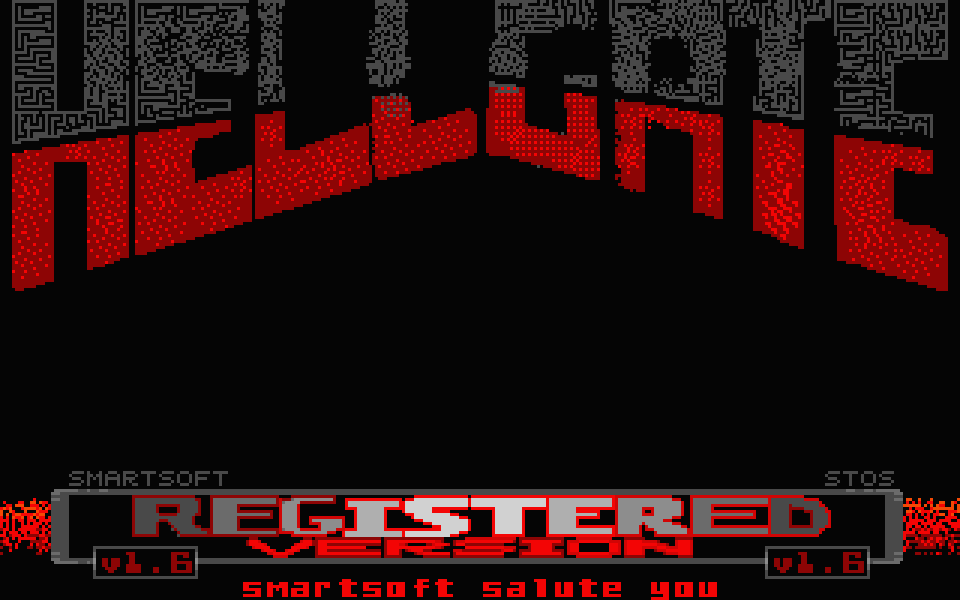
Unfinished registered version that crashes when the level should be loaded. Maybe someone has skills to fix it?
Please have a look at author's website for more info.
Please have a look at author's website for more info.
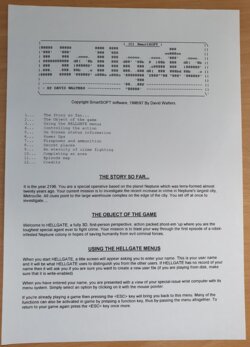
INSTRUCTIONS
**************************************************************************
._______________________________________________________________________.
|                                   | (C) SmartSOFT |                  |\
|88888   88888          8888  8888   ---------------    888            ||
|'888'   '888'          `888  `888                    oo888oo          ||
| 888     888   .oooo.   888   888   .ooooo.   .oooo.  '888'   .oooo.  ||
| 88888888888  d8(  '8b  888   888  d88' '88b  P  )88b  888   d8(  '8b ||
| 888     888  )88888P'  888   888  888   888  .oP8888  888   )88888P' ||
|.888.   .888. 88b   .o  888   888  888. .888 d8(  888  888bd 88b   .o ||
|88888   88888 '88888P' o888o o888o '88888888 `Y888""88 "888" '88888P' ||
|                                        '888                          ||
| --------------------------------- '88. .88P ------------------------ ||
| - BY DAVID WALTERS --------------  "88888'  ------------------------ ||
\======================================================================\'


                Copyright SmartSOFT software, 1996-1998

**************************************************************************

Table of Contents
-----------------

    1...    HELLGATE SYSTEM REQUIREMENTS
    2...    STARTING HELLGATE
    3...    STOS-RAM
    4...    HARD DRIVE INSTALLATION
    5...    REPORTING BUGS/PROBLEMS OR SUGGESTIONS

    6...    THE STORY SO FAR
    7...    THE OBJECT OF THE GAME
    8...    GAME STRUCTURE
    9...    USING THE HELLGATE MENUS
    10..    ON SCREEN SATUS INFORMATION
    11..    CONTROLLING THE ACTION
    12..    SECRET PLACES
    13..    AN ETERNITY OF CRIME FIGHTING
    14..    FIREPOWER
    15..    POWER-UPS

    16..    CREDITS
    17..    VERSION HISTORY

**************************************************************************


--------------------------------
| HELLGATE SYSTEM REQUIREMENTS |
--------------------------------

    Minimally Required are:
    -----------------------
    *   A Real "Atari" ST(e) or Falcon
    *   1 Mb ST-ram.
    *   An 'ST-Low resolution' compatible display.

    Recommended:
    ------------
    *    Hard Drive, Mouse or Jaguar Powerpad.

    Compatible Operating Systems:
    -----------------------------
    *    TOS (Most versions)
    *    Geneva


---------------------
| STARTING HELLGATE |
---------------------
To launch HELLGATE, simply reboot the computer with the HELLGATE disk in
the drive and it will then automatically load and display it's title
screen.


------------
| STOS-RAM |
------------
The 'STOSRAM' ram disk should SIGNIFICANTLY reduce loading times on disk
based machines. To enable it, simply ensure that 'STOSRAM.PRG' has been
started before launching 'HELLGATE.PRG', HELLGATE will automatically
detect if you have installed the ram disk, and used the copied files that
were created.

Before HELLGATE loads, most of the important data files will be copied
across and this will still take a while, but when it has finished, the
game will be much faster between levels. The disk is still required to
be in the drive at all times.


---------------------------
| HARD DRIVE INSTALLATION |
---------------------------
Before HELLGATE will run from a hard drive, it needs to be installed, to
do this, simply follow the instructions below:

1. Insert the HELLGATE disk into Drive A.
2. Create a new folder on the hard drive called 'HELLGATE'. (It can be
   anywhere - on any partition).
3. Double Click the HELLGATE folder you have just created.
4. Drag the icon for 'Drive A' onto the window which shows the empty
   contents of this folder you have just created.
5. 'OK' the 'Copy?' dialogue box and wait while the files are copied.
6. Take the HELLGATE disk out of the drive and keep it safe.
7. Move file HELLGATE.PRG from the AUTO folder into the folder with this
   text file. (Refer to your Atari's owner's manual for information on how
   to do this).
8. From now on, you can launch 'HELLGATE.PRG' from the hard drive instead.

Note: Some 1 Mb users may not be able to run the game from a hard drive.
This is because some hard drive drivers require large amounts of memory
for a cache, or if you have lots of AUTO folder programs. If this affects
you, then try disabling AUTO folder programs and desk accessories, as this
will free up some memory.


**************************************************************************
[CLASSIFIED INFORMATION  /USDOC11563~16/8/98~10:22BST] [STATUS: EYES ONLY]
**************************************************************************

--------------------
| THE STORY SO FAR |
--------------------
It is the year 2196. You are a special operative based on the planet
Neptune which was terraformed almost twenty years ago. Your current
mission is to investigate the recent increase in crime in Neptune's
largest city, Metroville. All clues point to the large warehouse
complex on the edge of the city.

You set off at once to investigate....


--------------------------
| THE OBJECT OF THE GAME |
--------------------------
Welcome to HELLGATE, a first-person perspective, action packed,
shoot-em 'up where you are the toughest special agent ever to fight
crime. Your task is to blast your way through three episodes of a
robot-infested Neptune colony in hopes of saving humanity from these
evil criminal forces.


------------------
| GAME STRUCTURE |
------------------
HELLGATE is made up from 3 large episodes, each with a number of levels
to complete in order to proceed to the next. If you are playing the
unregistered version then you are only able to play the first episode.

At the end of each level in HELLGATE  there is an exit. When you reach
it, press  and you will be wisked away to an achievments screen
which tallies your ratio of kills and rooms visited, along with your
completion time.

Between levels you are shown a map of the episode you are currently
playing in. Your position is marked on it by a big arrow. The current
skill level is also displayed at the bottom of the screen. The last level
of each episode contains a boss. Be warned, it will take all of your
skill and courage to defeat them.....


----------------------------
| USING THE HELLGATE MENUS |
----------------------------
Once HELLGATE has loaded, a title screen will appear asking you to enter
your name. This is your "user name" and it will be what HELLGATE uses to
distinguish you from the other users. If HELLGATE has no record of your
name then it will ask you if you are sure you want to create a new user
file (if you are playing from disk, make sure that it is write-enabled)

When you have entered your name, you are presented with a view of your
special-issue wrist computer with it's menu system. Simply select an
option by clicking on it with the mouse pointer, or alternatively if you
have a Jaguar Powerpad connected you can press one of the shortcut
buttons marked in brackets beside each option.

If you're already playing a game then pressing the  key (or
button on your Jaguar Powerpad) will take you back to this menu. Many of
the functions can also be activated in game by pressing a function key or
Jaguar Powerpad button, thus by-passing the menu altogether. To return to
your game from the menu press the  key or  button once more.

NEW GAME
--------
If you wan't to begin a new game from the beginning, select this option.
A sub-menu will then appear, asking you to select a difficulty level.
Each difficulty level differs in the speed and toughness of the enemies
you'll encounter.

    DEAD EASY:  This is meant for small children, and your gran.
    WELL 'ARD:  Most people will find this is the best skill level to
                choose once they have had some experience with the game.
    SUICIDE:    Beware the SUICIDE level of difficulty, it is definitely
                not suitable for inexperienced game players.

Next you must choose the episode you wish to attempt! This screen shows
the three maps available. Move the blinking white rectangle around with
the mouse or Jaguar Powerpad Direction Pad, and click the left mouse
button (or Jaguar Powerpad button) when the epsiode you want to play is
selected.

LOADING AND SAVING YOUR GAME
----------------------------
You can save your game at any time during play. To save the game choose
the option from the menu, press the <8> key on the Jaguar Powerpad or
press F2 in-game.

Your game is then saved so that you can return to exactly the same point
at another time. NOTE: only ONE save game is available for each user name.

To load a game, simply select the option from the menu, press the <7> key
on your Jaguar Powerpad or press F3 during the game. The game is then
restored to the place where you saved last. This option isn't selectable
if you haven't yet saved a game.

MUSIC
-----
This option toggles the IN-GAME music on or off. Note that only STe
machines have ANY music, if it is unavailable then the option will be
shaded out.

NEW PLAYER
----------
If this option is chosen, you are asked for conformation, if you answer
YES then the current game is aborted and you are taken back to the title
screen so a new player can then type in their name. (Note you can press
Y or N on the keyboard on any of these yes/no screens).

QUIT
----
Use this option to exit HELLGATE and return to the operating system.
You are asked for confirmation first though - In case you've seen sense
and want to carry on.


--------------------------------
| ON SCREEN STATUS INFORMATION |
--------------------------------
During the game, HELLGATE will display a bar at the bottom of the screen,
showing information about your current status. Ignore it at your own
risk!  From left to right it reads:

AMMO: In nice big numbers, this shows you the number of shots you've got
left to fire from your current weapon.

HEALTH: You start out at 100%, but it won't stay there for long. At 0%
it's time to start over. Try a bit harder next time.

FACE:   This is your mug. If you are injured, then you will begin to look
like raw beef. Use it to quickly gauge how you are doing.

KEY:    If you have collected a  keycard, then it will be shown on the
status bar to the bottom right of your face. If you open a locked door,
then your key will be removed and you will need to find another one.
NOTE: you can only carry one key at a time.

ARMOUR: Your armour helps you out for as long as it lasts by reducing the
strength of incoming shots. Keep an eye on it though, because when it's
gone, you might be too.


--------------------------
| CONTROLLING THE ACTION |
--------------------------
Your player can be controlled by either the mouse, Jaguar Powerpad or the
keyboard. Don't worry if, at first, you tend to find yourself shooting
walls while the robots put the hurt on you - soon it will be you causing
the pain!

MOUSE CONTROLS
--------------
                   WALK FORWARD                  LEFT MOUSE BUTTON
                        ^                        -----------------
                        |                         Fire Selected Weapon
     MOVE/TURN LEFT  <-- -->  MOVE/TURN RIGHT
                        |                        RIGHT MOUSE BUTTON
                        v                        ------------------
                  WALK BACKWARDS                  Hold to Sidestep


KEYBOARD CONTROLS
-----------------
Cursor keypad:     WALK FORWARD                  SHIFT (EITHER ONE)
--------------          ^                        ------------------
                        |                         Fire Selected Weapon
          TURN LEFT  <-- -->  TURN RIGHT
                        |                        INSERT - Step left
                        v                         CLR/HOME - Step right
                  WALK BACKWARDS


KEYBOARD COMMANDS AND SHORTCUTS
-------------------------------
        ...OPEN / UNLOCK DOOR    .....MENU / PAUSE
        ......TOGGLE MUSIC
        ......SAVE GAME             ......LOAD GAME
        .....QUICK EXIT

WEAPON SELECTION (Main keyboard only)
-------------------------------------
        <1>.....PISTOL                  <2>.....SHOTGUN
        <3>.....CHAINGUN                <4>.....RIFLE
        <5>.....ROCKET LAUNCHER


JAGUAR POWERPAD (PORT A)
------------------------
Direction pad:     WALK FORWARD                  A: Open Doors
--------------          ^                        B: Fire Weapon / YES
                        |                        C: Hold to Sidestep / NO
     MOVE/TURN LEFT  <-- -->  MOVE/TURN RIGHT
                        |                        Option: Back to Menu
                        v                        Pause: Toggle pause
                  WALK BACKWARDS

Numeric keypad:               (1)         (2)         (3)
---------------              pistol     shotgun     chaingun

                              (4)         (5)         (6)
                             rifle      rocket

                              (7)         (8)         (9)
                             load?       save?       quit?

                              (*)         (0)         (#)

-----------------
| SECRET PLACES |
-----------------
Through-out the levels of HELLGATE, there  are  MANY secret areas. Most
of them are indicated by clues, so don't waste your time pressing space
on every wall -- the best players know where to look. Finding the secret
areas is not essential to complete a level, but it helps!
There are rumours to be entire secret levels hidden away in the older
sections of the Neptune colony...


-------------
| FIREPOWER |
-------------
You are blessed with five means of carnage in HELLGATE and each one has
it's place in your arsenal of destruction.

PISTOL
This is the standard issue sidearm given to all agents. As you would
expect from anything as basic as this, it isn't very powerful. The pistol
comes equipped with fifty rounds of ammunition and it should buy you some
time to find a better weapon.

SHOTGUN
This is more like it, a decent gun! This smooth-bore combat shotgun fires
a massive low-velocity shell which fragments in flight into a hail of
sharp metal. The shotgun comes loaded with sixteen caseless shells.

CHAINGUN
This is a self-loading chain fed machine-gun. It has six separate barrels
which are rotated by a motor, allowing the weapon to spit out a hail of
bullets which can easily tear a man-sized target apart and throw it
several metres. The chaingun comes with thirty rounds of ammo.

RIFLE
This high-velocity rifle was designed for long-distance sniping, But that
doesn't mean it isn't any good at point-blank range though! The rifle comes
loaded with ten armour piercing rounds.

ROCKET LAUNCHER
This is a small hand-held rocket launcher that fires individual self-
propelled missles with devastating effect. Although you can only carry a
few, each one is deadly. The rocket launcher comes equipped with two
missles. YOU WILL ONLY FIND IT IN THE REGISTERED VERSION OF HELLGATE.

AMMUNITION
Ammunition is gained by collecting a weapon that you already have, so
don't ignore them. Unfortunatly though, each of the different weapons
uses different types of ammunition.
When you try to fire an empty gun, HELLGATE will automatically switch to
the next best one for you.


-------------
| POWER UPS |
-------------
There are many power-ups lying around the levels of HELLGATE, they are
all pretty handy, and will often help to save your skin. To pick up an
object, just walk into it, It's as simple as that. You're a smart agent,
and you won't pick things up unless you need them.

MEDI-PACKS
These boxes of bandages, antitoxins and booster enzymes all help to make
you feel much better. [ +15% Health ]

ARMOUR
Once you have collected this light-weight kevlar body armour, the force
of all incoming attacks are reduced - until it runs out!. [ +50% Armour ]

INVULNERABILITY
While it lasts, this artefact of unknown origin will render you immune to
all damage. Pretty useful, except that your screen will turn almost pure
white as a punishment for being so tough! [ Time Based - 10/15 secs.]


---------------------------------
| AN ETERNITY OF CRIME FIGHTING |
---------------------------------
If you are killed, then you can choose to load your last saved game or
to restart the current level at the beginning again with only your pistol
and some bullets. You have no "lives" limit so you can keep restarting
the level as many times as you are killed. The entire level is restarted
from scratch though, and any enemies that you had killed previously all
return again in the same place, just like you do. SO SAVE REGULARLY!

**************************************************************************
[END OF CLASSIFIED INFORMATION  /USDOC11563~16/8/98~10:22BST]
**************************************************************************


---------------------------
| CREDITS - TEAM HELLGATE |
---------------------------

    Programming             DAVID WALTERS
    Graphics                DAVID WALTERS and IAN WALTERS
    Music                   MAD MAX
    Design                  MATTHEW KVASNIK and DAVID WALTERS
    Levels                  DAVID WALTERS

    Special Thanks To:      BRENDAN McQUILLAN, MARTIN MILNER,
                            KEVIN JONES, MATTHEW BACON
                             and especially TONY GREENWOOD!

-------------------
| VERSION HISTORY |
-------------------
[28/09/98]    v1.60
*    THE OFFICIAL SHAREWARE RELEASE!
*    Keyboard control. (Circle strafing possible for all you Quake'rs)
*    Jaguar Powerpad fully supported. No mouse required!
*    Redraw of title screen and other graphics
*    Compiled for extra speed! (Cheers Tony :)
*    Compressed for reduced size. PACKICE 2.4 (cheers again mate)
*    note: PaCifiST operation is *unsupported* - I don't think it will
 work under this system. You must use a real ST...

[18/04/98]  v1.50
*   Undocumented Bug Fixes and Optimisations

[09/04/98]  v1.42
*   Resolved compatibility issues with newer TOS versions not having a
    mouse working correctly.
*   Correctly works under PaCifiST (use TOS 1.4 or less to get Sound FX).

[28/03/98]  v1.40
*   STFM compatible sound effects! - however there is no game music :-)
    Hellgate reports which type of samples it is using at the bottom-right
    of the screen (STE or STFM).
*   Tested on PaCifiST v0.48 - no changes regarding Hellgate, apart from a
    more stable desktop.

[26/01/98]  v1.30
*   Reduced screen size slightly - improving performance
*   Messages now appear in the gap between the viewport and status panel
*   Modified WAD file format, now smaller
*   A few other asthetic changes.
*   Altered portions of the manual for better readability

[06/01/98]  v1.20
*   Optimized level format, should result in a smaller WAD file in final
    release.

[19/12/97]  v1.11
*   Music for title screen

[06/12/97]  v1.10
*   Tested with PaCifiST v0.47, works great, but no STE
    sound :-(  Hopefully in new version.
*   Updated docs for new email address and PaCifiST findings.
*   Added some keyboard support to menus (yes/no dialog.)
*   Keysounds on title screen

[11/11/97]  v1.00
*   First Public Beta, posted onto SmartSOFT web site.
    "It all gets better from here!"

[01/08/96]  start
*    Original conception, and a VERY long on and off development
    phase!

**************************************************************************
INSTRUCTIONS (1)
MISCELLANEOUS (1)
TRIVIA (3)
Sound
Features digitized sound fx at 6.25KHz on STe
Features digitized sound fx at 6.5KHz on ST
Features digitized sound fx at 6.5KHz on ST
Hardware
Supports STe DMA sound
Development
WIP proposals of the registered version box art.
(Source: Github)
(Source: Github)