

Atari ST - 1990
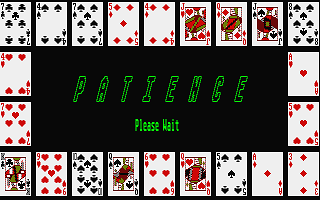
Computer Patience
- Genre
- Cards - Solitaire
- Year
- 1990
- Language
- GFA BASIC
- Publisher
- [no publisher]
- Controls
- Mouse
- Distributor
- —
- Players
- 1
- Developer
- [n/a]
- Resolution
- Medium
- Licensed from
- —
- Programmer(s)
- Chapman, Eric
- Country

- Graphic Artist(s)
- Chapman, Eric
- Software
- English
- Game design
- Chapman, Eric
- Box/Instructions
- English
- Musician(s)
- [unknown]
- License
- PD / Freeware / Shareware
- Sound FX
- Chapman, Eric
- Serial
- —
- Cover Artist(s)
- —
- ST Type
- ST, STe / 0.5MB
- MIDI
- —
- Version
- —
- Dump
- Download
- Number of Disks
- 1 / Single Sided
- Dump format
- MSA
- Protection
- —
INSTRUCTIONS
 COMPUTER PATIENCE

     Computer Patience is a compendium of six solitaire card
games.  The games are some of the less familiar ones, since most
of the well known patiences are already available as ST computer
games.
     The program runs in medium resolution only; if you try to
run it in low or high resolution, you will be politely advised of
your mistake and returned to the desktop.
     You should also note that the program uses quite a lot of
memory.  If you get an 'Out of Memory' error message, you will
need to remove some desk accessories, RAMdisks, or whatever, to
free up some more memory for the program.
     The following files should all be in the same folder for the
program to run correctly:-

     PATIENCE.PRG
     P.PRG
     ENTER.XBS

     To run the program, double-click on the PATIENCE.PRG icon.
After the program has loaded you are presented with a mainly
blank screen with a drop-down menu at the top.  The menu contains
the following items:-

'Desk': As usual, this contains information about the program, in
the item 'About Patience', and will also include any desk
accessories which have been loaded.

'Play': Use this menu to select which of the six games to play.
It also includes 'Quit' to exit from the program and return to
the desktop.

'Options': There are three items under this menu -
     - 'Help' provides a description of the program and the rules
of each game.
     - 'Cheat mode' enables a relaxing of the game rules to make
them easier to complete.
     - 'Clear game' clears the screen and exits from any game
which is in progress at the time.

     All operations are controlled entirely by the mouse.  The
'Help' menu selection provides all the necessary information to
play the games.

     Have fun, and feel free to contact me if you have any
comments.  My address is in the 'About Patience' item.

               Eric Chapman
               August 1990