

Educational / Education - Foreign Language · 1984
Wormy
Published by Hatier · Developed by SERMAP
atarimania.com — atari-400-800-xl-xe-games-wormy-12202
Information
- Genre
- Education - Foreign Language
- Language
- BASIC
- Controls
- Keyboard
- Players
- 1
- Programmer(s)
- Nacam, Georges
- Graphic Artist(s)
- [n/a]
- Sound
- [n/a]
- Cover Artist(s)
- [unknown]
- Year
- 1984
- Publisher
- Hatier
- Developer
- SERMAP
- Country
- France
- License
- Commercial
- Medium
- Tape
- Rarity
- 9
- Serial
- HA7003
Votes / Statistics
Rating: 8.0/10 · Votes: 1 · Downloads: 737 · Hits: 5,087
Additional Comments
Screenshots (5)



Cover Art (3)


Comments (4)
charliechaplin — 30 Nov 2025
Ha, SHIFT-8 loads the next game ! (Written on the last page of the manual.)
charliechaplin — 30 Nov 2025
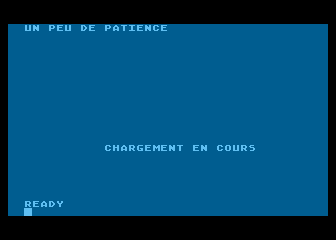
Additional Notes: 1) The bootloader of Wormy can be booted with START. It then displays CLOAD:RUN on the screen and does a POKE 842,12 to execute the command. But errrm, only CLOAD works, since any command after CLOAD is ignored. So you have to type in RUN manually when the Ready prompt appears. 2) The tape version I have (borrowed from FredM) does not contain nor display "Un peu de patience" in the listing, only "Chargement en course" is there and displayed. 3) The tape works fine with Atari Basic Revision C and does NOT crash. The tape looks exactly like the one shown here, but I guess the content has been updated.
charliechaplin — 30 Nov 2025
Hmmm strange, the tape version I have seems to work alright with Basic Revision C. It does not crash or hang and I can load the title and play all three games. After loading the title one can press any key (e.g. spacebar) to load the first game (regular and irregular english verbs). But then any key does not load the next parts and I am unsure which key or key combination must be used to load the next parts. So I simply pressed 20-30 random keys and then the next part(s) loaded automatically. The title and the first two games do contain a line that says PRINT "Chargement en route" or something similar, simply change this into RUN"C:" to load all parts with CASDIS from diskette or change it into RUN"D:Filename.Ext" to load all parts from a DOS diskette. (Plugged in a Basic Rev. A cartridge into my Atari XL computer and the program played and behaved the same as with the built-in Basic Rev. C cartridge; all parts could be loaded manually; in the title screen one can press any key to continue loading, but in the first two games I had to press 20-30 random keys until the next part got loaded automatically.) Maybe the printed manual mentions which key or key-combination must be pressed to load the next part automatically, but my french is extremely rusty and so I did not understand much and stopped reading after one page...
AbbotKinneyDude — 7 Aug 2018
Scans of the box, tape and instructions are available at this address: http://dcmoto.free.fr/programmes/wormy/index.html