

Brain / Brain - Logical / Puzzle · 2006
Light Up!
Published by MatoSimi · Developed by [n/a]
atarimania.com — atari-400-800-xl-xe-games-light-up-19065
Information
- Genre
- Brain - Logical / Puzzle
- Language
- Machine Language
- Controls
- Joystick
- Players
- 1
- Programmer(s)
- Simeček, Martin
- Graphic Artist(s)
- Simeček, Martin
- Sound
- [unknown]
- Cover Artist(s)
- [n/a]
- Year
- 2006
- Publisher
- MatoSimi
- Developer
- [n/a]
- Country
- Slovakia
- License
- PD / Freeware / Shareware
Votes / Statistics
Rating: 6.3/10 · Votes: 7 · Downloads: 1,462 · Hits: 5,925
Screenshots (5)


Comments (3)
MatoSimi — 14 Oct 2020
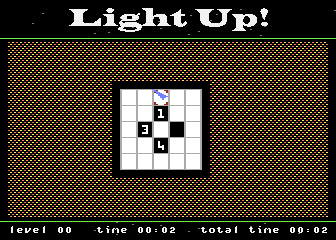
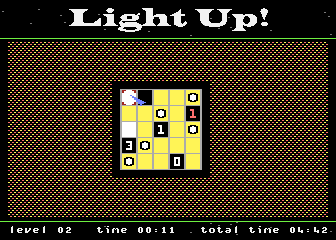
Game rules: The number logic is similar to minesweeper - if a tile has number 3, then it should have 3 orthogonally (vertically+horizontally) adjacent bulbs (not more, not less). Every bulb lights up the tiles orthogonally until the light is blocked by black (number) tile or edge of the playfield. Two bulbs turn red when they are lighting on each other, you have to avoid such situation. cheat: On title screen with uncle Fester press SHIFT+Q / W / E / R / T / Y to start from level 10 / 20 / 30 / 40 / 50 / 60 Press START+SELECT+OPTION during gameplay to jump to title screen.
Shimbe — 9 Sept 2020
Click in a square to place a white bulb on it: this will turn orange all the squares lined with the bulb, horizontally and vertically, if no black squares are in the way. Your goal is to turn all the white squares into orange, AND keep all bulbs and numbers in white (if you missplace a bulb, bulbs and/or numbers affected will turn red). I'm still learning why red ones appear, and how numbers affect the game.
Wilheim — 29 May 2016
How are the rules of this game? I don't understand it yet.