

Atari ST - ?
Mosaic
- Genre
- Brain - Logical / Puzzle
- Year
- —
- Language
- [unknown]
- Publisher
- [no publisher]
- Controls
- Mouse
- Distributor
- —
- Players
- 1
- Developer
- [n/a]
- Resolution
- Low
- Licensed from
- —
- Programmer(s)
- Hosler, Randy
- Country

- Graphic Artist(s)
- Hosler, Randy
- Software
- English
- Game design
- Johnson, Kirk
- Box/Instructions
- English
- Musician(s)
- [n/a]
- License
- PD / Freeware / Shareware
- Sound FX
- [n/a]
- Serial
- —
- Cover Artist(s)
- —
- ST Type
- ST, STe, TT, Falcon030 / 0.5MB
- MIDI
- —
- Version
- —
- Dump
- Download
- Number of Disks
- 1 / Double Sided
- Dump format
- ST
- Protection
- —
INSTRUCTIONS
          MOSAIC:
          Mosaic is played with a set of 81 two-by-two tiles on a 24-
          by-24 playing area. The objective of the game is to place
          your tiles such that squares of the same pattern (color) are
          connected as much as possible.

          For the purposes of scoring, similarly patterned squares are
          connected only if they share a side; touching diagonally on
          a corner doesn't count.

          Each of the 81 tiles is composed of four patterned squares.
          No two tiles are the same, and each comes up once a game, in
          random order.

          This ATARI ST version of mosaic will run in any ST resolution.
	  It can also be run as either a program or an accessory by
	  changing the extender to .PRG or .ACC.


          HOW TO PLAY:
          When playing mosaic, the next tile you have to play is shown
          in the upper right corner of the mosaic window.  By moving the
	  mouse pointer in the playing field, you control where that tile
	  will be placed, as indicated by the outline which replaces the
	  mouse pointer. To place the tile, press the left mouse button.

          While playing, the following commands are available:

          Window Close Box:     Quit mosaic

          "New Game" Button:    Start a new game

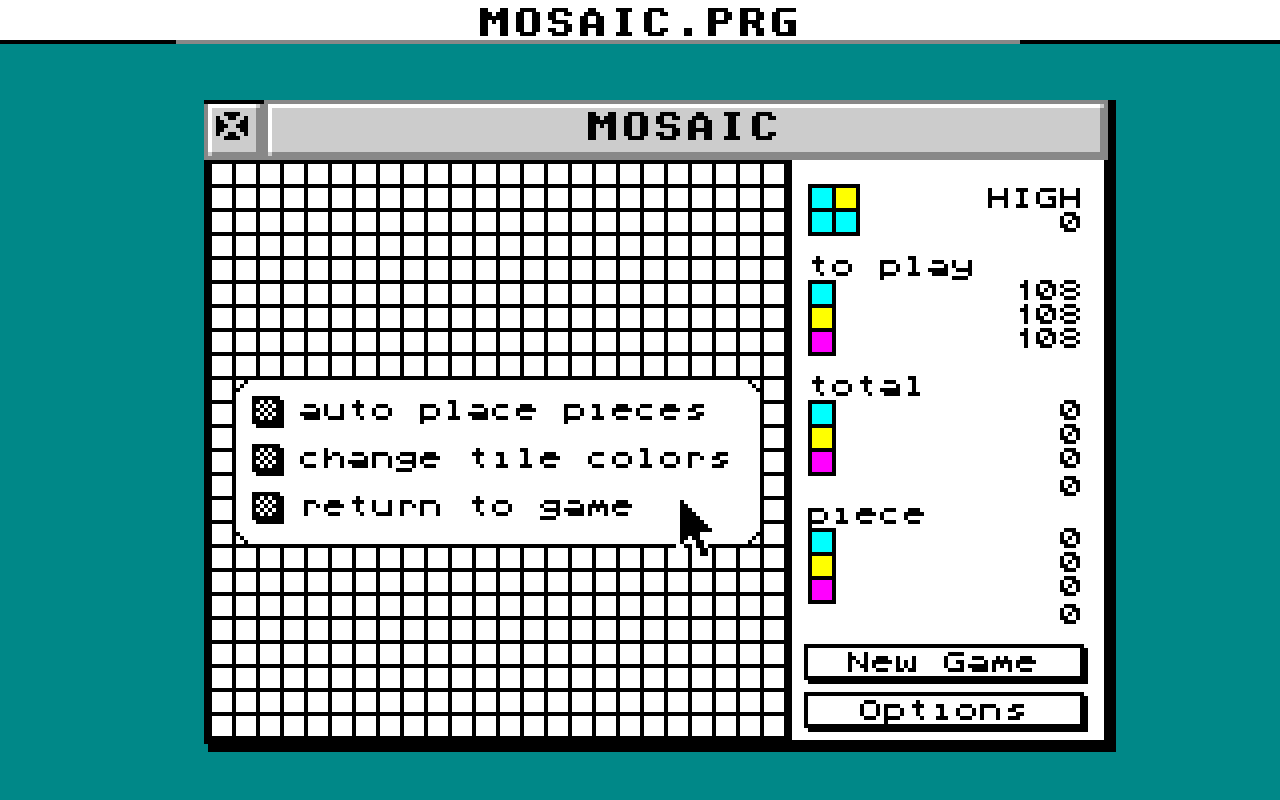
	  "Options" Button:     Display Options box


	  OPTIONS BOX:
          "auto place pieces" Button:   Randomly place any remaining tiles

	  "change tile colors" Button:  Display tile color selection box
	    (this option is ghosted out in medium and high resolutions)

          "return to game" Button:      Go back to playing mosaic


          SCORING:
          After you place each tile, mosaic identifies all the
          connected regions of similarly patterned squares. Each
          region then scores according to the square of the number of
          squares in the region.

          Mosaic displays the total score, the total score broken down
          by pattern, and the amount those scores were improved by the
          most recently played piece.


	  HISTORY:
          Mosaic for the ATARI ST was written by Randy Hosler
	  .  It is based on the X port done
	  by Kirk Johnson  which is based on
	  Joshua Klayman's PC/MS-DOS shareware game of the same name.
	  This ATARI ST version uses only the initialization and scoring
	  code of the X version.