

Atari ST - Application Systems Heidelberg - 1994
Kobold
- Genre
- Copying / Protecting / Dumping
- Year
- 1994
- Language
- [unknown]
- Publisher
- Application Systems Heidelberg
- Controls
- Mouse
- Distributor
- —
- Resolution
- Medium / High
- Developer
- Kaktus
- ST Type
- ST, STe, TT, Falcon030 / 0.5MB
- Licensed from
- —
- Programmer(s)
- Stessun, Jürgen / Weiss, RobertRichstein, Hans Jürgen
- Country

- MIDI
- —
- Software
- English
- Version
- 2.5
- Box/Instructions
- English
- Number of Disks
- 1 / Double Sided / HD Installable
- License
- Commercial
- Dump
- Download
- Serial
- —
- Dump format
- ST
- Protection
- Password
OTHER VERSIONS WITH THE SAME TITLE (3)
INSTRUCTIONS
KOBOLD V 2.5
============

You should find the following files on your Kobold disk:

   - INSTALL.PRG         Installation program
   - INSTALL.DAT         Installation data
   - README              You just read it...
   - ADDENDUM.TXT        A file with important additional notes which
                         are not included in the manual. Please read
                         them carefully!

After the installation (see manual) you'll find the folder KOBOLD_2.5 in
the path that you chose. Inside you should find the following files:


  - KOBOLD_2.PRG        KOBOLD itself

  - CORRECT.PRG         Filesystem checker (by Dirk Sabiwalsky)

  - TREE_CHK.PRG        Compares complete directory structures (Version 2.5)

  -              Folder with several KOBOLD-Icons
    - KB2_ICON.RSC       Resourcefile with Icons (Mono)
    - KB2CICON.RSC       Resourcefile with Icons (Color)

  -               Folder with example-job
    - JOBS.TXT           Notes regarding the jobs
    - BAK_COMP.KBJ       A complete backup
    - BAK_INC.KBJ        An incremental backup for changed files
    - DUP_KILL.KBJ       Kills all *.DUP and *.BAK on all drives from C: on
    - OPTIMIZE.KBJ       Job for optimization of partitions

  -              Folder with additional programs:

    -
      - AUTO_KBJ.PRG     Automatic job execution at boot-time
      - AUTO_KBJ.TXT     Corresponding manual

    -
      - CHK_OFLS.PRG     Safety for your filesystem (-> AUTO-folder)
      - CHK_OFLS.TXT     Corresponding manual

    -
      - HDCOOKIE.PRG     Setting of HD-Cookie
      - EDCOOKIE.PRG     Setting of HD/ED-Cookie
      - COOKIES.TXT      Corresponding manual

    -
      - DESK_KB2.PRG     Translator between MultTOS-Desktop and Kobold
      - DESK_KB2TXT      Corresponding manual

    -
      - EDBPBFIX.PRG     'Extended Density Bios-Parameterblock Fix' allows
                         TOS to use PC-compatible ED-disks
      - EDBPBFIX.TXT     Corresponding manual

    -
      - JOBTIMER.ACC     Accessory for timed execution of jobs
      - JOBTIMER.TXT     Corresponding manual

    -
      - SLCT_KBJ.PRG     Job-selector and -starter
      - SLCT_KBJ.TXT     Corresponding manual

    -
      - STARTKBJ.PRG     Mini-jobstarter for activating the Kobold-accessory
      - STARTKBJ.TXT     Corresponding manual

    - SKELETON.C         Basic C-skeleton for programming the Kobold interface


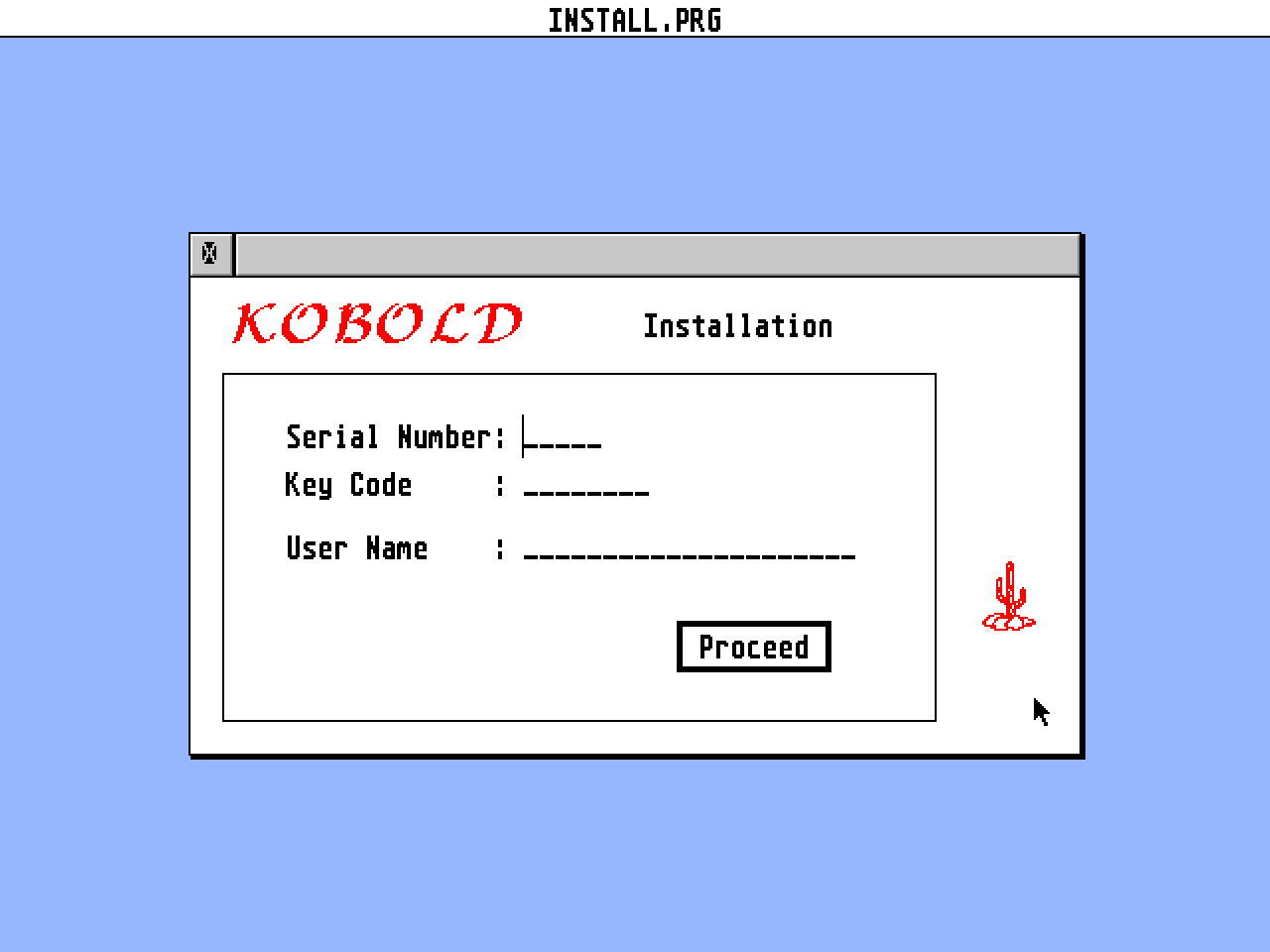
Installation
------------

If you received Kobold as an update, please perform the installation procedure
with the serial number and the key code of your original Kobold disk.

Please note the installation instructions of the manual. If you have TOS 1.0 or
TOS 1.2, the selection of the desired paths is a little more complicated.
First, you have to enter the destination drive and a succeeding colon manually.
Next, you have to click on the bar above the filelist. The drive is now selec-
ted and you can now choose an appropriate subdirectory or click 'OK' to install
the Kobold-folder in the root directory.