

Atari ST - VersaSoft - 1992
dBMAN
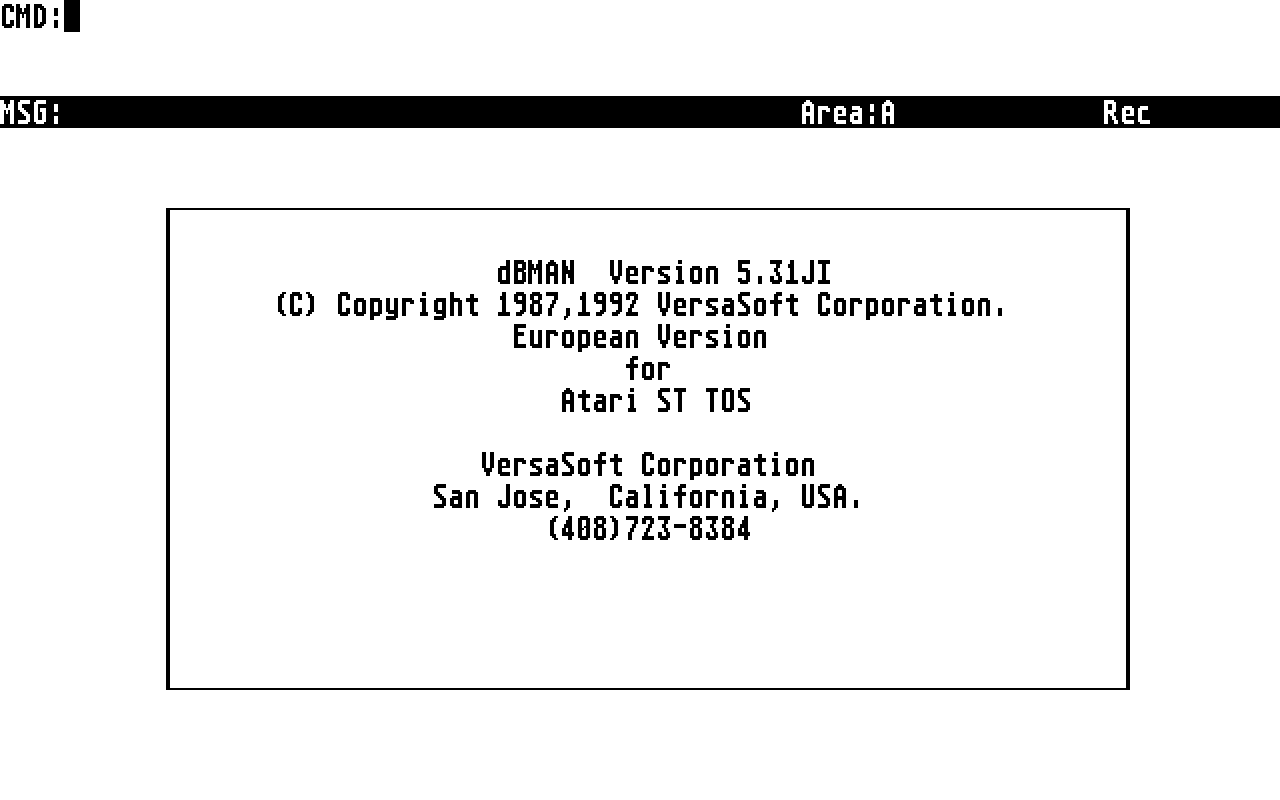
- Genre
- Database / Spreadsheet
- Year
- 1992
- Language
- [unknown]
- Publisher
- VersaSoft
- Controls
- Mouse / Keyboard
- Distributor
- —
- Resolution
- Medium / High
- Developer
- Versasoft
- ST Type
- ST, STe, TT, Falcon030 / 0.5MB
- Licensed from
- —
- Programmer(s)
- [unknown]
- Country

- MIDI
- —
- Software
- English
- Version
- 5.31JI
- Box/Instructions
- English
- Number of Disks
- 2 / Double Sided
- License
- Commercial
- Dump
- Download
- Serial
- —
- Dump format
- MSA
- Protection
- —
OTHER VERSIONS WITH THE SAME TITLE (6)
INSTRUCTIONS
This file explains changes (as of 92.02.11) that have occured since the
printing of the 5.3 manual as well as bug fixes since the last release.

1. SET FUNCTION ON/OFF
   SET FUNCTION is ON by default.  If OFF, the definitions for the function
   keys given by SET FUNCTION commands will have no effect.

2. Error 72
   This error is usually caused by an out-of-date err.dat file.  If you
   get this error, make sure that your err.dat is from the lastest release.

3. SETCOLOR() now returns the correct color string.

4. There are several helpful new error messages:
 108 String is too long or unterminated
 109 Variable is too long
 110 Bad logical token (example: "var = .Y")
 111 The file was not opened exclusively
 112 Bad picture (incorrect or unusable)

5. BOX() will erase boxes if you pass 0 for all the character arguments.
   example: BOX(6, 10, 15, 30, 0, 0, 0, 0, 0, 0)

6. Fixed a problem with DELETE FILE .

7. There is a command called CLEAR TYPEAHEAD which clears the keyboard
   buffer.  On earlier versions of dBMAN 'set input to ""' was used to
   clear the buffer; this is no longer correct.  Use CLEAR TYPEAHEAD.

8. You can use SET("group") to find the setting of the GROUP switch.

9. Some problems with nested groups and reprinted group headers were
   fixed in the Report Writer.

10. New function: RANDOM([[,]]) returns a random number.
     sets the range of the generator.  For instance, if you
    want numbers from 0 to 99, use RANDOM(any number, 100)

11. The picture functions @B and @Z had problems which were fixed.

12. GLGEN is now much more forgiving about the format of batch files
    and will not create an outpt file if there are compilation errors.

13. SET INDEX TO and the LASTREC(), RECNO() and RECLEN() function used to
    not generate an error if there was no file in use.  They now correctly
    return error 43 ("no file in use").

14. Procedure/UDF calling conventions are now fixed as follows:
 a. MEMORY VARIABLES may have their value modified by the procedure,
    as before.
 b. FIELD NAMES are passed by value, so you cannot use the name of
    the parameter to alter the value of the field.
    These conventions are now more similar to the behavior of dbase 3 and 4.

15. CLOSE ALL selects the default work area.  (If DB3 is on, it selects
    A (FJ), otherwise it selects G (FP).  This has always occured, although
    it escaped mention in the manual.

16. DBBROWSE has a new option, number 32.  Option 32 is for the scope clause.
    use DIMENSION option[32] and set option[32] to either "" or the scope
    clause.

17. Problems with the Reference Manual.
Page 14. Aliases/Current File File ID's.
Please add the following notes:
"Alias name cannot begin with digits.  If a DBF name starts with a digit, you
must specify an alias name in the USE command".

Page 179. MODIFY SCREEN.
The Screen Generator keys are incorrect.
They are NOT control-key combinations (except ^W).  Do not press
the Ctrl key.  Please change the manual to:

Key  Description
T  Insert Text
L  Add a line
B  Add a box
C  Add a calculated field (@ SAY item)
I  Add an input field (@ GET item)
E  Edit the current item
D  Delete the current item
U  Unmark the current item
M  Move all marked items
R  Reorder the items (order in which items are displayed)
^W  Save the screen layout in the  format file.

F1  Display the key descriptions.


Page 187. READ
The text "If the ^E or the  key is pressed ....." should be changed to
"If the  key is pressed .....".

Page 190. RELEASE ALL.
Please add this note: The RELEASE ALL command does not release PUBLIC variables.  PUBLIC variables must be RELEASEd explicitly with the RELEASE  command.

Page 201.  SET COLOR.
SET COLOR [] [,] [,]
 [,]
The box video mode defines the color for the boxes and lines.

Page 238.  Function summary.
Remove RECEIVE, SEND functions.  These functions are system dependent.

Page 253.  DBBROWSE
The  array element 16  must be set to .F. if FOR clause or
INDEX file is used.

DBBROWSE has a new option, number 32.  Option 32 is for the scope clause.
    use DIMENSION option[32] and set option[32] to either "" or the scope
    clause.

Page 254. DBBROWSE
In the example, change dimension option[30] to dimension option[32].
ADS (2)
ARTICLE (1)
BOOK / MAGAZINE REVIEWS (1)
International TOS Software Catalog · Winter, 1992