

Atari ST - ?
Happy Days Bingo
- Genre
- Gambling - Miscellaneous
- Year
- —
- Language
- GFA BASIC
- Publisher
- [no publisher]
- Controls
- Mouse
- Distributor
- —
- Players
- 1
- Developer
- [n/a]
- Resolution
- Low
- Licensed from
- —
- Programmer(s)
- Hanson, Wendell
- Country

- Graphic Artist(s)
- Hanson, Wendell
- Software
- English
- Game design
- Hanson, Wendell
- Box/Instructions
- English
- Musician(s)
- [n/a]
- License
- PD / Freeware / Shareware
- Sound FX
- Hanson, Wendell
- Serial
- —
- Cover Artist(s)
- —
- ST Type
- ST, STe / 0.5MB
- MIDI
- —
- Version
- —
- Dump
- Download
- Number of Disks
- 1 / Double Sided
- Dump format
- MSA
- Protection
- —
INSTRUCTIONS
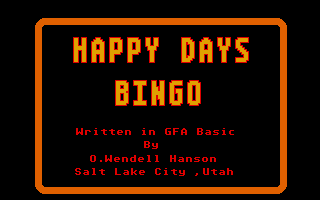
                         HAPPY DAYS BINGO

                       Written in GFA Basic
                               By
                         O.Wendell Hanson
                       Salt Lake City ,Utah

Happy Days Bingo was written in order to gain some programming
experience with PUT files,color PLT files,full color graphics,
loading NEO files into GFA programs,and most importantly,to
gain experience in handling three dimensional arrays and meeting
other related programming challenges.

The resulting Bingo Game is admittedly not very challenging to
play,nevertheless,I think it turned out quite well and I most
certainly obtained the experience I wanted. I hope you enjoy the
game.


HOW TO PLAY

After loading the program by clicking on Bingo.Prg and clicking
on the "Play Bingo" screen,the basic playing screen is obtained,
showing a blank Bingo card and five off screen cards. The cards
have been loaded with random numbers.  By clicking on one of the
five boxes,the selected card is shown on the screen card and
becomes the player's card.

Random Bingo numbers are drawn by clicking on the "Draw Number"
box.  The five cards are played simultaneously with the player's
card filling in on matched number squares.  If any of the off-
screen cards gets a "Bingo" before the "Player"card,the game is
over and the Player loses.  If the Player gets a "Bingo" first,
the player card wins.

To start a new game,the Player clicks on the "New Game" box and
selects a new card to play.  The five cards remain with the same
numbers unless the "Shuffle" option is clicked.  The "Shuffle"
function sets up five new cards with completely new number sets.
After each game,a number representing the winning card is
displayed at the upper left part of the screen.

If the "player" wishes to look at the five "Off-Screen" cards
before choosing a playing card,he merely clicks on each of the
five selection boxes and loads them into the screen card, one at
a time.  Remember that the "New Game" box must be clicked after
each game otherwise the new game cannot be initiated.  A dialog
box serves as a reminder.