

Atari ST - Budgie UK - 1993
Go Moku
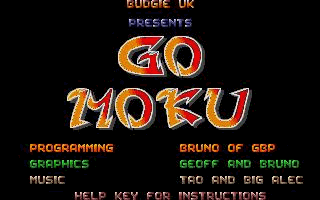 1 / 5
1 / 5- Genre
- Board Game - Miscellaneous
- Year
- 1993
- Language
- STOS BASIC
- Publisher
- Budgie UK
- Controls
- Mouse
- Distributor
- -
- Players
- 1 vs. 2 / 1
- Developer
- GBP
- Resolution
- Low
- Licensed from
- -
- Programmer(s)
- Azzara, Bruno
- Country

- Graphic Artist(s)
- Azzara, Bruno / Geoff (GBP)
- Software
- English
- Game design
- Azzara, Bruno
- Box/Instructions
- English
- Musician(s)
- Seemann, Frank / Gaubatz, Gunnar
- License
- Commercial
- Sound FX
- [n/a]
- Serial
- —
- Cover Artist(s)
- —
- ST Type
- ST, STe / 0.5MB
- MIDI
- —
- Version
- [Licenceware]
- Dump
- Download
- Number of Disks
- 1 / Double Sided
- Dump format
- MSA
- Protection
- —
INSTRUCTIONS
----------------------------------------------------------------------
                               GO-MOKU
                         BY BRUNO AZZARA, GBP
                     (C) 1993, BUDGIE LICENSEWARE
______________________________________________________________________

Hello and welcome to yet another product of GBP. The game on the disk,
Go-Moku is a very well implemented  version  on the theme of the great
Japanese (I think! sorry if I'm wrong)  game  of Go. It is the product
of hard work and toil, and we  therefore  hope that you will enjoy it.
For those of you who are  wondering,  this game is actually written in
STOS - yes that's right.  Now  before  STOS haters start switching off
and destroying the disk -  play  it,  I  think  that  you will be very
surprised.

This doc file has  been  included  to  help  the  beginner to actually
remember the procedures that  are  used  while  in the program. Things
like quitting for  the  frustrated  single  player,  or  the button to
change the music for those who find one or the other distracting.


        Change Music            M

        Instructions            Help (press the help key to see this.)

        Quit (from intro)       Esc (this returns you to the desktop,
                                press the Escape key to leave the
                                program.)

        Quit (from game)        F10 (returns you to the intro screen.)

        Two Player Mode         Right Mouse (click the right mouse
                                button, and the screen will fade
                                to black and then the game will
                                start.)

        One Player Mode         Left Mouse (as above, but the
                                player will be challenged by the
                                computer - GOOD LUCK!!)