

Atari ST - 1990
Enchanted Forest
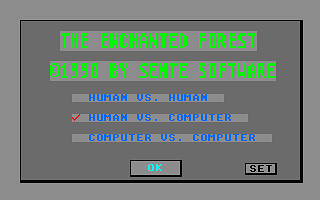
- Genre
- Board Game - Miscellaneous
- Year
- 1990
- Language
- GFA BASIC
- Publisher
- [no publisher]
- Controls
- Mouse
- Distributor
- —
- Players
- 1 / 1 vs. 2 / Demo
- Developer
- Sente Software
- Resolution
- Low
- Licensed from
- —
- Programmer(s)
- Farrell, Richard
- Country

- Graphic Artist(s)
- Farrell, Richard
- Software
- English
- Game design
- Farrell, Richard
- Box/Instructions
- English
- Musician(s)
- [n/a]
- License
- PD / Freeware / Shareware
- Sound FX
- Farrell, Richard
- Serial
- —
- Cover Artist(s)
- —
- ST Type
- ST, STe / 0.5MB
- MIDI
- —
- Version
- —
- Dump
- Download
- Number of Disks
- 1 / Single Sided
- Dump format
- MSA
- Protection
- —
INSTRUCTIONS
Enchanted Forest is Shareware and may be feely distributed as
long as this document is included. This program was written in
GFA Basic. If you enjoy this game please send $10.00 to:

Richard J. Farrell
3533 Longview
Bloomington,In. 47408

This program will only run in low resolution. The .PI1 file must
be in the same root directory as the program. You may configure
many aspects of this game and save them. The next time the game
is booted, it will default to this configuration. During the
game, pressing (T) will return you to the title screen and
pressing (Q) will allow you to quit the game.

OBJECT OF THE GAME:

Players alternate turns. Try to follow the path and move your
marker off the board before your opponent. Along the way, you may
be helped or hindered by Paths that allow movement in both
directions and Magic Magnetic Discs which pull the player to
them. There are four Briar Patch Spots in which a player may be
caught.

RULES:

1) The thin rectangle in the upper left corner indicates which
player moves next. Green always moves first. A human player will
always preceed a computer player.

2) The larger rectangle in the upper left corner indicates the
'Color Card' for the next move. Click on the circle along the
pathway that corresponds in color shown on this card. If two
circles are displayed on this card, move to the second color dot
along the path. A player must click on the correct circle before
his or her player will move there. If an incorrect click is made,
the correct circle will flash to indicate where to click.

3) Players may not occupy the same circle on the board. If you
draw a card that the player in front of you is occupying, a
yellow arrow will flash indicating that you cannot move and that
your turn is lost.

4) Before you move, notice what arrows are displayed in the box
in the lower left hand corner. These arrows indicate in which
direction(s) travel will be permitted along the paths.

5) The light blue circles are Magic Magnetic Discs and can be of
a help or hinderance to the player. Each of these discs will only
be activated once during a game.

6) There are four Briar Patch Spots along the trail. If you land
on one of these spots, you must draw a card of the same color
before you will be allowed to continue.

7) Play ends when a player receives a Color Card for which there
is no matching color in front of him. Click on the Color Card to
end the game.