

Atari ST - 1990
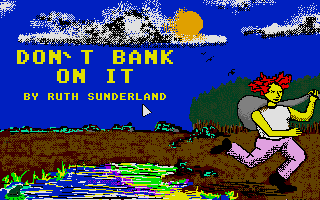
Don't Bank on It
- Genre
- Adventure - Text
- Year
- 1990
- Language
- STAC
- Publisher
- [no publisher]
- Controls
- Keyboard
- Distributor
- —
- Players
- 1
- Developer
- [n/a]
- Resolution
- Low
- Licensed from
- —
- Programmer(s)
- Sunderland, Ruth
- Country

- Graphic Artist(s)
- —
- Software
- English
- Game design
- Sunderland, Ruth
- Box/Instructions
- English
- Musician(s)
- —
- License
- PD / Freeware / Shareware
- Sound FX
- —
- Serial
- —
- Cover Artist(s)
- —
- ST Type
- ST, STe / 0.5MB
- MIDI
- —
- Version
- —
- Dump
- Download
- Number of Disks
- 1 / Single Sided
- Dump format
- MSA
- Protection
- —
INSTRUCTIONS
DON'T BANK ON IT   (v 1.0)
--------------------------
This version of Don't Bank On It is Public Domain and as such
can be freely distributed, but please include this documentation
file.

Most of the options are available within this version, but
you cannot save the game.  This is only possible in the full
version which is available from the author for a small fee.
This also entitles you to any help that you may require.
If you wish to obtain the full version of Don't Bank On It,
please send œ2.75 to:
Ruth Sunderland,
10 Marlborough Close,
St.Ives,
Cambs.  PE17 6DD

The program will run in low or medium resolution.  I'm afraid I
don't know whether it will run in high resolution as I do not
have a high resoluction monitor.  (Pause for violins.)
To load Don't Bank On It, double click on the DBOI.prg Icon and
wait for the on screen prompts.

All the instructions you need are at the beginning of the game
and can be accessed at any time during the course of the game
just by typing "help".

However I have also included the instructions in this
documentation file in case you wish to print them

WHAT IS AN ADVENTURE GAME ?

For those of you who have never played or seen an adventure game
before, I will explain briefly what it is all about.  Imagine
that you are a character in a story.  Instead of heading blindly
off in the direction the author wishes you to take, you have the
opportunity to make your own decisions about where you go what
you do and how long you take.  The game will have an ultimate
goal to be achieved within certain time limits, but how you get
there is up to you.

HOW DO YOU PLAY AN ADVENTURE GAME ?

Using logic and a fair bit of intuition, you can progress through
the game by solving a series of puzzles.  If you solve them all
correctly, you will succeed in your quest.

You must examine all the locations in minute detail to find the
objects and clues needed.  A number of the objects will be easily
found, whilst others may not become apparent for some time.  As
soon as you see something, attempt to take it, as you never know
when it may come in handy - some of the most important items may
seem insignificant at the time.  Make sure you examine every
object thoroughly.  Some of the objects can be manipulated or
used with other items.

It may not be instantly obvious what to do with an object, but
try a variety of approaches before moving on to something new.

You will come across other characters during the course of the
game.  Communicate with them as much as possible, as they may
hold vital information, or be able to help you in some way or
other.

If you feel that you have done everything and seen everything in
any one location, it might be worth returning to it, to find out
whether anything or anyone new has arrived on the scene.

COMMANDS

The computer is your eyes, ears, nose, voice, hands and feet
You tell it what you require it to do by typing in a command.
Every time you see the prompt "WHAT NOW ?", you type in your
command.

You may come across characters with whom you wish to communicate.
For example, if you see a policeman, type "TALK TO THE
POLICEMAN", or "SAY......TO THE POLICEMAN".  If you wish him to
talk to you, just type "TALK POLICEMAN".  IF you want something,
type "ASK THE POLICEMAN FOR A/THE........".

Examine everything that you come across.  For example if you see
a pencil, type "LOOK AT THE PENCIL".  Also try to "GET THE
PENCIL".

If you want to do something with the objects you are carrying,
for example a pencil and paper, type "USE THE PENCIL ON THE
PAPER".

The examples above are complete sentences, but you can also use
abbreviated text.  For example, "LOOK PENCIL", "GET PENCIL" or
"USE PENCIL ON PAPER"

The computer will understand multiple commands.  For example "GET
THE PENCIL AND USE IT ON THE PAPER".  Alternatively, "GO SOUTH
THEN WEST THEN GET THE PENCIL AND USE IT ON THE PAPER".

If you are trying to implement a particularly important command,
try several ways of saying it before moving onto something else.

If you wish to re-examine the location in which you find
yourself, type "L".

If you want to repeat the previous command, type "REPEAT", or
just "R".

All the above examples use quotation marks, but there is never
any need for you to use them.  Whilst playing the game, try to
keep your commands as simple and precise as possible.

DIRECTIONS

In most of the locations, you will be given various directions
you can take, examples of which are listed below:

NW  NE  SW  SE

NORTH or N   SOUTH or S
EAST  or E   WEST  or W

UP or U      DOWN or D

IN or INTO   OUT or O

INVENTORY

If you wish to see what you are carrying, type "CARRY" or "C", to
get an up to date inventory.

If you are carrying a large number of objects, you may be able to
find them more easily using "LIST".

If you need to know what you are wearing at any time, type
"WEARING".

SCORE

If you require an update on your score, and the number of moves
taken to achieve it, type "SCORE".

WAIT

If you find that time is passing too slowly for you, type "WAIT".
This will cause five minutes to pass within the time structure of
the game.  You don`t want to miss something vital, or find that
you are nearing the end of your time limit and are nowhere near
completing your quest, so please be very careful about how often
you use this facility.

TEXT SIZE

You can change the size of the text from low resolution (40
characters across) to medium resolution (80 characters across) by
typing "TEXT", and back again by doing the same thing.

SCREEN COLOUR

You can change the colour of the screen during the game, just by
typing the name of the colour that you require.  The five colours
are, white, blue, red, green and grey.  Any games you restore
will normally start off in grey.

RESTARTING THE GAME

If you wish to restart the game at any time, just type "RESTART".

QUITTING THE GAME

If you honestly feel that you can continue no longer, and wish to
abandon the game, type "QUIT".  You will be asked if this is what
you really want to do, and if yes will be exited from the game.

INSTRUCTIONS

To enable you to recap on these instructions during the course of
the game, type "HELP".


Don't Bank On It by Ruth Sunderland - Copyright (c) 1990

Developed using the ST Adventure Creator by Sean Ellis
for Incentive Software 1988

WITH SPECIAL THANKS TO
Margaret Sunderland without whom this game would never have been
completed.  Thanks also to James Bishop for play testing, and
Duncan Easterbrook for help with the title screen.