

Atari ST - 1992
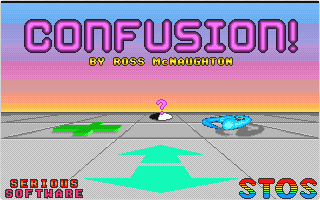
Confusion
- Genre
- Board Game - Miscellaneous
- Year
- 1992
- Language
- STOS BASIC
- Publisher
- [no publisher]
- Controls
- Mouse
- Distributor
- —
- Players
- 1 vs. 2
- Developer
- Serious Software
- Resolution
- Low
- Licensed from
- —
- Programmer(s)
- McNaughton, Ross
- Country

- Graphic Artist(s)
- McNaughton, Ross
- Software
- English
- Game design
- McNaughton, Ross
- Box/Instructions
- English
- Musician(s)
- [unknown]
- License
- PD / Freeware / Shareware
- Sound FX
- —
- Serial
- —
- Cover Artist(s)
- —
- ST Type
- ST, STe / 0.5MB
- MIDI
- —
- Version
- —
- Dump
- Download
- Number of Disks
- 1 / Single Sided
- Dump format
- MSA
- Protection
- —
INSTRUCTIONS
CONFUSION
=========

CONFUSION is a 2-player strategy board
game. The object of the game is
similar to that of chess, to capture
the opposing king, but the gameplay is
significantly different.

At the start of the game, only the two
kings are on the board. Additional
pieces may be placed anywhere on the
player's half of the board.

The board itself consists of a 12x12
grid of tiles. As well as plain tiles,
the grid contains 10 types of special
tile which affect pieces landing on
them. When the game starts, all the
tiles are covered, their type is only
revealed the first time a piece lands
on them.

The number of special tiles on the
board is proportional to the
difficulty level. The difficulty level
represents the number of each tile in
each quarter of the board, so on level
1 there are only 10 special tiles in
each quarter, on level 3 there are 30
in each quarter (leaving only 24
blank tiles on the whole board!)

A full description of all the pieces
and tiles can be obtained by clicking
on the "INFO" box on the level select
screen.

The game ends when one of the kings is
either taken by an opposing piece, or
destroyed by landing on a Death,
Convert or Mutate tile.

To skip a move, press the right mouse
button (picking a piece up and placing
it back on the same tile is legal, but
will reactivate the tile). This was
originally added in case one player
was unable to move, so decide whether
you want to allow it all the time or
just in that case.

To abort a game and return to the
level select screen, press F10.