

Atari ST - 1994
Cbzone
- Genre
- Shoot'em Up! - 3-D
- Year
- 1994
- Language
- Compiled C
- Publisher
- [no publisher]
- Controls
- Mouse
- Distributor
- —
- Players
- 1
- Developer
- [n/a]
- Resolution
- Medium / High
- Licensed from
- —
- Programmer(s)
- Givan, Roland
- Country

- Graphic Artist(s)
- Givan, Roland
- Software
- English
- Game design
- Atari Games [company]
- Box/Instructions
- English
- Musician(s)
- [n/a]
- License
- PD / Freeware / Shareware
- Sound FX
- [unknown]
- Serial
- —
- Cover Artist(s)
- —
- ST Type
- ST, STe, Falcon030 / 0.5MB
- MIDI
- —
- Version
- 1.0
- Dump
- Download
- Number of Disks
- HD Installable
- Dump format
- Zip-packed folder
- Protection
- —
ADDITIONAL COMMENTS
Falcon030 requires FPU
INSTRUCTIONS
CBZONE
======

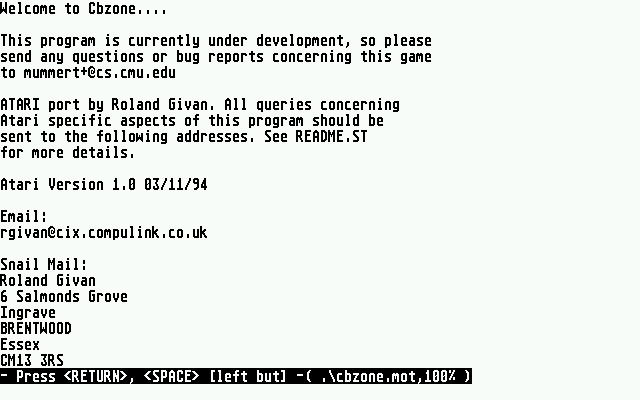
Version 1.0 for the Atari.

This is a B*TTL*Z*NE type game originally written in Fortran. At some point
it was converted to C using X-Windows as its output form. The executables in
this archive are a port to the Atari ST of this version, substituting GEM
for the X-Windows.

This is my third release version for the Atari and has several bug fixes
and improvements over the previous ones.

For those of you not familier with this game - its a 3D tank battle arcade
game. The view is through the front of your tank and all the enemy appear
as wire frame objects. There are also obstacles in the form of cubes and
pyramids. The object of the game is to shoot as many enemy vehicles as
possible.

##########################################################################
#                          QUICK START GUIDE                             #
##########################################################################

Double click on: CBZ0NFP.PRG

Mouse controls tank movement. Either button to fire.

Thats it - however there are many other options/hints/info in the rest of
this file to improve your enjoyment of this game! Please read on.
##########################################################################


Requirements
============

This archive should contain the following files:

CBZ0NFP.PRG
CBZ3FPU.PRG
CBZONE.RSC
CBZONE.MOT
CBZONE.HEL
README.ST
CBLAUNCH.PRG
CBLAUNCH.RSC
CBZSRC10.ZIP
COPYING

CBZONE will run in many different resolutions. Some of the ones tested are:

ST-med (640x200 4 colours)
ST-high (640x400 2 colours)
TT-med (640x480 16 colours)
TT-hi (1280x960 2 colours)

It *won't* work in ST Low (320x200 16 colours) or TT Low (320x480 256 colours).

CBZONE will also work in many Falcon resolutions except True Colour and Double
line modes.

It should run in 512K of RAM, but has not been tested.

CBZONE also requires a lot of processor power.

Two versions of the excutable have been supplied:

CBZ0NFP.PRG		68000 with No FPU	(ST,STE,MST)
CBZ3FPU.PRG		68030 with Co-pro FPU	(TT, Falcon with FPU)

The 68030 version should work on a 68020 machine (with FPU). Also all checks
for hardware are done via the COOKIE jar (_FPU,_CPU). If your COOKIE jar does
not reflect your actual hardware then you will get warnings. The net result of
this is that you can force a version to run on a machine even if it doesn't
have the correct hardware. This will result in a crash however. Actually
CBZONE is extreamly liable to crash well before it gets to the COOKIE check,
if you are running the wrong version!

The version suitable for a basic Falcon is CBZ0NFP.PRG. You will get a warning
telling you that you can run the 68030 version , but as you don't have an
FPU the supplied 68030 version (CBZ3FPU), won't work. You can turn off the
warning gernerated by the CBZ0NFP.PRG version by using the -nowarn option
(see below).

The source code archive (CBZSRC10.ZIP) allows for more variation of CPU and FPU,
but this is only currently supported under LC. Support for compilation under GCC
is limited.

The generic 68000 with optional FPU version from the previous release has been
dropped. This is because the overheads of the autodetecting FPU code were quite
high and it was apparently unreliable on I/O based FPU units (as found in MSTEs
and the like).

A basic ST with no form of acceleration just isn't fast enough. CBZONE will run,
but is unplayable. With NVDI its just about playable - though hardly exciting.

The realistic minimum is a 16Mhz 68000 with NVDI.

Also note that speed is affected by video mode on TTs and Falcons. Although
CBZONE looks good in TT-med (640x480 16 Colours) and similar Falcon modes -
it will run slower than if it was running in ST-med or ST-hi. This is because
TT-med takes 153K of memory to display, while ST modes take only 32K.
Therefore the computer take much less effort to update an ST mode than a
TT or Falcon specific mode.

The generic source code is easily available from many X-Window FTP sites.
The ST modified version (CBZSRC10.ZIP) should still compile under
X-Windows though I would not recommend attempting it as so many changes have
been made. I have tried in every case to keep all the original code as it was
- but some of it has had to be rearranged in order for some of the Atari
modifications to work. If anybody is thinking of compiling an X-Windows Version
then I can supply the original source code I have worked from.

These particular executable were compiled with Lattice C 5.5.2. This compiler
produces smaller (and hopefully faster) code than the GCC which was used
for the first Atari version. LC also has better support for Maths co-processors
than GCC.


To Play
=======

Just double click on the CBZ***** icon. This automatically starts playing an
'original' game - complete with all the features of the arcade one.

Moving the mouse moves the tank. Either of the mouse buttons fire a salvo.

	Quit game
P	Pause

There are also many command line options available.

To use them install the icon as a 'GEM takes Parameters' with the program's
directory as the default directory - as opposed to the 'top window' (Not
possible on all versions of the Desktop).

I have also inlcuded the program CBLAUNCH for users who can't install programs
by the above method. CBLAUNCH provides a command line dialog box - very much
like the one the Desktop has for 'Install application'. Into this box you can
enter command line options. When you select [OKAY], CBLAUNCH will try and run
the file CBZPLAY.PRG. Therefore it is necessary to decide *which* CBZ*****.PRG
you want to run and rename it to CBZPLAY.PRG before using CBLAUNCH.

CBZONE can also be run from some command line shells:
eg

gem cbz*****.prg

Some useful command line parameters are:

-original		This is the same as no parameters as all
-salvos			How many shots can be fired at once
-tanks			How many tanks at the same time
-missiles		How many missiles at same time
-blocks			How many landscape blocks
-coptersonly		Practice mode against copters
-quiet			Turns the sound off
-scores			Displays the score table then exits
-version		Displays version info then exits
-help			Display help info then exits
-nowarn			Turn off CPU and FPU warnings - useful if your
			COOKIE jar is incorrect.
-fast			Simpilify the graphics to make it run faster :-)

Also renaming CBZ*****.PRG to CBZ****F.PRG will automatically turn on the -fast
mode. If you have both fast and non fast versions of the *same* CBZ*****.PRG
in the same directory then *both* will default to fast when either is used.

Note: When using CBLAUNCH, the CBZPLAY.PRG 'knows' what its fast mode name is.
Therefore if you have 2 copies of the *same* CBZ*****.PRG in a directory
and one is named CBZ*****F.PRG and the other CBZPLAY.PRG, if you use
CBLAUNCH, it will pick up the CBZPLAY.PRG, but still run in fast mode by
default because of the CBZ****F.PRG

For super fast play try:

-tanks 1 -salvos 1 -blocks 0 -fast

also

-fast -coptersonly

These are only a practice mode though.

There are many more (untested) parameters listed in the file:

CBZONE.HEL

CBZONE.HEL is the original X-Windows help file. Some of the options in
it won't work or will be implemented slightly differently. Also there
are options listed above which aren't in that file. The part in CBZONE.HEL
about XResources is *completly* untested and is unlikely to work.

Note: Most options other than -original (or -fast) puts the game into
practice mode.


CHANGE CONTROL (Atari Version)
==============================

First Version (unumbered) 9/10/93
---------------------------------
Basic GCC compiled port.

Version 0.1 (Unreleased)
------------------------
Several minor bugs fixed.
Basic GCC/Lattice compiled port.

Version 0.2 29/12/93
--------------------
Many minor bugs fixed.
Many internal optimisations made
Spot effect sound added.
Proper highscore dialogue added.
Pause fixed.
Maths Co-processor support added.
Fast mode added (-fast).
-help,-scores,-version now all do something useful.

Versions 0.3 - 0.9 (Unreleased)
-------------------------------
Progressively added support for multiple graphics modes
and improved the user interface.

Version 1.0 (03/11/94)
---------------------
General revamp and bug fix.
Finished support for multiple graphics modes.
Colour support including inverse in ST-Hi.
CPU and FPU support better - now 3 executables
	to optimise hardware use.
CBLAUNCH added (v0.1).
-coptersonly fixed.
-nowarn added.
Command line options now act in *addition* to default settings
	as opposed to  *instead* of.

FINAL NOTE
==========
CBZONE is still not perfect. Many things could probably be improved.
NO WARRENTY IS IMPLIED OR EXPRESSED - however I will continue
to try and work on this to make it better.

Also any ideas for improving it will be gladly received. I am mainly
interested in ideas to improve the speed. However as I did not actually
write the game improvements to the gameplay are probably beyond me :-(

Finally, if you require a specific version eg 68000/68881 and are unable
to compile it yourself, then I'd be happy to try and help.

Roland Givan 3/11/94

Email:
rgivan@cix.compulink.co.uk

Snail Mail:
Roland Givan
6 Salmonds Grove
Ingrave
BRENTWOOD
Essex
CM13 3RS
TRIVIA (4)
Hardware
Supports ST High Resolution
Hardware
Supports TT High Resolution
Hardware
Supports TT/Falcon030 VGA Resolution
Origins
Based on Atari Games 1980 coin-op.